Skip to Main Content
Sam's Club
Sam's Club
All Departments
All Services
Customer reviews for SAMSUNG 43" Class U8000F Series 4K Crystal UHD Smart TV for
SAMSUNG 43" Class U8000F Series 4K Crystal UHD Smart TV
4.5 out of 5 stars
stars
3,395 ratings3,296 reviews
  1. 5 stars72% (2,435)
  2. 4 stars15% (521)
  3. 3 stars6% (219)
  4. 2 stars3% (101)
  5. 1 star4% (119)

Member photos

  • +1026 images
Sort by |
Showing 1,821-1,830 of 3,296 reviews
Mar 5, 2026
Reviewer name: cktv
3 out of 5 stars
3 out of 5 stars review

New TV

[This review was collected as part of a promotion.] Fine that app-lications difficult to organize and use.. doesn't allow new or updating app installation date easily... used to a Roku TV system which is way more straight forward...

Review from Samsung US
Helpful?22SEGSGR5O6Z15524966302
reply from Samsung Advisor

Hi cktv, Thank you for sharing your experience. Please know that you can customize your Home screen by installing, removing or adding your favorite apps to the Home screen. Here's how: Searching for & Installing Apps 1. From the Home screen, press left on the remote’s directional pad. 2. Navigate to and select Search. 3. Using the search bar, enter the content or app you’d like to find. 4. Navigate to and select the app you’d like to install, then select Install. Note: Previously installed apps can be accessed on the Settings screen. Adding & Managing Apps on Home Screen 1. Go to App Settings (these can be found at the bottom of the Apps screen) and select the app you want to move. The following options will be available: a. Add to Home: Move the app to your desired location on the Home screen. b. Delete: Delete app. c. Lock/Unlock: Lock the app with a PIN so only you can use it. When the app is selected again, you will be prompted to enter the PIN to unlock it. d. Reinstall: Reinstall the app. e. View Details: View the app’s information and details. If you need more help with app management, please don’t hesitate to reach Samsung Support at 1-800-SAMSUNG (8AM – 12AM EST, 7 days a week) or use LiveChat under Support on our website. ~ Samsung Advisor

Mar 10, 2026
Reviewer name: MovieBuff
5 out of 5 stars
5 out of 5 stars review

Great features!

[This review was collected as part of a promotion.] We are thrilled with our new Samsung TV! The resolution is great! Easy to scroll through the menus and personalize your preferences. Set up was easy to follow. Samsung TVs are the best!

Review from Samsung US
Helpful?22SEGSGR5O6Z15524966302
Mar 4, 2026
Reviewer name: Kidd
4 out of 5 stars
4 out of 5 stars review

Lovely TV!

[This review was collected as part of a promotion.] The TV is great but sometimes the user interface is a tad but slow to catch up to my actions on the remote.

Review from Samsung US
Helpful?22SEGSGR5O6Z15524966302
May 5, 2026
Reviewer name: Kay dog
5 out of 5 stars
5 out of 5 stars review

New tv who this
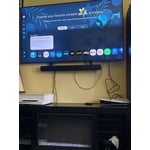
[This review was collected as part of a promotion.] Didn't realize how amazing the picture was going to look on this product great for gaming and overall all things and streaming and using it is very simple even a baby can do it

Review from Samsung US
Helpful?22SEGSGR5O6Z15524966302
Apr 20, 2026
Reviewer name: New TV
5 out of 5 stars
5 out of 5 stars review

Superb

[This review was collected as part of a promotion.] Great television. Great color. Great sound. Great settings to personalize. Great size. Great contrast. Beautiful resolution.

Review from Samsung US
Helpful?22SEGSGR5O6Z15524966302
May 15, 2026
Reviewer name: RuthlessRex
5 out of 5 stars
5 out of 5 stars review

Best TV ever

[This review was collected as part of a promotion.] Brightness is super bright contrast is so clear the resolution is a viewing experience you will want to Refresh often to get the refresh result

Review from Samsung US
Helpful?22SEGSGR5O6Z15524966302
Apr 24, 2026
Reviewer name: lcollierstu
5 out of 5 stars
5 out of 5 stars review

Great features.
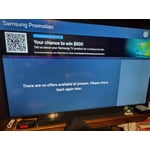
[This review was collected as part of a promotion.] The picture and sound are great. I am not able to set my own picture style such as letterbox etc. It does adjust picture style automatically.

Review from Samsung US
Helpful?22SEGSGR5O6Z15524966302
Feb 5, 2026
Reviewer name: Larry
5 out of 5 stars
5 out of 5 stars review

Enjoyable viewing

[This review was collected as part of a promotion.] Colors are bright and beautiful. I can watch my movies and videos through the u.S b port. Very nice television.

Review from Samsung US
Helpful?22SEGSGR5O6Z15524966302
Apr 5, 2026
Reviewer name: GalaxySlim
4 out of 5 stars
4 out of 5 stars review

Samsung for the win

[This review was collected as part of a promotion.] This television is literally everything it was advertised as no surprises just a good 4k TV best I had so far

Review from Samsung US
Helpful?22SEGSGR5O6Z15524966302
Feb 17, 2026
Reviewer name: Christian R
5 out of 5 stars
5 out of 5 stars review

Great buy!

[This review was collected as part of a promotion.] Honestly impressed by the performance and clarity in picture. And in the setting you can adjust it to what you watch the most. The TV paired with the Surround sound *chefs kiss*

Review from Samsung US
Helpful?22SEGSGR5O6Z15524966302