Skip to Main Content
Sam's Club
Sam's Club
All Departments
All Services
Customer reviews for SAMSUNG 43" Class U8000F Series 4K Crystal UHD Smart TV for
SAMSUNG 43" Class U8000F Series 4K Crystal UHD Smart TV
4.5 out of 5 stars
stars
3,395 ratings3,296 reviews
  1. 5 stars72% (2,435)
  2. 4 stars15% (521)
  3. 3 stars6% (219)
  4. 2 stars3% (101)
  5. 1 star4% (119)

Member photos

  • +1026 images
Sort by |
Showing 1,751-1,760 of 3,296 reviews
Mar 2, 2026
Reviewer name: Matthew
5 out of 5 stars
5 out of 5 stars review

Awesome and big!!

[This review was collected as part of a promotion.] Its been a great TV. I watch a good deal of shows and plau vido games. Everything works great and the built in speakers are better than expexted.

Review from Samsung US
Helpful?22SEGSGR5O6Z15524966302
Mar 23, 2026
Reviewer name: Bigpapagene
5 out of 5 stars
5 out of 5 stars review

One of the best tvs I've ever owned.
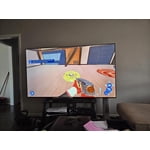
[This review was collected as part of a promotion.] the resolution for this TV is out of this world . the brightness and color contrast is amazing and the refresh rate is second to none

Review from Samsung US
Helpful?22SEGSGR5O6Z15524966302
Feb 25, 2026
Reviewer name: Incompitech
5 out of 5 stars
5 out of 5 stars review

Love it

[This review was collected as part of a promotion.] I love easy screen mirroring from my S23 Ultra and will be buying S26 Ultra. The only thing I am let down over is not being able to put Amazon Photos app on it for the Screensaver slideshow.

Review from Samsung US
Helpful?22SEGSGR5O6Z15524966302
Mar 23, 2026
Reviewer name: Mike H
3 out of 5 stars
3 out of 5 stars review

Great contrast

[This review was collected as part of a promotion.] I would like to complain about the one problem which is there are numerous bright spots on my screen seven or eight white and color about the size of a quarter and it's annoying

Review from Samsung US
Helpful?22SEGSGR5O6Z15524966302
reply from Samsung Advisor

Hi Mike H, Thank you for your feedback regarding the screen abnormalities you're seeing on your TV. To help determine if the issue is related to the panel itself, we recommend starting with a Picture Test, which displays a high-definition image you can examine for flaws: Settings > Support > Device Care > Self Diagnosis > Picture Test If the issue appears during the test and across all sources (built-in apps, HDMI devices, etc.), it may indicate a panel-related concern. You can also try displaying solid-color test videos (red, green, blue, black, white) from a USB drive or YouTube. This can help you identify whether any pixels are stuck or not functioning properly. In some cases, unplugging the TV for a few minutes and rebooting it can help resolve stuck pixels caused by temporary display behavior. If the problem persists after these steps, the TV may require service. To set up a service appointment, please contact Samsung Support at 1-800-SAMSUNG, 8AM – 12AM EST, 7 days a week. LiveChat and additional support resources are also available through the Support link on our website. ~ Samsung Advisor

Apr 20, 2026
Reviewer name: Steveojh1
5 out of 5 stars
5 out of 5 stars review

Great TV

[This review was collected as part of a promotion.] Very good product, would recommend to others. Brightness/contrast is great. Viewing and resolution are awesome!

Review from Samsung US
Helpful?22SEGSGR5O6Z15524966302
Feb 25, 2026
Reviewer name: Finn2021
4 out of 5 stars
4 out of 5 stars review

Good features

[This review was collected as part of a promotion.] I appreciate the features, clear picture and ease of use, however I am not a fan of the low quality remote and its configuration.

Review from Samsung US
Helpful?22SEGSGR5O6Z15524966302
May 20, 2026
Reviewer name: Beaver
5 out of 5 stars
5 out of 5 stars review

Great picture

[This review was collected as part of a promotion.] I did not have any service or repairs on any of my Samsung . I would recommend a Samsung TV to anyone .

Review from Samsung US
Helpful?22SEGSGR5O6Z15524966302
Feb 17, 2026
Reviewer name: Candilicious
5 out of 5 stars
5 out of 5 stars review

Impressive Quality

[This review was collected as part of a promotion.] Bright, vibrant display. Personalize APPs with ease. Ability to control using Smart Things APP. Impressive

Review from Samsung US
Helpful?22SEGSGR5O6Z15524966302
May 23, 2026
Reviewer name: Noonecares
1 out of 5 stars
1 out of 5 stars review

Hate it. Wish i had my lg back

[This review was collected as part of a promotion.] Will not stay connected to the internet, jumps in and out of game mode while playing a game (screen goes black in the middle of games and come back on brighter than before.

Review from Samsung US
Helpful?22SEGSGR5O6Z15524966302
reply from Samsung Advisor

Hi Noonecares, Thank you for sharing your experience with the internet connection on your Samsung U8000F TV. Whether you're using Wi-Fi or a wired (LAN) connection, there are a few steps you can take to help resolve the issue: 1. Power Cycle Your Equipment. Unplug both your TV and router/modem from the wall outlet. Wait at least 30 seconds, then plug them back in and allow both devices to fully restart. 2. Check the Network Status. On your TV, go to: Home > left directional key > Settings > All Settings > Connection > Network > Network Status. This will help determine if the issue lies with the network or the TV. 3. Try a Different Connection Type. If you're using Wi-Fi, try connecting an Ethernet (LAN) cable directly from your router to the TV to test the connection. If you're using a wired connection, try switching to Wi-Fi to see if the issue persists. 4. Reestablish the Network Connection. Go to: Settings > All Settings > Connection > Network > Open Network Settings, and follow the prompts to reconnect to your Wi-Fi or wired network. 5. Update Firmware. Software updates can often resolve network bugs. To check for the latest version: Settings > Support > Software Update > Update Now If these steps don't resolve the issue, we’d be happy to provide further assistance. Please call Samsung Support at 1-800-SAMSUNG, (8AM – 9PM EST Mon – Fri, 8AM – 6PM Sat – Sun). LiveChat is also available at the ‘Support’ link on our website. ~Samsung Advisor

May 21, 2026
Reviewer name: dmp0503
3 out of 5 stars
3 out of 5 stars review

Problems with sound

[This review was collected as part of a promotion.] Sound is fuzzy, mostly noticeable during music, but ocassionally when characters are speaking. No idea how to address this. ,

Review from Samsung US
Helpful?22SEGSGR5O6Z15524966302
reply from Samsung Advisor

Hi dmp0503, Thanks for sharing your experience with your U8000F TV. Unusual sounds can come from different sources, so first check whether it’s from the TV speakers, an external device (like a soundbar), or the back of the TV. • For external audio, ensure cables are connected to the correct output • If using antenna or cable, check signal strength: Settings > Support > Device Care > Self Diagnosis > Broadcast Signal • Popping sounds from the back may be due to thermal expansion - this is normal and not a malfunction • Run a Sound Test to troubleshoot: Settings > Support > Device Care > Self Diagnosis > Sound Test If the issue continues, please contact Samsung Support at 1-800-SAMSUNG, available from 8AM – 9PM EST Mon – Fri, 8AM – 6PM Sat – Sun. You can also visit the Samsung website and click on ‘Support’ for: • Live Chat • Manuals, Software, & Warranty Info ~ Samsung Advisor