Join Now
Skip to Main Content
Sam's Club
Sam's Club
All Departments
All Services
Customer reviews for SAMSUNG 43" Class U8000F Series 4K Crystal UHD Smart TV for
SAMSUNG 43" Class U8000F Series 4K Crystal UHD Smart TV
4.5 out of 5 stars
stars
3,746 ratings3,647 reviews
  1. 5 stars71% (2,668)
  2. 4 stars15% (575)
  3. 3 stars6% (240)
  4. 2 stars3% (126)
  5. 1 star4% (137)

Member photos

  • +1153 images
Sort by |
Showing 1,431-1,440 of 3,647 reviews
Jul 20, 2026
Reviewer name: Peter
5 out of 5 stars
5 out of 5 stars review

!?

[This review was collected as part of a promotion.] The display is bright and clear with good contrast. The screen responds quickly to touch, and the picture quality looks sharp. Overall, I'm happy with this product.

Review from Samsung US
Helpful?22SEGSGR5O6Z15524966302
Jun 7, 2026
Reviewer name: Ertwyn
5 out of 5 stars
5 out of 5 stars review

My continued satisfaction.

[This review was collected as part of a promotion.] I am very pleased with the stunning sharpness that I get from this product. This is my 6th Samsung TV.

Review from Samsung US
Helpful?22SEGSGR5O6Z15524966302
Jun 26, 2026
Reviewer name: Johnny
5 out of 5 stars
5 out of 5 stars review

I love Samsung TVs

[This review was collected as part of a promotion.] I have never had any problems with my TV, the picture quality is just amazing.....although I am ready for my next one....thinking about an 8k this time

Review from Samsung US
Helpful?22SEGSGR5O6Z15524966302
Jun 10, 2026
Reviewer name: Greg
5 out of 5 stars
5 out of 5 stars review

Easy to use features
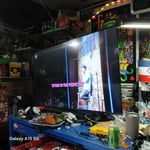
[This review was collected as part of a promotion.] it's a great TVand easy to use i love the features and how easily it syncs with my sou d barkeep it up

Review from Samsung US
Helpful?22SEGSGR5O6Z15524966302
Jul 5, 2026
Reviewer name: Snowtopia
5 out of 5 stars
5 out of 5 stars review

Great picture

[This review was collected as part of a promotion.] The picrure is amazing. The color and sharpness is better than I expected. When I use the remote there is no lag time. It was super easy to set up.

Review from Samsung US
Helpful?22SEGSGR5O6Z15524966302
Jun 17, 2026
Reviewer name: Smo0226
4 out of 5 stars
4 out of 5 stars review

Great TV for what u pay

[This review was collected as part of a promotion.] Overall this is a great TV for the price the picture on it is really good for what your paying. I love this TV we got another one for the bedroom.

Review from Samsung US
Helpful?22SEGSGR5O6Z15524966302
Jun 27, 2026
Reviewer name: Tcrock
5 out of 5 stars
5 out of 5 stars review

Amazing viewing

[This review was collected as part of a promotion.] The color is crystal clear and so vibrant . Between the brightness and contrast options you can have a personalized picture you'll love!

Review from Samsung US
Helpful?22SEGSGR5O6Z15524966302
Apr 20, 2026
Reviewer name: NO BOX GUY
5 out of 5 stars
5 out of 5 stars review

Smart Tv

[This review was collected as part of a promotion.] this was my first TV Smart TV loved all the Samsung channels I got benefit and so easy to switch from to YouTube first TV I've had without a converter box Smart TV

Review from Samsung US
Helpful?22SEGSGR5O6Z15524966302
May 23, 2026
Reviewer name: Noonecares
1 out of 5 stars
1 out of 5 stars review

Hate it. Wish i had my lg back

[This review was collected as part of a promotion.] Will not stay connected to the internet, jumps in and out of game mode while playing a game (screen goes black in the middle of games and come back on brighter than before.

Review from Samsung US
Helpful?22SEGSGR5O6Z15524966302
reply from Samsung Advisor

Hi Noonecares, Thank you for sharing your experience with the internet connection on your Samsung U8000F TV. Whether you're using Wi-Fi or a wired (LAN) connection, there are a few steps you can take to help resolve the issue: 1. Power Cycle Your Equipment. Unplug both your TV and router/modem from the wall outlet. Wait at least 30 seconds, then plug them back in and allow both devices to fully restart. 2. Check the Network Status. On your TV, go to: Home > left directional key > Settings > All Settings > Connection > Network > Network Status. This will help determine if the issue lies with the network or the TV. 3. Try a Different Connection Type. If you're using Wi-Fi, try connecting an Ethernet (LAN) cable directly from your router to the TV to test the connection. If you're using a wired connection, try switching to Wi-Fi to see if the issue persists. 4. Reestablish the Network Connection. Go to: Settings > All Settings > Connection > Network > Open Network Settings, and follow the prompts to reconnect to your Wi-Fi or wired network. 5. Update Firmware. Software updates can often resolve network bugs. To check for the latest version: Settings > Support > Software Update > Update Now If these steps don't resolve the issue, we’d be happy to provide further assistance. Please call Samsung Support at 1-800-SAMSUNG, (8AM – 9PM EST Mon – Fri, 8AM – 6PM Sat – Sun). LiveChat is also available at the ‘Support’ link on our website. ~Samsung Advisor

Jun 23, 2026
Reviewer name: The1Bri
5 out of 5 stars
5 out of 5 stars review

Quality picture
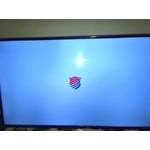
[This review was collected as part of a promotion.] love this TV . excellent picture . love that I can set it to go to sleep . quality quality quality. We have four other Samsung TVs. We also have Samsung phones. We Trust Samsung for the quality.

Review from Samsung US
Helpful?22SEGSGR5O6Z15524966302