Join Now
Skip to Main Content
Sam's Club
Sam's Club
All Departments
All Services
Customer reviews for SAMSUNG 43" Class U8000F Series 4K Crystal UHD Smart TV for
SAMSUNG 43" Class U8000F Series 4K Crystal UHD Smart TV
4.5 out of 5 stars
stars
3,746 ratings3,647 reviews
  1. 5 stars71% (2,668)
  2. 4 stars15% (575)
  3. 3 stars6% (240)
  4. 2 stars3% (126)
  5. 1 star4% (137)

Member photos

  • +1153 images
Sort by |
Showing 1,391-1,400 of 3,647 reviews
May 20, 2026
Reviewer name: Chris
2 out of 5 stars
2 out of 5 stars review

Started out promising

[This review was collected as part of a promotion.] Cheap looking bezel around the television,and connection issues it kept dropping and restarting,i never worried about buying a samsund product until this one. Returned.

Review from Samsung US
Helpful?22SEGSGR5O6Z15524966302
reply from Samsung Advisor

Hi Chris, We're sorry to hear about the issues that resulted in a return. Please know we are available and would have been happy to troubleshoot with you. We hope you’ll consider Samsung again in the future. If you do, we’re always here to help with setup and support. Reach us at 1-800-SAMSUNG (8AM – 9PM EST Mon – Fri, 8AM – 6PM Sat – Sun), or visit our website to chat live and access manuals or software. ~ Samsung Advisor

Apr 20, 2026
Reviewer name: El Rafa
5 out of 5 stars
5 out of 5 stars review

Great image, great audio and good for gaming

[This review was collected as part of a promotion.] Great value for a TV that is reliable and looks great for movies and gaming. Has great apps to switch from gaming to movies and YouTube easily. My family enjoys this TV daily.

Review from Samsung US
Helpful?22SEGSGR5O6Z15524966302
Jun 23, 2026
Reviewer name: Chuy
5 out of 5 stars
5 out of 5 stars review

Great screen and vibrant.

[This review was collected as part of a promotion.] The screen resolution, brightness, are perfect.y are very safe and clear the vibration and aesthetics are unique.

Review from Samsung US
Helpful?22SEGSGR5O6Z15524966302
Jul 5, 2026
Reviewer name: Gigi
5 out of 5 stars
5 out of 5 stars review

Great TV

[This review was collected as part of a promotion.] This is the 2nd wonderful Samsung TV we have gotten. Great picture, Great color. ALL AROUND GREAT!

Review from Samsung US
Helpful?22SEGSGR5O6Z15524966302
Jul 27, 2026
Reviewer name: Yandy
5 out of 5 stars
5 out of 5 stars review

Good picture quality and aound

[This review was collected as part of a promotion.] Good volume sound. I wish it wouldn't take awhile before it load up or the remote doesn't want to work

Review from Samsung US
Helpful?22SEGSGR5O6Z15524966302
Jun 5, 2026
Reviewer name: Elhijodedios
5 out of 5 stars
5 out of 5 stars review

Very clear
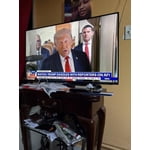
[This review was collected as part of a promotion.] When I buoyed my TV I mind that that I am qualities we beat very poor but when I turn on the TV I feel very happy thank you handsome for your product.

Review from Samsung US
Helpful?22SEGSGR5O6Z15524966302
May 20, 2026
Reviewer name: YellowFlicker
3 out of 5 stars
3 out of 5 stars review

Night scene

[This review was collected as part of a promotion.] I really am impressed with this TV. The colors are bright and vibrant BUT when the scene goes to a night scene it's too dark. Sometimes it's hard to see what is happening..

Review from Samsung US
Helpful?22SEGSGR5O6Z15524966302
reply from Samsung Advisor

Hi, We’re sorry to hear you’re not fully satisfied with the picture quality on your Samsung U8000F TV. If the image appears too dark, we suggest disabling certain energy-saving features, which can automatically adjust brightness and affect how the screen looks. Go to: Settings > All Settings > General & Privacy > Power and Energy Saving, then turn off Brightness Optimization, Energy Saving Solution, Motion Lighting, and/or Contrast Enhancer. You can also adjust the Picture Mode to better suit your environment: Settings > All Settings > Picture > Picture Mode • Standard – Default mode for general viewing • Dynamic – Brighter and clearer, ideal for well-lit rooms • Movie – Best for dark room viewing • Eco – Energy-saving mode • Filmmaker Mode – Preserves content as intended by creators To fine-tune brightness, go to: Home > left directional key > Settings > All Settings > Picture > Expert Settings, then adjust the Brightness level (0–50) to your preference. Lastly, please make sure your TV is running the latest firmware: Home > Home > left directional key > Settings > Support > Software Update > Update Now We hope these tips help improve your viewing experience. If you need further support, feel free to contact us at 1-800-SAMSUNG, 8AM – 9PM EST Mon – Fri, 8AM – 6PM Sat – Sun, or chat with us online via the ‘Support’ link on our website. ~ Samsung Advisor

Jun 22, 2026
Reviewer name: Jb1977
5 out of 5 stars
5 out of 5 stars review

Great TV

This product has been great over the years. I've had it for 3 years now no problems. The only issue is that it's fairly slow when it comes to switching the inputs. It's like a hesitates and then finally switches.

Review from Samsung US
Helpful?22SEGSGR5O6Z15524966302
May 11, 2026
Reviewer name: Nes21
5 out of 5 stars
5 out of 5 stars review

Great for every day use

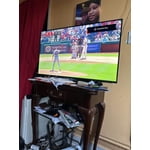
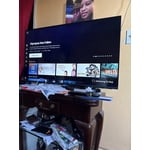
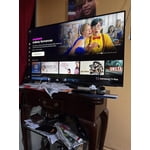
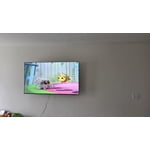
[This review was collected as part of a promotion.] Great TV and Resolution for everyday use. My family its very satisfied, we put it in the living room and we use it together.

  • +1 image
Review from Samsung US
Helpful?22SEGSGR5O6Z15524966302
Jul 9, 2026
Reviewer name: Jim c
5 out of 5 stars
5 out of 5 stars review

Easy on the eyes.

[This review was collected as part of a promotion.] This is the first TV with 4k capability and I watched some of the World Cup games and it is worth every dollar. Could not be any better. Thanks! Can't wait for the NFL season.

Review from Samsung US
Helpful?22SEGSGR5O6Z15524966302