Skip to Main Content
Sam's Club
Sam's Club
Member ratings & reviews for
Epson WorkForce ET-3750 Special Edition EcoTank All-in-One Printer with Bonus Black Ink
4.2 out of 5 stars
stars1,155 ratings1,126 reviews
  1. 5 stars57% (657)
  2. 4 stars21% (244)
  3. 3 stars11% (122)
  4. 2 stars5% (60)
  5. 1 star6% (72)

Member photos

  • +12 images
Sort by |
Showing 481-490 of 1,125 reviews
Mar 10, 2019
Laredo53
5 out of 5 stars review

Great features, love the WiFi

I bought this printer to replace my 15 year old laser printer (Magnavox-Minolta). My laser printer stopped working, parts were very expensive. Decided to go ink jet again because of price and the amount of ink you get with this printer. Seems to work very well, colors look good, black & white documents also look good.

Review from epson.com
Helpful?5HORJINKF4CN15315553577
Aug 15, 2019
Zara47abq
5 out of 5 stars review

Super economical

I have had this for a while and am very happy with it. I have 2 Epson printers, one I use for photos and high-quality text -- great quality, but expensive ink. I use the EcoTank for my daily printing, drafts, downloads of information -- decent prints, fast, and super-cheap ink. Having the two printers works out best for us and the way we use them. For everyday use, I cannot recommend the EcoTank enough. In a year, I've probably saved about 10 times the cost of the machine in ink cost!

Review from epson.com
Helpful?5HORJINKF4CN15315553577
Jun 19, 2019
glennflorida
4 out of 5 stars review

Just got it set up - ready to go!

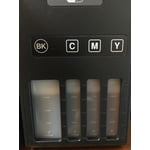
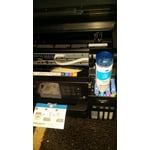
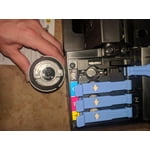
I just got the printer set up and connected. All went well, and the ink installation process seemed well thought out. I especially liked that the ink bottles are designed so they cannot be loaded into the wrong tank - thank you Epson! Looking forward to lots of printing without having to mess with getting replacement ink cartridges!

Review from epson.com
Helpful?5HORJINKF4CN15315553577
Nov 16, 2017
ode2k
4 out of 5 stars review

The Epson ET-3750 is a great all-in-one printer

The installation and setup of the printer was fast simple on both Windows PCs and Android Phones. The process only takes a few minutes, and the display walks you through the process very clearly. Upon first impression, the printer has a nice interface and control buttons. It's very simple to navigate and understand, and the buttons / actions are very responsive and it moves through the screen and menus without any lag. The web control panel interface of the printer is also pretty easy to understand and navigation is very quick. You can configure a lot more details of the networking as well as monitor ink levels, hardware status, and detailed page count statistics. The Epson Windows print driver also has several useful print presets (fast, grayscale, double-sided, high-quality, etc.) and several other useful settings (page offsets, rendering, watermarks). The quantity of up to 14,000 black / 11,200 pages color with the included ink is incredible. The included bottles of ink to fill up the tanks were simple to operate and well designed so they didn't spill a drop, and the package includes another set of bottles to refill when needed. It's definitely a relief to not have to worry about replacing small ink cartridges so often, as well as dealing with chipped usage counters and cartridge defects. One of the greatest aspects of the printer is the auto-duplex printing (configurable setting). It was amazing how well it would print the first page and re-feed the same paper to print the back. I already use this feature more than I thought I would. The build quality is solid, the trays open and slide with ease. It's nice size for a high-end all-in-one printer. The top feeder folds open easily to use for scanning or copying, and it closes neatly when not in use. The flatbed scan/copy cover doesn't stay up too well if not all the way open or close down gently. Pros: * Printing quality is very good. * Print speed is adequate. * The auto-duplex printing is awesome and is a great paper saver. * The gigantic ink tanks and included refill tanks are a huge value. * Works with Google Cloud Print. * Can print / scan from Android/iOS Apps. * Wired / Wireless Network printing. Cons: * Not a super quiet * Scanning lid open / close is not as smooth as I would expect. This is a review for the Epson WorkForce ET-3750 EcoTank All-in-One Printer that I received free of charge to do a beta test and review.

Review from epson.com
Helpful?5HORJINKF4CN15315553577
Oct 4, 2020
Brian1950Too
4 out of 5 stars review

Saves money on ink

I've had this printer for over a year. I've had home printers for over 25 years and this one stacks up fairly well. The print quality isn't as crisp as an HP ink jet with traditional ink cartridges, but it is adequate for home use and probably most business uses. The savings by not having to pay for ink cartridges paid for the printer, easily, during the first year. And, I still have the second set of full ink bottles that came with the printer. I only gave it four stars because some of the controls are not intuitive. I still have been unable to scan documents to my computer. For that, I turn to my old out-of-ink HP.

Review from epson.com
Helpful?5HORJINKF4CN15315553577
Dec 29, 2018
c875
5 out of 5 stars review

Easy Install

Just purchased this printer to replace a workforce 630. Setup was straight forward. Install walked me thru charging the ink, aligning printer heads and firmware updates. A little long but everything is done and up to date. Hoping it serves me as well as the workforce printer did.

Review from epson.com
Helpful?5HORJINKF4CN15315553577
Apr 25, 2020
Helmisgirl
5 out of 5 stars review

Don't Be Afraid to Buy Refurbished

I bought this printer recently, refurbished so paid barely more than half the regular price. So far it's cosmetically and functionally perfect. Even refurbished it came with a year warranty. I was interested in these ecotank models for better ink prices and longevity. So this is my first of this kind, an upgrade from my Workforce 630 model, which after several years just wasn't up to the task anymore. I look forward to getting as many years from this new one as I did from the old one, tho.

Review from epson.com
Helpful?5HORJINKF4CN15315553577
Oct 9, 2019
JoeDD
3 out of 5 stars review

Doesn't stay connected.

I got this a few months ago. Awesome feature with the EcoTank but the whole point is to have a printer ready when you need it. This printer must be rebooted due to it dropping off the network when asleep. Very inconvenient indeed!!! Also, did this plastic tank and feature really ad $300 to the machine???

Review from epson.com
Helpful?5HORJINKF4CN15315553577
Nov 29, 2019
Alan257
5 out of 5 stars review

Convenient and Innovative

Works as advertised and freedom from ink cartridges. Setup of the product went well and was able to use the product right away. This was my first wireless setup for a printer and that is working out well as we have three scattered computers. I am also pleased that Epson will recycle my older Epson printer, including covering the cost of getting the printer to them.

Review from epson.com
Helpful?5HORJINKF4CN15315553577
May 8, 2018
Sandytoo
4 out of 5 stars review

good economical printer

The printer works well. The software is glitchy at best. Installation is not simple and getting the scanner to work is hard. They say use Microsoft app but it doesn't work and the printer really doesn't care for Windows 10. I would recommend it to sojmeone who is computer literate not my wife

Review from epson.com
Helpful?5HORJINKF4CN15315553577