Skip to Main Content
Sam's Club
Sam's Club
Member ratings & reviews for
Epson WorkForce ET-3750 Special Edition EcoTank All-in-One Printer with Bonus Black Ink
4.2 out of 5 stars
stars1,155 ratings1,126 reviews
  1. 5 stars57% (657)
  2. 4 stars21% (244)
  3. 3 stars11% (122)
  4. 2 stars5% (60)
  5. 1 star6% (72)

Member photos

  • +12 images
Sort by |
Showing 361-370 of 1,125 reviews
May 5, 2019
SR2019
3 out of 5 stars review

Great printer but the scanner needs work

I bought this a while a go and for what it is advertised it works well. The fillable tanks are easy to use ana maintain and they are sufficient size that they really don' need to be filled that often and for every day printing this printer works well. However the Achille's heal of this printer is the scanner and the auto document feeder. When it works, which is about 50% of the time, it goes achingly slow and often jams. It is so unreliable that I usually just do it manually.

Review from epson.com
Helpful?5HORJINKF4CN15315553577
Nov 14, 2019
Renee65
2 out of 5 stars review

Very frustrating.

I cannot get this printer to work consistently. I send print jobs, and there is nothing in the queue. Hours later, the printer seems to get a connection and start printing items I have long forgotten. I was very excited about having large ink tanks, but I can't use them since the printer is so unreliable. Probably will need to return.

Review from epson.com
Helpful?5HORJINKF4CN15315553577
Jul 18, 2019
Jozef
3 out of 5 stars review

Dull Colors

I bought this to replace a HP Inject printer due to Epson's claims of being able to print many more pages without replacing ink. The HP printer was very expensive to use so I rarely printed anything. The Epson 3750 printer prints effortlessly and stays connected to my wireless network - something the HP printer always had problems with. Overall I am pretty happy with the Epson 3750 printer. The only issue I have is that the color on photos and graphics is quite dull. I don't print many things that I need vivid colors for so it isn't a big issue for me but for the few I do print it would be nice if the colors weren't so dull. I would recommend this unless you need to print something besides documents that don't need vivid graphics.

Review from epson.com
Helpful?5HORJINKF4CN15315553577
Mar 7, 2020
wmac
3 out of 5 stars review

Found by a hacker

In itself, it is a very good printer, nice sharp, well defined edges to graphics and fonts. The price of the replacement ink is very good. However, somehow a hacker has found our printer and I suspect may be using it as an IOT bot. Paper gets wasted and in return we get a cute ASCII graphic for New Years. Yea (not).

Review from epson.com
Helpful?5HORJINKF4CN15315553577
May 21, 2019
Bowhawk62
4 out of 5 stars review

Great value, but a bit weak on connectivity

I have three of these between work and home. Excellent on everything except their ability to connect on WiFi. If you try connecting by USB or Ethernet and WiFi at the same time, it gets confused. I am still fighting at work trying to keep connected after months. Very hard for the layman to determine if it's the printer, the router, the modem, or a combination of them causing the problem.

Review from epson.com
Helpful?5HORJINKF4CN15315553577
Mar 24, 2018
Rangerruss
5 out of 5 stars review

Very Satisfied so far

Bought this to replace a brand xx which was costing a fortune for ink. Tired refilling the cartridges but the xx printer only state that the cartridges were not compatible. Wifi was a little problem setup but not the fault of the printer. Had to change a spec on the Gateway to install and then switch it back.. Only overlooked that it did not fax but that is not a main concern.

Review from epson.com
Helpful?5HORJINKF4CN15315553577
Jan 17, 2020
Rapp1116
5 out of 5 stars review

Best printer ever

I got tired of spending huge amounts of money on toner cart. So I decided to spend a bit more on the printer instead. I haven't looked back. I now have two of them in the house. The one we use the most (daily) is a year old and isn't close to needing more ink!!!!! It prints well also. The software could be a bit better though, especially the scanning software. It works fine but is very basic looking!

Review from epson.com
Helpful?5HORJINKF4CN15315553577
Mar 14, 2020
AmtM
3 out of 5 stars review

Better on ink

I have had my printer a couple months. Printing has been good. Scanning in already over. The feeder stinks. The wheel that pull the paper in don't work already. It is a printer only now unless I manually place the paper, one at a time on the flat bed.

Review from epson.com
Helpful?5HORJINKF4CN15315553577
Dec 6, 2019
Dee2019
4 out of 5 stars review

It works !

Purchased approx 1 month ago. I am no expert with technology and was pleasantly surprised I could get it set up and running with my Macbook pro. The instructions were straight forward enough. I have only used the printing capability so far and it is perfect for what I need: basic printing for home use. I agree with other reviews; in this day and age touch screen would be ideal. It has a nice look to it as well.

Review from epson.com
Helpful?5HORJINKF4CN15315553577
Oct 11, 2018
KYO332
4 out of 5 stars review

No more costly ink cartridge.

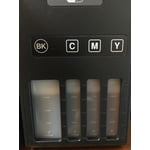
Had a ridiculous Kodak Hero 9.1 money burning ink cartridge. I'm hoping this Epson will fair out much better. I'm worried about the printer head since I live in the low humidity area. Set up is easy, "DO" follow the set up instruction or you probably will be scratching your head. There is a video on Youtube about it which is very helpful. Connection on my desktop was easy, just plug and play. I ran the printer test on both printer version and desktop version, it printed well. I left one star out since I have to get used to button instead of touch screen on this printer and it doesn't have direct connection for USB Flash drive. Note that the picture of the ink tank is a brighter representation of what goes in the tank. It will print the appropriate color tone. Lastly you do have to download the software to use the scanner feature.

Review from epson.com
Helpful?5HORJINKF4CN15315553577