Skip to Main Content
Sam's Club
Sam's Club
Member ratings & reviews for
Epson WorkForce ET-3750 Special Edition EcoTank All-in-One Printer with Bonus Black Ink
4.2 out of 5 stars
stars1,155 ratings1,126 reviews
  1. 5 stars57% (657)
  2. 4 stars21% (244)
  3. 3 stars11% (122)
  4. 2 stars5% (60)
  5. 1 star6% (72)

Member photos

  • +12 images
Sort by |
Showing 341-350 of 1,125 reviews
Mar 14, 2020
AmtM
3 out of 5 stars review

Better on ink

I have had my printer a couple months. Printing has been good. Scanning in already over. The feeder stinks. The wheel that pull the paper in don't work already. It is a printer only now unless I manually place the paper, one at a time on the flat bed.

Review from epson.com
Helpful?5HORJINKF4CN15315553577
Oct 11, 2018
KYO332
4 out of 5 stars review

No more costly ink cartridge.

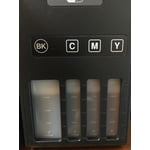
Had a ridiculous Kodak Hero 9.1 money burning ink cartridge. I'm hoping this Epson will fair out much better. I'm worried about the printer head since I live in the low humidity area. Set up is easy, "DO" follow the set up instruction or you probably will be scratching your head. There is a video on Youtube about it which is very helpful. Connection on my desktop was easy, just plug and play. I ran the printer test on both printer version and desktop version, it printed well. I left one star out since I have to get used to button instead of touch screen on this printer and it doesn't have direct connection for USB Flash drive. Note that the picture of the ink tank is a brighter representation of what goes in the tank. It will print the appropriate color tone. Lastly you do have to download the software to use the scanner feature.

Review from epson.com
Helpful?5HORJINKF4CN15315553577
Sep 9, 2019
wrandy407
4 out of 5 stars review

Love no Cartridges, BUT

My printer of several years recently kicked the bucket causing me to look for a replacement. I was going to replace with another toner based model until I happened to come across the Super Tank models. I had left inkjet printer technology many years ago because of the cost and hassles of cartridges. Being able to fill a tank and forget it, is a huge win. Quality is good, speed acceptable, BUT the Document feeder is JUNK!!!!! If you do a lot of scanning or copying and need a doc feeder, DO NOT purchase this printer.

Review from epson.com
Helpful?5HORJINKF4CN15315553577
Jun 4, 2020
PDColorado
5 out of 5 stars review

Can't wait to save on ink costs!

My old HP printer had been bleeding me dry with ink costs. If this printer lives up to it's ink saving reputation I will be thrilled. I've only been using it about 2 weeks. Print quality is every bit as good as my old HP Deskjet. I still can't get the scan button to work but will trouble shoot that later. I'm also still trying to figure out a way to automatically crop scanned photos without having to specify exact size and orientation of the picture before I scan them. All this I will sort out in time.

Review from epson.com
Helpful?5HORJINKF4CN15315553577
Jun 26, 2019
Paperbackwriter
5 out of 5 stars review

Economical Multi-Purpose Printer

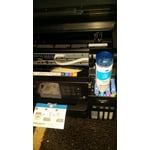
This printer was easy to set up and it comes with two sets of ink containers. The new ink containers are designed such that they won't spill and will automatically begin filling the tank once they are placed over the opening without needing to squeeze the containers and they stop once the tank is full. The color prints are fairly high quality and printing speed is relatively fast.

Review from epson.com
Helpful?5HORJINKF4CN15315553577
Feb 19, 2019
NEJulie
5 out of 5 stars review

My Printer

I just go this the other day and got it set up tonight. It was super easy to set up. I agree with other post that it would be nice if the screen was bigger but it works for this size of a printer. The only negative that I really have is that it is a little louder then I thought it would be but not a huge deal. Inks were really easy to load and it connected to my wifi quickly and easily. As of this moment I would recommend this printer

Review from epson.com
Helpful?5HORJINKF4CN15315553577
Oct 28, 2019
JHS203
4 out of 5 stars review

Easy Setup

I have only owned this for about 2 weeks and have only printed 20 or so documents. The ADF does not appear to work when making copies and shows a paper jam that has to be delt with even though there is no jam. The control panel is difficult to see unless there iis a bright light shining on it.

Review from epson.com
Helpful?5HORJINKF4CN15315553577
Jun 27, 2019
Denise L
5 out of 5 stars review

Great Printer

I was so tired of the expensive price of ink. I wasn't sure if an inktank would really make a difference, but it definately does. It was very easy to set. I thought it might be messy filling the tanks, but I didn't spill a drop. It really did come with 2 years supply of ink. I am very pleased with this printer. The print quality is great.

Review from epson.com
Helpful?5HORJINKF4CN15315553577
Jul 23, 2019
Beware Epson
3 out of 5 stars review

scanner feature does not work

I've wasted hours trying to get the Event Manager Software downloaded so I can get the scanner feature to work but that software is buggy, not able to download. I do have the disc and thought that would have included the needed software but apparently not. The instructions on the site are useless. For such an expensive printer, it is disappointing.

Review from epson.com
Helpful?5HORJINKF4CN15315553577
May 16, 2019
GeorgeH
5 out of 5 stars review

Great home printer

We've had this for just over a month and it beats the HP we replaced hands down!! It doesn't clunk and bang for 20 seconds before printing or leave voids in the copy. It prints clear complete copies in about 5 seconds after hitting print and it only makes minimal noise compared to our old HP. We only average about 5 pages of printing per day but the ink levels have hardly moved at all and I doubt it will tell us our ink has expired before it's used up.

Review from epson.com
Helpful?5HORJINKF4CN15315553577