Skip to Main Content
Sam's Club
Sam's Club
Member ratings & reviews for
Epson WorkForce ET-3750 Special Edition EcoTank All-in-One Printer with Bonus Black Ink
4.2 out of 5 stars
stars1,155 ratings1,126 reviews
  1. 5 stars57% (657)
  2. 4 stars21% (244)
  3. 3 stars11% (122)
  4. 2 stars5% (60)
  5. 1 star6% (72)

Member photos

  • +12 images
Sort by |
Showing 311-320 of 1,125 reviews
Jan 5, 2020
Filehorse
4 out of 5 stars review

Well-pleased with the performance

Bought this for myself as a Christmas gift to replace my ink cartridge hogging HP Photosmart. Looking forward reduced cost of printing. Printer output is very good whether color or black and white. Photo printing is very good with quality equal to my old HP. Print output is quick. It wakes up and goes right to work. I wish Epson had invested in a larger display screen with touchscreen capability. Having to manipulate menu choices with the cursor keys seems a bit archaic in this day and age. Still, on a day-to-day basis, this is not a real issue. The only other thing I've noticed is the scan function is noticeably slower than the retiring HP. But, the quality is excellent and since scanning is performed much less frequently than printing it's an acceptable trade-off. In the end the ink tank system benefits overshadows any shortcomings. If I had to make the same selection again, I would.

Review from epson.com
Helpful?5HORJINKF4CN15315553577
Apr 6, 2020
Narayan
4 out of 5 stars review

So far works great

So far works as expected. Only thing I am a bit annoyed is, it does not have the option to put in USB memory stick to scan images. You do need a computer and the software to scan. Otherwise, so far the ink is holding up well. Printing seem to be good.

Review from epson.com
Helpful?5HORJINKF4CN15315553577
May 15, 2019
ConnieO
4 out of 5 stars review

Can't get some features to work on iMac

Even though I love this printer -- it saves so much on ink and the blasted cartridges -- I am having trouble with two-sided printing from my Apple products (OS 10.14.4 Mojave). It will print two sided but the back page is upside down for both long edge and short edge binding. To add to the confusion, the menu for printer features has two places to turn on two-sided printing, both of which need to be turned on. None of this is mentioned in the on-line user manual, which appears to address an older version of Mojave. The copier works find both single and double sided. You just need to watch the ADF for jams. Scanner software works well.

Review from epson.com
Helpful?5HORJINKF4CN15315553577
Oct 19, 2019
SBenz
5 out of 5 stars review

Great quality and cost to print is a significant savings

We have had this printer for several months and it does a great job and does not use much ink. There seem to be a couple of minor quirks, it keeps asking if the ink needs to be filled and the levels are barely off the top amounts. It also is not recognized by our desk top from time to time, we are getting a new router but our old router is only a year old and located in the same room of the house, also a year ago this router was the top of the line linksys at the time. We are now upgrading, to one of the new linksys routers that should be over kill that has three separate broadcast units, a 6000 square foot area model, in a 2500 square feet.

Review from epson.com
Helpful?5HORJINKF4CN15315553577
Nov 10, 2017
HarryL
5 out of 5 stars review

It's a great printer and value!

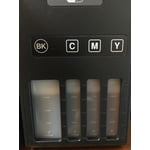
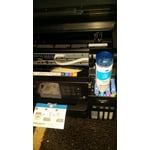
As a former IT mgmt professional, I've had to evaluate all types of printers for "fit". In an office situation, printers need to fulfill their purpose without a lot of "care and feeding". The EPSON ET-3750 fits the bill for a good feature loaded printer well-suited for home-office use. With auto-document fed scanning and copying, local and remote printing, and two years of ink in the box; the latter feature the most significant, this is a printer definitely worth considering for good general output and low maintenance. TIP: Prior to initial setup: A) For Wire-connected printing, have on hand the appropriate cable (either USB or Ethernet). B) For Wireless-connected printing, have the SSID and Password. SETUP: At a leisurely pace, unboxing and setup for printing took about 45 minutes. This included removing all the blue tape securing the printer in transit, carefully filling all of the ink reservoirs, charging the print heads, and updating the printer firmware. Regarding filling the ink reservoirs, it's one of those "measure twice, cut once" affairs. Be very aware to place each ink in the correct well. Note for Epson design engineers: Perhaps a custom fitting for each color refill could eliminate any accidental filling into the wrong well. Past that, all other initial printer setup went reasonably well when following the instructions on the "Start Here" sheet. The fact that the printer is offered with two years of ink for about 11,200 pages or 30 ink cartridges will no doubt beat the budget for a similar class printer without the EcoTank feature. PERFORMANCE: The ET-3750's print quality is on a par with other similar class inkjets. I printed identical images using varying printer settings and quality levels. All were more than acceptable for office quality use. Charts and graphics are presentation quality. When comparing the ET-3750 to my reference HP laser printer, the color saturation and vivid quality of the latter surpassed the former. For grayscale, the former presented nice gray levels, while the latter had steely blue tinted grays. Again, the ET-3750 performed easily on a par with other inkjet printers in its class. For photographic printing, there are other EPSON offerings, as the ET-3750 wasn't designed for that task. Print speed is good all-around and general quality printing is fast. One thing to keep in mind is the quality of the printing paper showing itself in the quality of printer output. A paper/space saving feature is the ability to print on both sides of the page automatically. Additional notes: I really like the flexibility of being able to scan and print remotely. The ET-3750 offers software for Android, iOS, Mac OS, and Windows. CONCLUSION: The EPSON ET-3750 is an ideal SOHO (small office/home office) printer. It meets the need without a high budget requirement and high maintenance. It avoids one of the big problems which are inkjet print cartridges running out in the middle of the job. With this printer, you can directly, visually see the ink level before you even begin a big print job. Overall performance is smooth and trouble-free. A wonderful printer that does what EPSON claims! “This is a review for the Epson WorkForce ET-3750 EcoTank All-in-One Printer that I received free of charge to do a beta test and review.”

Review from epson.com
Helpful?5HORJINKF4CN15315553577
Apr 17, 2020
Siii
4 out of 5 stars review

I'm having troubles Scanning

I have down loaded the drivers but I still cannot scan to my computer. Despite having trouble scanning documents I have made many copies for use by my students. This was largely cost effective and useful. I wish it was easier to make a document when I scan.

Review from epson.com
Helpful?5HORJINKF4CN15315553577
Jun 8, 2019
Italia
2 out of 5 stars review

Didn't meet my expectations!

Purchased this all in one about 2 months ago. I have had a problem with the paper feed on the top since day one. Sometimes it feeds right through, and other times it feeds half way and get jammed not making the hard turn downward. Also, thought it was a touch screen. Very let down for the price......

Review from epson.com
Helpful?5HORJINKF4CN15315553577
Jan 24, 2018
Rosie44
4 out of 5 stars review

So far so good!

Just bought it 2 days ago. Extremely excited about how inexpensive it is to print. The ink is priced far less than buying cartridges. Setup is fairly easy to figure out. We already printed from an iphone with no connection to a computer. I'm looking forward to see how it's all going to work out. Probably the first product that's made me feel that way in a long time.

Review from epson.com
Helpful?5HORJINKF4CN15315553577
Apr 1, 2019
Jl3699
5 out of 5 stars review

Easy peasy

Just set up my new ET 3750 printer So easy to install and set. Up . I was down loading images and text from my phone to the printer in no time . I am even able to use the printer on my home computer even though it is hard wired to the router because my router supports both wireless and hard line Truly an amazing printer and simple to add ink

Review from epson.com
Helpful?5HORJINKF4CN15315553577
Oct 18, 2019
SandyTum
1 out of 5 stars review

Very Disappointed

For one thing, the ADF jams, when I'm fact, there's actually no paper jam. It will not feed. Forced to use the glass to scan found out it takes between one and two minutes to complete a single page.! No touch screen, takes forever to punch thru the keys in order to do anything. Tray to catch printed copies is very lacking. Quality of print is poorer than other machines. Only good thing is the ink...way overpriced for what you get.

Review from epson.com
Helpful?5HORJINKF4CN15315553577