Skip to Main Content
Sam's Club
Sam's Club
Member ratings & reviews for
Epson WorkForce ET-3750 Special Edition EcoTank All-in-One Printer with Bonus Black Ink
4.2 out of 5 stars
stars1,155 ratings1,126 reviews
  1. 5 stars57% (657)
  2. 4 stars21% (244)
  3. 3 stars11% (122)
  4. 2 stars5% (60)
  5. 1 star6% (72)

Member photos

  • +12 images
Sort by |
Showing 261-270 of 1,125 reviews
Jun 27, 2019
Denise L
5 out of 5 stars review

Great Printer

I was so tired of the expensive price of ink. I wasn't sure if an inktank would really make a difference, but it definately does. It was very easy to set. I thought it might be messy filling the tanks, but I didn't spill a drop. It really did come with 2 years supply of ink. I am very pleased with this printer. The print quality is great.

Review from epson.com
Helpful?5HORJINKF4CN15315553577
Aug 9, 2020
CPteacher
4 out of 5 stars review

Set-up is tricky if your internet connection is glitchy

I received my printer four days ago. I think if I had stronger internet/wifi signal it would have been much faster. I use a computer daily, but am not a techie person. If I can set this up, anyone can. I had an Epson printer several years ago but let it sit too long without printing and I think my jets dried up or I had bad ink... I sent a family member to pick up ink for me and a clerk at the cartridge store talked her into off brand. I will order ink direct from now on!!!

Review from epson.com
Helpful?5HORJINKF4CN15315553577
May 7, 2019
SteveD
5 out of 5 stars review

I don't worry about ink!

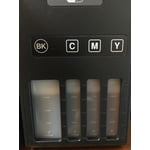
Many years ago, Epson had an inkjet printer with ink tanks. I bought it, but the print head soon failed, and replacement was too expensive. When this model showed up, I bought one, since I was not happy with the high prices I was paying for ink cartridges (yes, I had tried generic refills, but I was not happy with them, either). Now I don't worry about ink! I have a few minor complaints: It's noisier than I would like (but it's pretty fast). The screen prompts can be hard to follow. For example, when copying, you make selections and enter the number of copies using the arrow keys and the OK button. Then what? Finally you notice that to begin copying you need to push a different button. There's a small prompt for it, but it's easy to miss. Like some other users, I had a bit of trouble getting the installation to work, but I've had similar difficulties with many other printers. I love the automatic double-sided printing. I like the innovative document feeder on the top. I appreciate a relatively large paper capacity, and I like the way the outfeed tray works (though it seems a little flimsy). Front-view ink levels is a great feature, as is the ink re-filling process.

Review from epson.com
Helpful?5HORJINKF4CN15315553577
Oct 2, 2019
Photoguy19
5 out of 5 stars review

Versitle easy to use printer

With new devices not supported by my current I printer I purchased my Epson ET-3750 as a replacement. After filling the ink wells and powering on; the printer was imediately seen by all of my devices on my network. I am able to print documents and photos on this unit. I use the Epson Premium Glossy Paper for large photo's. I am using a generic 4x6 photo Paper for smaller photo's and everything is working just fine. The only minor issue I have with this printer is that it does not automatically detect paper types like my old HP did. Not a big deal, just requires a brief selection on the front panel. Currently running with Windows 10, and iOS 13.1.2. The best thing is that after printing several photo's and dcouments there is still plenty of ink left. Also this printer is much faster at printing than my old one.

Review from epson.com
Helpful?5HORJINKF4CN15315553577
Mar 25, 2019
pappy7
5 out of 5 stars review

Just Because

I spent a couple of hour setting this all up and disappointed that using the disk on window 10 pro I wasn't able to get it connected wirelessly. I will ask one of my more techy family members to give it a shot. Got it operating on usb for now and have made a few good quality prints!

Review from epson.com
Helpful?5HORJINKF4CN15315553577
Mar 4, 2020
GoldenMapleLeaf
4 out of 5 stars review

Good printer with lots of ink, almost perfect for home use.

I bought this a few months ago, but notice that when choosing b/w printing - it appears choppy, as if the image has sliced areas and put back together imperfectly. If I choose to print this in color format (even if it is simply b/w), it prints out fine. Not photographic level resolution in prints as I see the slight stripes. Don't expect this to be print shop quality.

Review from epson.com
Helpful?5HORJINKF4CN15315553577
Feb 14, 2020
welder70
5 out of 5 stars review

Great all in one printer!

We love the features on the ecotank all-in-one printers. Especially the no cartridge feature. We were using an ET-4550 for about two years until a repair requiring a repair center. Then we purchased an ET-3750. The ink levels are easier to see and tank refill then on the 4550.

Review from epson.com
Helpful?5HORJINKF4CN15315553577
Nov 28, 2019
TangoMark
5 out of 5 stars review

Great printer

This replaces my (still working) WF 30 and 800 printers that are both over 10 years old. Setup was slow but easy and it since then has worked simply and flawlessly. Quieter than my WF 30, faster than both. Simplest 2 sided printing I have ever experienced. Love working in one room and printing to another room.

Review from epson.com
Helpful?5HORJINKF4CN15315553577
May 6, 2019
Nickname55
4 out of 5 stars review

Set Up Instructions F-

I have been trying to install this all day. Had problems with connecting the printer/computer on WiFi. The set-up instructions are worse than poor. Finally chucked them and muddled through on my own. I love that the ink is loaded into the "supertank." No more ink cartridges. The print seems crisp and clear; better than other ink-jets we have owned. I may be happy with the printer in the end, but will reserve final judgement until later.

Review from epson.com
Helpful?5HORJINKF4CN15315553577
Jan 17, 2020
Rapp1116
5 out of 5 stars review

Best printer ever

I got tired of spending huge amounts of money on toner cart. So I decided to spend a bit more on the printer instead. I haven't looked back. I now have two of them in the house. The one we use the most (daily) is a year old and isn't close to needing more ink!!!!! It prints well also. The software could be a bit better though, especially the scanning software. It works fine but is very basic looking!

Review from epson.com
Helpful?5HORJINKF4CN15315553577