Skip to Main Content
Sam's Club
Sam's Club
All Departments
All Services
Customer reviews for ASUS RT-BE88U Dual-band WiFi 7 Router for
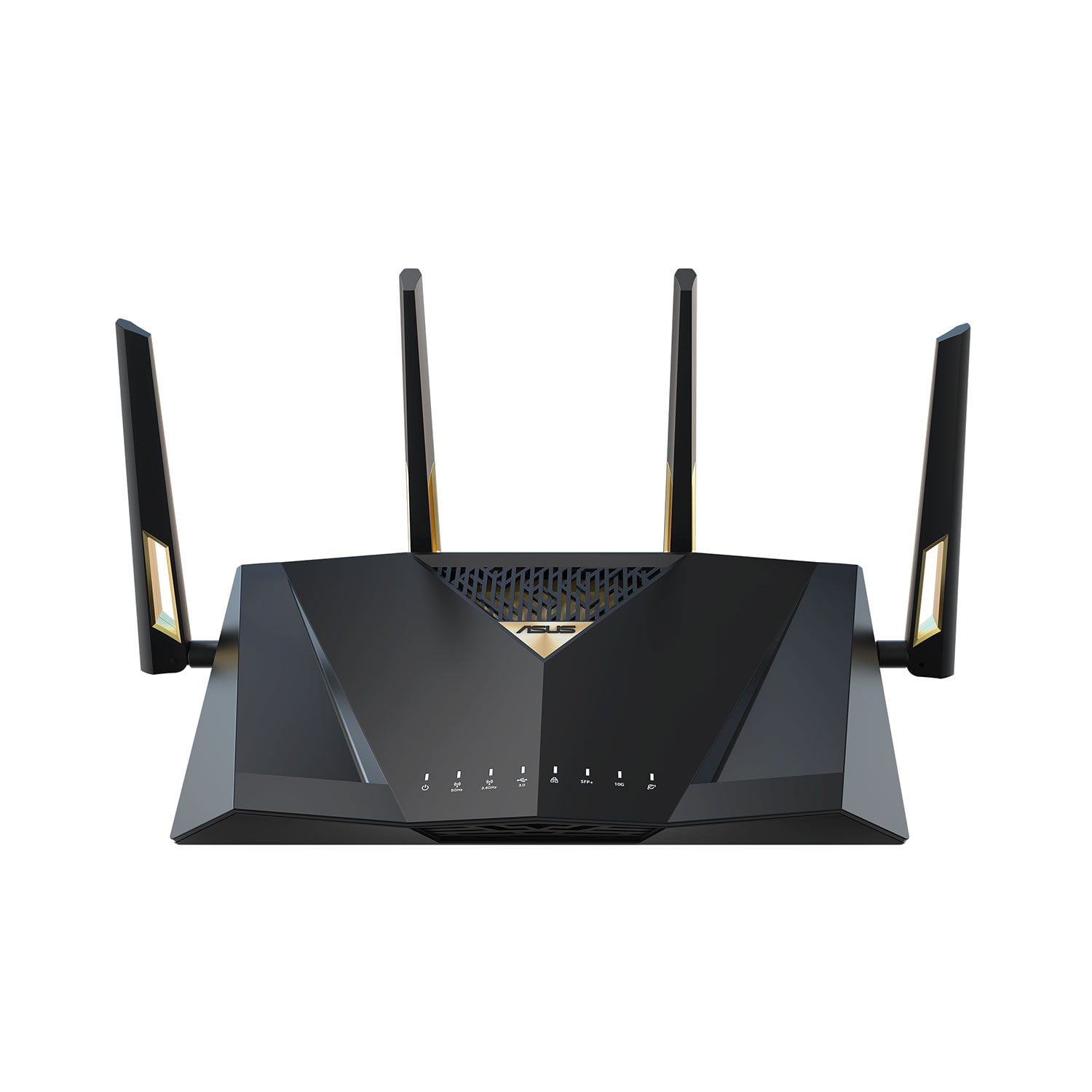
ASUS RT-BE88U Dual-band WiFi 7 Router
4.2 out of 5 stars
stars
72 ratings72 reviews
  1. 5 stars68% (49)
  2. 4 stars13% (9)
  3. 3 stars4% (3)
  4. 2 stars4% (3)
  5. 1 star11% (8)
Sort by |
Showing 11-20 of 72 reviews
Feb 14, 2026
Reviewer name: Particular Engineer
5 out of 5 stars
5 out of 5 stars review

Verified Purchase

Asus Mesh Success in Multi Level Home

Three Asus mesh routers solved challenging weak spots in our home network. The RT-BE88U served as the Mesh hub. The ability to bind devices to particular mesh nodes made the system work well and stay working repeatedly. This was crucial to achieve the performance needed for some devices in the network.

Review from https://www.asus.com
Helpful?7097NEHYOC3L15257556860
May 18, 2026
Reviewer name: pw08096
3 out of 5 stars
3 out of 5 stars review

Verified Purchase

The Routers Seem Fine, The APP Sucks

I brought three of these routers. The mesh mostly behaved great. "One router kept dropping". I realized the management tool (APP) on my android might be the issue. I deleted the app, downloaded the new app and installed it. The new app is pretty and blinking, but functionally useless.

Review from https://www.asus.com
Helpful?7097NEHYOC3L15257556860
reply from CLM

Dear Pw08096, Thank you for your comment. We do understand your disappointment with the router and the inconvenience this may have caused if you are experiencing connection drop on one of the units. To resolve the unstable connection, place it in a central location within your home, away from walls and obstructions, keep it elevated off the floor and away from electronic devices that may cause interference. Also, we recommend updating the routers' firmware if it is running with an older version. Firmware is available for download at: https://www.asus.com/networking-iot-servers/wifi-routers/asus-gaming-routers/rt-be88u/helpdesk_bios?model2Name=RT-BE88U. Should you need further assistance with the product, please email me at cl-rodel@asus.com and I would be more than happy to help. Or you are most welcome to call Product Support Hotline at: 1(888) 678-3688. Also, you can chat with an ASUS live support agent from the link: https://www.asus.com/us/support/article/1135/. Thank you for choosing an ASUS product. Regards, Rodel ASUS Customer Loyalty

Apr 20, 2026
Reviewer name: CGalli3924
2 out of 5 stars
2 out of 5 stars review

Verified Purchase

dead after 18 months

worked great for about 18 months --then just quit.. trying to get repaired or replaced

Review from https://www.asus.com
Helpful?7097NEHYOC3L15257556860
reply from CLM

Dear CGalli3924, Thank you for your comment. We certainly understand your disappointment and the inconvenience this may have caused. All ASUS products undergo intensive quality control testing and inspections, and are built to last. This router not working after 18 months of usage is andom. We recommend you send the product in for service to determine if this is a hardware issue so this may be resolved immediately. An RMA number is required to send it in for service. For RMA details, please go to: https://www.asus.com/us/support/article/818/. If you need more information or further assistance with the warranty for the product, please email me at cl-rodel@asus.com and I would be more than happy to help. Or you are most welcome to call Product Support Hotline at: 1(888) 678-3688. Also, you can chat with an ASUS live support agent from the link: https://www.asus.com/us/support/article/1135/. Thank you for choosing an ASUS product. Regards, Rodel ASUS Customer Loyalty

Jun 18, 2026
Reviewer name: Maryann
1 out of 5 stars
1 out of 5 stars review

Verified Purchase

Bad Unit

Item stopped working - after 4 days port for internet stopped and shortly thereafter the router just died- nothing plugged in and on - Zero - returning item - item does has a good reputation - I just got a dud

Review from walmart.com
Helpful?7097NEHYOC3L15257556860
Jul 9, 2026
Reviewer name: Janza156
4 out of 5 stars
4 out of 5 stars review

Verified Purchase

Good router But....

A good router with a fairly intuitive app interface and an even better online interface. Relatively easy to set up; my only negative thing is that the range on this router should be better for something in this price range

Review from https://www.asus.com
Helpful?7097NEHYOC3L15257556860
Jul 4, 2026
Reviewer name: Anonymous
5 out of 5 stars
5 out of 5 stars review

Verified Purchase

Definitely beats ISP provided router

I'm extremely happy with this router. I love the amount of control the ASUS app allows me to have over my home network, and will probably continue purchasing ASUS products for my network needs going forward.

Review from https://www.asus.com
Helpful?7097NEHYOC3L15257556860
Jun 16, 2026
Reviewer name: Not Disclosed
1 out of 5 stars
1 out of 5 stars review

Verified Purchase

To Difficult

The process to setup and operate this machinery does not adequately provide the needed information. also, support for this is extremely difficult to use, and they tend to be condescending. A very off-putting experience.

Review from https://www.asus.com
Helpful?7097NEHYOC3L15257556860
reply from CLM

Dear Valued Customer, Thank you for your comment. We do understand your dissatisfaction with the quality of your recent customer service experience and the inconvenience this may have caused if you are experiencing difficulty setting up the router. For helpful tips on how to setup the router, visit our Product Support page and download the User's Manual: https://www.asus.com/us/networking-iot-servers/wifi-routers/asus-gaming-routers/rt-be88u/helpdesk_manual?model2Name=RT-BE88U . We do value our customers and take negative customer service experience very seriously. This is not the quality of service expected from ASUS. We do support and stand behind our products, and we continuously strive to improve our approach and processes in order to achieve customer service excellence. If you need further assistance with the product, please email me at cl-rodel@asus.com and I would be more than happy to help. Or you are most welcome to call Product Support Hotline at: 1(888) 678-3688. Also, you can chat with an ASUS live support agent from the link: https://www.asus.com/us/support/article/1135/. Thank you for choosing an ASUS product. Regards, Rodel ASUS Customer Loyalty

Mar 14, 2026
Reviewer name: George Madden
5 out of 5 stars
5 out of 5 stars review

Verified Purchase

Quality and great software balance

You want to plug it in and run, fine. Or you want to tweak settings, go for it with a great UI that supports a rich set of options. ASUS stands behind it with support and timely firmware updates -- and has solid security protection built in.

Review from https://www.asus.com
Helpful?7097NEHYOC3L15257556860
Oct 22, 2025
Reviewer name: Anonymous
5 out of 5 stars
5 out of 5 stars review

Verified Purchase

Experience with RT-BE88U

Straighforward to configure and performance is very good. Much more obscure to setup multiple SSID's than older units. Configuring the "table" for the MAC to IP assignments used by the DHCP server is nearly impossible for more than a handful of mappings.

Review from https://www.asus.com
Helpful?7097NEHYOC3L15257556860
Aug 24, 2026
Reviewer name: Vinchenzo
1 out of 5 stars
1 out of 5 stars review

Verified Purchase

New Router dead DDNS

Old DDNS is dead ... No response from support after 4 days.

Review from https://www.asus.com
Helpful?7097NEHYOC3L15257556860
reply from CLM

Dear Valued Customer, Thank you for your comment. We do understand your dissatisfaction with the quality of your recent customer service experience if there was no response after four days you reach out and the inconvenience this may have caused if your old DDNS is dead using the RT-BE88U router. It failed because the old hostnames tied to an older router need proper account binding to transfer over. To resolve this, update the firmware if the router running with an oudated version. Update for the router is posted at: https://www.asus.com/networking-iot-servers/wifi-routers/asus-gaming-routers/rt-be88u/helpdesk_bios?model2Name=RT-BE88U. Once updated, open the ASUS Router Application, log into your ASUS account, go to Settings > Account Binding > ASUS DDNS, and re-link or import your existing hostname. We do value our customers and take the negative customer service experience very seriously. This is not the quality of service expected from ASUS. We stand behind our product and continuously strive to improve our approach and processes to achieve customer service excellence. If you need further assistance with the product, please email me at cl-rodel@asus.com and I will be more than happy to help. Or you are most welcome to call Product Support Hotline at: 1(888) 678-3688. Also, you can chat with an ASUS live support agent from the link: https://www.asus.com/us/support/article/1135/. Thank you for choosing an ASUS product. Regards, Rodel ASUS Customer Loyalty