Skip to Main Content
Sam's Club
Sam's Club
All Departments
All Services
Member ratings & reviews for
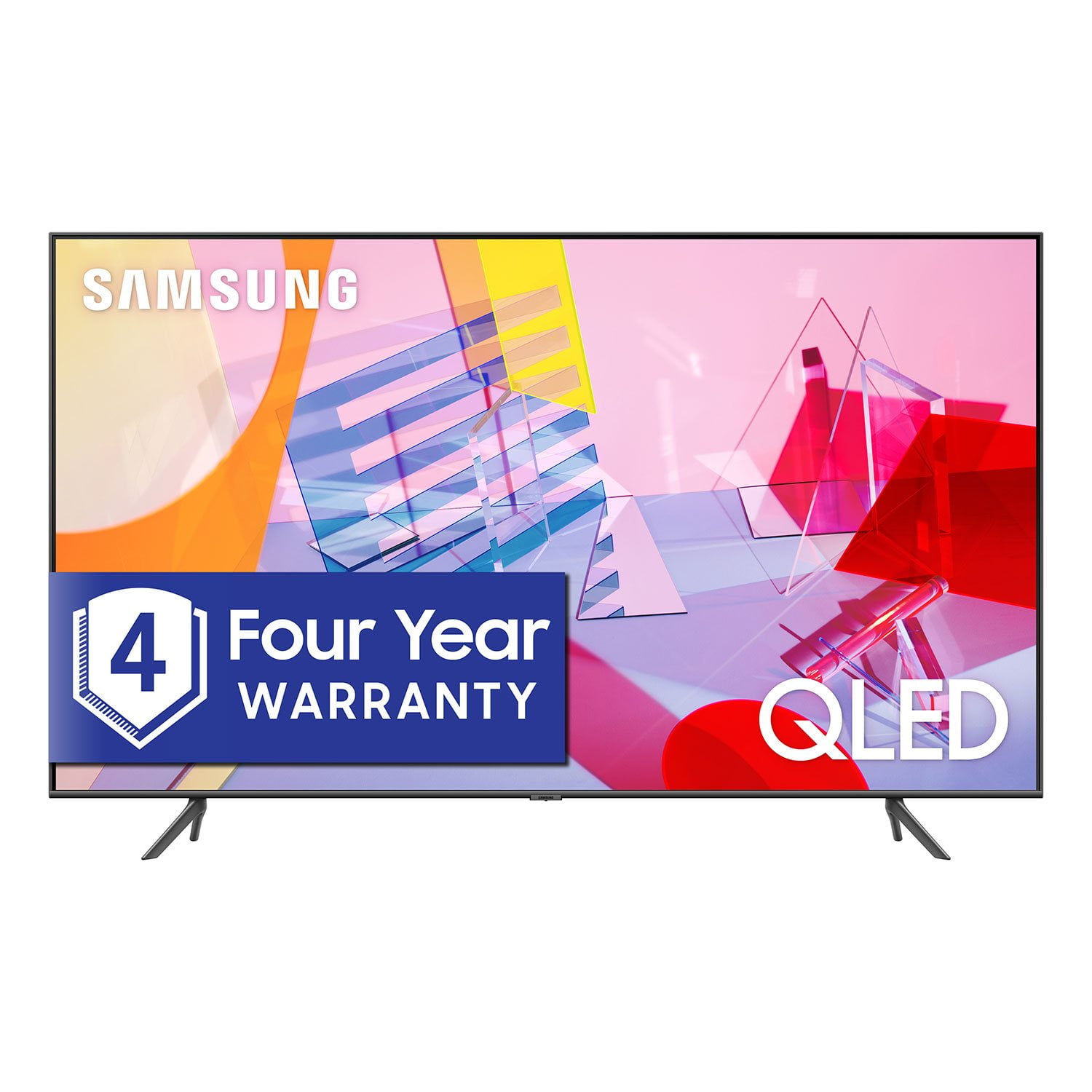
SAMSUNG 55" Class Q6DT-Series 4K Ultra HD QLED Smart TV - QN55Q6DTAFXZA (2020 Model)
4.7 out of 5 stars
stars
2,111 ratings2,037 reviews
  1. 5 stars78% (1,656)
  2. 4 stars15% (321)
  3. 3 stars3% (56)
  4. 2 stars1% (22)
  5. 1 star3% (56)

Member photos

  • +13 images
Sort by |
Showing 1,531-1,540 of 2,037 reviews
Oct 21, 2020
Christian
5 out of 5 stars
5 out of 5 stars review

Great TV

[This review was collected as part of a promotion.] We actually ended up buying 4 to go in all of our bedrooms. The quality is excellent and so is the price.

Review from Samsung US
Helpful?2NS8KJIS3KAL15252270711
Jul 26, 2021
mork99
5 out of 5 stars
5 out of 5 stars review

Nice TV

[This review was collected as part of a promotion.] I bought this TV to replace another QLed Samsung that broke. That one was 75 inches. This TV has a great picture and features. Being a movie watcher is a great TV.

Review from Samsung US
Helpful?2NS8KJIS3KAL15252270711
Sep 15, 2020
tkc1973
5 out of 5 stars
5 out of 5 stars review

Great picture!

[This review was collected as part of a promotion.] Really happy with the upgrade of our TV, we updated and upgraded from our 65in Samsung TV. Really happy with the color quality.

Review from Samsung US
Helpful?2NS8KJIS3KAL15252270711
Nov 11, 2020
Paras
5 out of 5 stars
5 out of 5 stars review

I love picture quality and sound

[This review was collected as part of a promotion.] Picture quality after using for 2 year it is still same no compromise. I love vivid colors and sound quality. Navigation is smooth no delay like other tv.

Review from Samsung US
Helpful?2NS8KJIS3KAL15252270711
Oct 12, 2021
Alligator
4 out of 5 stars
4 out of 5 stars review

Great Tv. Poor sound

[This review was collected as part of a promotion.] I love everything about it except the sound— we have to turn it up pretty high even in a small living room

Review from Samsung US
Helpful?2NS8KJIS3KAL15252270711
Feb 28, 2022
Diceman
3 out of 5 stars
3 out of 5 stars review

Samsung 70' Q6DT

purchased oct. 2020, and now the tv is turning itself on/off despite doing all troubleshooting. the tv does have a solid picture but it quickly fades if you step to the side of the tv. that, to me, is one of the biggest negatives i have with the tv. all else is fine.

Review from Samsung US
Helpful?2NS8KJIS3KAL15252270711
Apr 3, 2020
Chefff
3 out of 5 stars
3 out of 5 stars review

Remote features don't work

I have had trouble with two buttons on the remote. The talk to activate called Bixby will work once after setting up the TV. Then fails to work. After reseting the controls 2 times with the same results I gave up. Also the button to bring up the channel number option has never worked. The TV itself is very nice. We are using a separate remote to solve the first problem.

Review from Samsung US
Helpful?2NS8KJIS3KAL15252270711
reply from OBA

Chefff, I am sorry that you are experiencing issues with Bixby and the remote control of your Q60T QLED TV. If Bixby issue persists, please call in for troubleshooting and possible replacement service. I have included a step-by-step guide of channel selection using your remote. First, press the color dots/123 button to bring up the soft numeric keypad. Then select the channel number and press up and select Done. Please note that this only works if you are on TV source or connected a cable box/satellite receiver via HDMI cable and have completed the setup of Universal Remote. If this still did not work, please call in for a replacement remote control. You can reach our TV Customer Support at: 1) Phone: 1-800-SAMSUNG Available 8AM - 12AM EST (Mon-Fri) / 9AM - 11PM EST (Sat-Sun) 2) LiveChat: https://www.samsung.com/us/support/#contact_us_for_support 3) Facebook Messenger: https://www.facebook.com/samsungsupport 4) Twitter: https://twitter.com/SamsungSupport Have you registered your new Samsung TV with us? If not, we invite you to do so at: https://www.samsung.com/us/account/signin/?redirect=https%3A%2F%2Fwww.samsung.com%2Fus%2Fsupport%2Fregister%2F. Registration gives you access to easy warranty support, convenient opt-in to special promos & offers, faster troubleshooting & service, and quick notification of system updates. -Samsung Ambassador

Jan 11, 2021
Yegerman1
2 out of 5 stars
2 out of 5 stars review

Low quality 4k

I bought this a month ago after i had a 55" OLED. Nothing to compare. I will go with Oled any day but the QLED that seamed like a 90's rear projection tv with small front view angle. Stay of the front and you cant see anything. Slightest light reflection would show in the screen and will effect the picture. This is my 2nd moderate review as Samsung didnt like my first review and removed it. Lets see how now they will react..

Review from Samsung US
Helpful?2NS8KJIS3KAL15252270711
reply from OBA

Yegerman1: Thank you for purchasing the Samsung Q60T TV and for your review. I am sorry to hear that you are not completely happy with your TV’s picture designed with Dual LED technology allowing the TV to more accurately balance color and brightness. Samsung TVs with Dual LED produce a wider viewing angle. There are several image settings you can adjust to your liking such as Picture Mode and Expert Settings. Choose a Picture Mode by going to Settings > Picture > Picture Mode and choose from Dynamic, Standard, Natural, Movie, or Filmmaker Mode. You can further adjust your sharpness, brightness, contrast, color, tint, contrast, white balance, and more by going to Settings > Picture > Expert Settings Please know that the light conditions of each room environment are different. For optimal glare control, we recommend positioning the TV to minimize incident light falling on the screen or consulting a professional installer. Should you ever have questions or need help with TV features, specs, or operation, we are here to help. 1) Phone: 1-800-SAMSUNG (ask for TVs), available 8AM – 12AM EST 7 days a week 2) LiveChat: https://www.samsung.com/us/support/#contact_us_for_support 3) Facebook Messenger: https://www.facebook.com/samsungsupport 4) Twitter: https://twitter.com/SamsungSupport 5) The Samsung Members Community is also a great resource for getting help from Samsung moderators and customers: https://us.community.samsung.com If you have not already done so, we invite you to register your new Samsung product at: https://www.samsung.com/us/account/signin/?redirect=https%3A%2F%2Fwww.samsung.com%2Fus%2Fsupport%2Fregister%2F Registering your product gives you access to easy warranty support, convenient opt-in to special promos and offers, faster troubleshooting and service, and quick notification of system updates. ~ Samsung Solutions

Oct 18, 2021
Davidman339
5 out of 5 stars
5 out of 5 stars review

Excellence, quality, and beauty

[This review was collected as part of a promotion.] The title of this would are the three words that come to mind when I think about this sleek and stunning TV. From its dynamic range in colors and visual effects to its easy to roam interface I've never struggled with anything like I did with my older tvs. One thing I really really enjoy which I've already mention is the interface, the user friendly and not too "in your face" home screen and other menus are just so easy to navigate and find your way around even if this is your first Samsung TV or smart tv at that

Review from Samsung US
Helpful?2NS8KJIS3KAL15252270711
Oct 23, 2021
EZEBELMAR
4 out of 5 stars
4 out of 5 stars review

Durability, Color, and Hey, its Samsung!

qled, wow hd movies you would think your at amc theaters. for real...w/quality sound bar. sports fan, games are off the hook. you can actually see the different shades of green in the blades of grass per team fields/stadiums. prices can be steep for the average family man. covid 19/msrp samsung, chill exc give us a break.

Review from Samsung US
Helpful?2NS8KJIS3KAL15252270711