
Member photos



 +12 images
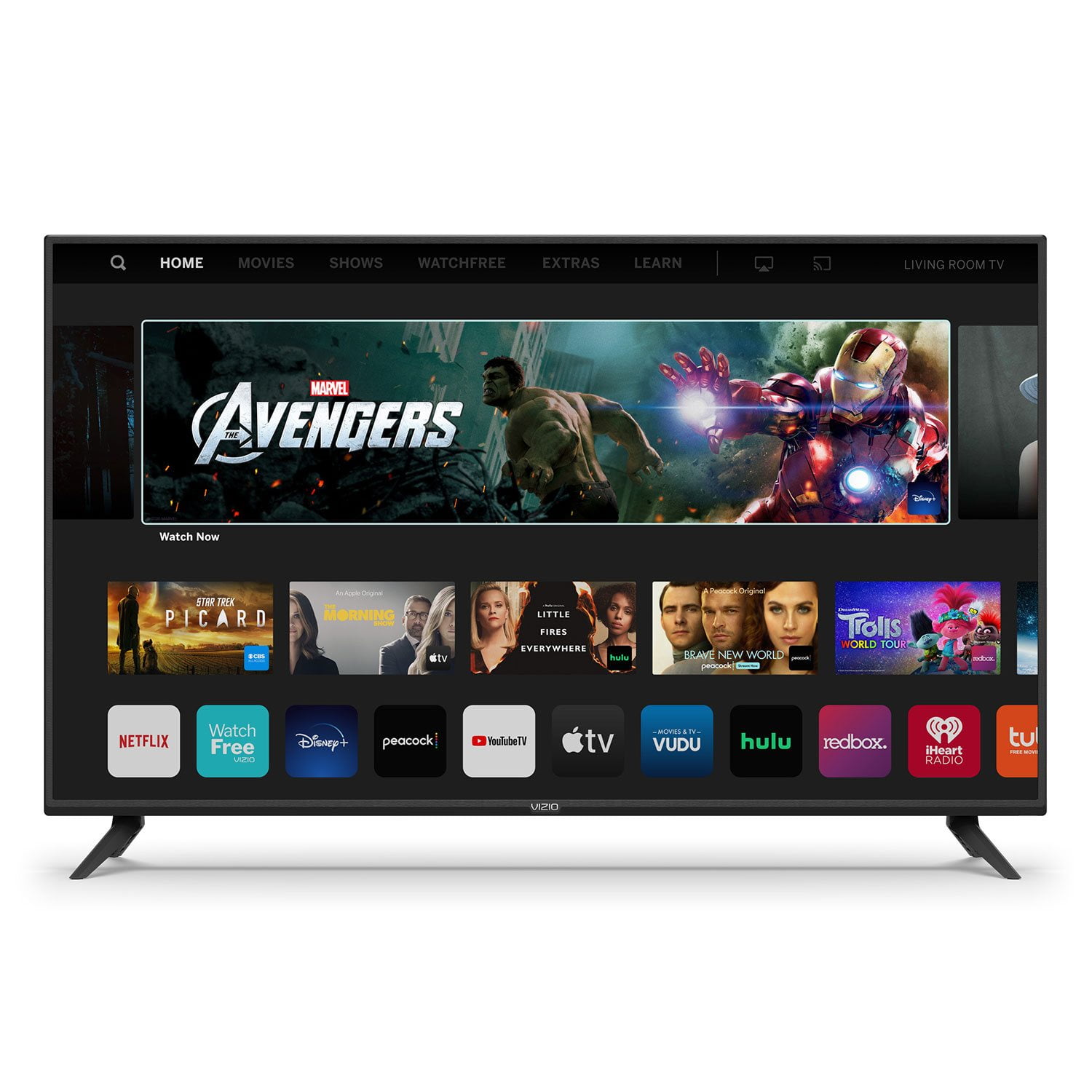
Good TV, Bad software
TV and the panel are good. The software is useless. No PBSkids, No Disney plus. Its not really a "SMART" TV. Good options to stream from phones etc... but without native apps, you will need to use a secondary device for everything. Nothing is intuitive on the home screen. Mostly designed to get the users to buy stuff than to use free or subscriber services. I am going to buy a ROKU stick and use the TV as a display panel not a SMART TV.
Hello Jaggu, this television recently had an update which added the Disney+ app to the SmartCast input. VIZIO is committed to giving consumers access to as much streaming content as possible. SmartCast televisions deliver today’s most popular apps like Netflix, Amazon, Hulu, and others on the SmartCast TV home screen. The TVs also come with Watchfree, a no cost service that provides hundreds of channels with no additional purchase or registration requirements. SmartCast televisions also support Google Chromecast and Apple AirPlay 2 so that you can share content from the latest applications on your phone, tablet, or computer directly to the TV.
V505-H9 2020 model 50 inch 4k TV
Finally , been waiting to do this ,...here goes ,... Vizio V505 H9 2020 model TV Bad stuff first , in case you don't read the whole thing . SmartCast 4.0 youtube app. does NOT play all HDR videos on youtube, as HDR . Some play in Normal mode , thus washed out looking . In particular , HDR videos from Jacob and Katie Costa Rica 4k HDR only plays as SDR Normal and looks really pale . The TV will NOT queue it up as HDR . However, All other youtube apps in other TVs and devices play the above youtube video as HDR . SmartCast 4.0 youtube app. needs to be look at . On a positve note , SmartCast 4.0 Netflix app. plays Dolby Vision very , very nice . youtube app plays HLG videos . 4 corner ghosting is visible when Sold color fills entire screen( same as with 2019 V-Series TV ) . At far left and right sides some of the Vertical Frame Work is visible when a Solid color fills the entire screen. Some delicate movie scenes reveal the above two conditions( corners and Frame Work ) Inside the Left and Right side areas are each filled with a single large pale blotch on each side . To hide it from view, view the Screan Head On . A Ceiling light near the screen increases contrast and further hides the 2 large inner pale areas of the Left and Right sides of the inner Frame Work . I am assuming this is a QA QC kind of thing of the materials and not a Defect . ( I never noticed that on the 2019 V-series TV ) The large pale areas are easily seen when standing above the screen and looking down on the screen when Solid Dark color fills the entire display . All Pixels work . No Dead pixels , No bright pixels . Also the Panel Checks Clean , No Dirty Screen Effect , as tested with youtube videos . Thus the 2 large pale areas are a mystery . White Balance calibration has 20 points . 2019 V-series TVs had 11 point calibration . colors and Tones are accurate out of box . i have not adjusted white balance ( No need to ) . Display is vibrant with excellent black levels and excellent black bars during wide screen movies and excellent black side bars during 4:3 programs . Computer use is very nice . Video card using 8 bit RGB 4:4:4 Full , Standard definiton : TV set to : HDMI input version 2.1 Backlight 3 Brightness 50 Contrast 50 ( with RGB input , TV Locks Out Contrast setting ) Color Level 50 Tint 0 Sharpness 0 Color Temp Normal Aspect ratio Normal Low Latency sync On Game HDR On Gamma 1.8 All remaining Picture settings are OFF . Plenty of Luminosity for Dolby Vision and HDR10 . Tone Mapping picture adjustment becomes available with HDR. HDR10 , HDR10+ , Dolby Vision , HLG , FilmMaker Mode IR remote is omni-directional ( nice ). point remote anywhere. 120 hz refresh rate at 1920 x 1080 ( computer DeskTop and games ) 3840 x 2160 max refresh rate 60 hz all 3 HDMI inputs support these formats : 8 bit RGB 4:4:4 Full 8 bit YCbCr 4:4:4 ( 8 10 12 ) bit YCbCr 4:2:2 8 bit RGB 4:4:4 limited ( 8 10 12 ) bit YCbCr 4:2:0 SmarCast 4.0 and Netflix streams Dolby Vision with Dolby Audio on the Optical output ( requires external Dolby decoder ). Been using Turtle Beach DSS2 box with headphones . Antenna TV gives Dolby audio on Optical output . Full gray Tone detail is decernable when Brightness is set to 50, on the computer . Making gray images , i can see down to Black Level 2 . Then level 1 and 0 are both full black . That is some Excellent black gradient detail . This TV has some amazing gray scale Tone visibitly with SDR and HDR . Witcher 3 computer game requires it's own setting: Backlight 30 Brightness 46 Contrast is Locked out , with RGB input signal . Tint 0 Sharpness 0 Color Temp Normal gamma 1.8 ( I use gamma 1.8 for All my presets ) Everything else is OFF TV channels : Backlight 3 or 10 Brightness 50 Contrast 50 or possibly 40 Color Temp Normal gamma 1.8 Everything else is OFF All My presets reflect the approach to make the image with a natural smooth gradient , like that from natural lighting . The TV can play blazingly bright , which is too intense , especially for computer use . See my computer preset for SDR Desktop use . Computer use and HDR . only use HDR when a program needs it . For everything else , keep the desktop in SDR mode , with HDR OFF . SDR programs and desktop should NOT use HDR. Thin bexel . 50 inch has a viewable 49.5 inch . Not perfect . 1 star drop for the corner ghosting and Frame Work see thru visiblitlty . And for the 2 Large pale areas of the Left and Right interiour halves of the screen . If i had a decent camera i would send you a pic of the paleness . Fortunately the pale areas are NOT visible during normal viewing . In Picture settings , it says : ProGaming Engine for Low Latency and Game HDR settings . Signal processing for image quality in this TV is improved from 2019 V-series TVs. Amazing Engineering . I never use the built in picture presents as they are too intense. The Backlight is cranked to 100 % ,... I never do that . Also the built in presets use Color Temp Warm . Use Normal , so White is White , and not some redish sepia . I have NOT used it's WIFi .I have NOT tried to Cast to this TV. 3 HDMI inputs all 3 are version 2.1 ( you can select version 1.4 if you want ) with HDCP 2.2 , 1 USB input , 1 Yellow Composite video input with RCA stereo audio input jacks . RCA stereo output audio jacks .. No video Component input . No computer VGA input. No DVI input . ATSC 1.0 TV Tuner . Nice for a TV , computer monitor and Streaming display . Many built in Streaming apps . Apps are NOT user downloadable . No Web Browser . The Vizio remote control from a 22 inch TV from year 2014 works with this TV . The only function it can't do is the Info button . It does everything else ! I'm surprised by that . The 2014 remote lets me navigate every menu for setup , even SmartCast 4.0 to select and play a streaming app. While at Netflix , the 2014 remote controls the Netflix app. The 2014 remote also has the same omi-directional range, thus this Range is because of the excellent IR receiver in the TV.
Amazing tv
Great buy for the price. I have owned Vizio tv's for many years and never had any issues. So far this one has not disappointed me yet. I love the amazing colors it produces on 4K and being a smart TV it comes with tons of well know apps that you can stream.
Best TV I've ever bought
I bought this tv to set up in my home office. I don't have it connected to satellite or cable, just using the pre-installed streaming apps on WiFi and it's awesome. Picture quality is outstanding and it doesn't eat up a lot of bandwidth. What makes this tv outstanding is the airplay feature. I can stream almost any app from my phone to the tv, including photos and videos from my camera roll. Music apps work too. Great product!
smart tv
I bought this 3 weeks ago, and so far have been very happy. I admit I was disappointed in the Google assistant feature. Didn't work the way I thought. And navigation is a bit of a pain. I miss having voice control. But other features almost make up for what it lacks. But considering the cost and the huge upgrade( I had a flat 32 led basic). It has been great.
Very nice features....
Bought it two weeks ago. Have not use all features but so far I like it. Only thing I don't like is that I can't override the captions in some apps, like peacock app, their subtitles is so small on big tv. I need pull up a chair so I can read. Perhaps NBC need to fix their subtitle font size capability.
We don't fully understand everything
We're real happy with the TV, but 2 things prevented us from giving it a 5, and it might not be the TV's fault. #1, occasionally when its turned on, it shows "no connection". When this happens, we turn it off and back on then it works. It can't be DirecTV because no TV connection changed except the TV one. #2 problem is the TV cannot get in sync with the soundbar, which is also a Vizio, and we had no problems with the sync from our old TV which was also a Vizio. The sync setting is at its closest possible.
LOVE THIS TV
I went from a small 40” in my bedroom. I knew I wanted to go bigger but thought “how big is to big for my room?” I decided to purchase this 50” and let me tell you it was the best decision I ever made. The picture is CRYSTAL clear, and the size is almost like having a movie theater in my own bedroom. I love the smartcast, and how all my favorite TV apps are a button away. Best purchase I've made in a long time.
Great choice for a smart TV
[This review was collected as part of a promotion.] Originally bought this as a TV to use with cable service, but decided to cancel the cable, and strictly streaming now. It's got all the apps I need, and they work great. Love that it can be linked to Alexa as well. Highly recommend this set!
Excellent picture quality.
I bought this tv about 6 weeks ago to replace Direct TV with YouTube TV. Generally happy with overall result. Reduced cost by about $80.00 per month. Would like to see a more seamless conversion that operated like Direct TV so far as switching channels, using a back button to view previous channel, etc. However, this is more of a YouTube TV issue than Vizio. I guess you can't always have things the way you want them, but for the $ savings I can adapt.