Skip to Main Content
Sam's Club
Sam's Club
All Departments
All Services
Member ratings & reviews for
VIZIO 50" Class V-Series 4K HDR Smart TV - V505-H

Member photos

  • +35 images
Sort by |
Showing 401-410 of 34,160 reviews
Dec 5, 2020
Anonymous
5 out of 5 stars review

Another solid Vizio TV

I bought this TV to use as a 4K computer monitor for my home office. I love it, and it's nice having the option to use it as a TV during off-work hours. I do wish the remotes had an option to pair with a specific TV, because I have another Vizio TV in the same room and it's rather tricky to control one without also affecting the other one.

Review from vizio.com
Helpful?292P25TATFGG15229700618
Dec 2, 2020
Colby817
5 out of 5 stars review

”KING TUT of The TELEVISION INDUSTRY“

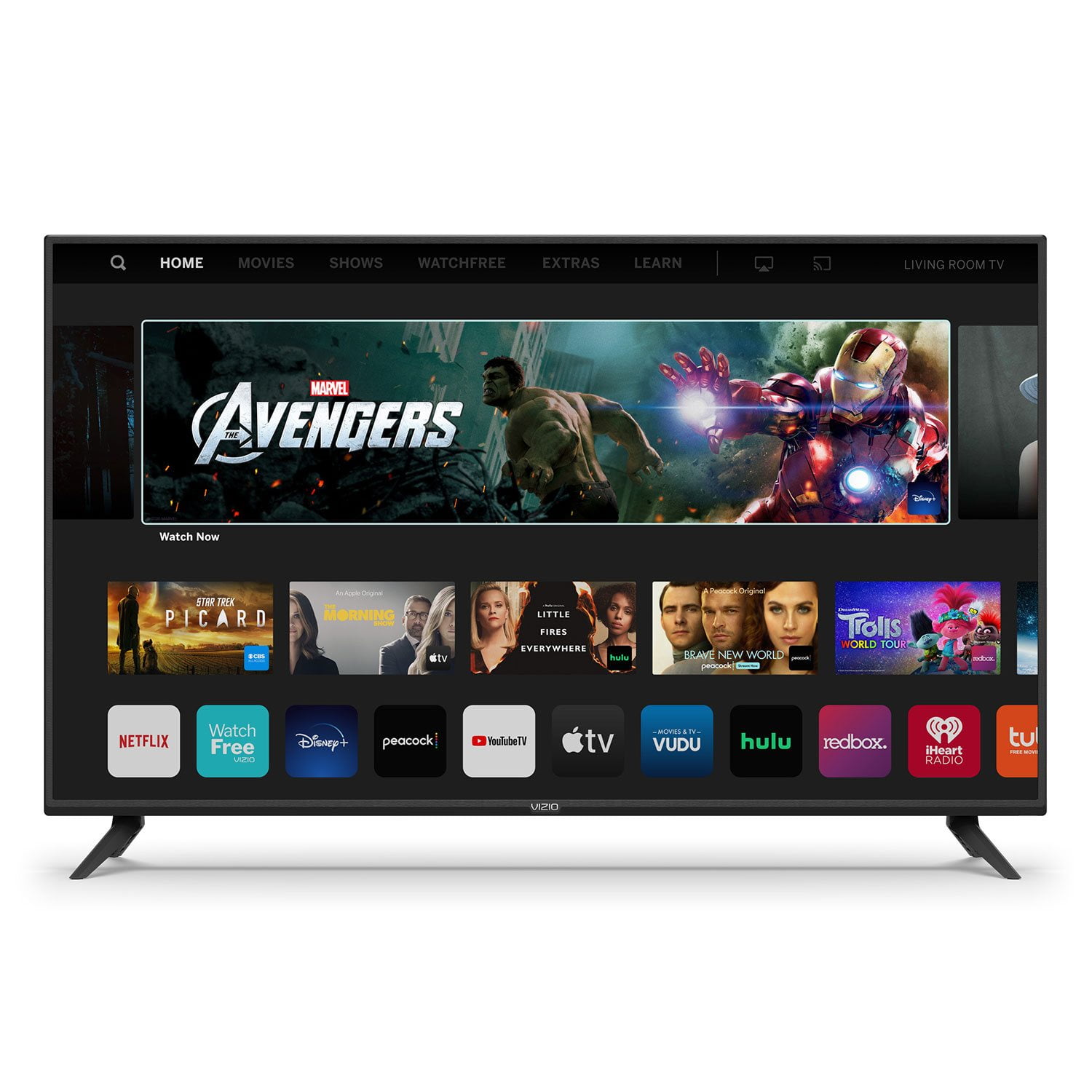
If you have ever wondered what it was like to see IN LIVING COLOR, then wonder no more and buy this tv. I will never stray from VIzIO electronically now that I've experienced their easy User Friendly HOme Screen To connect with Netflix, Amazon Prime, Amazon Music, Apple TV, rent/buy TV shows/Movies, CNN, HBO, Weather, YOUTUBE, YOUTUBE TV, Disney+, etc.... And if you Like Experiencing Vivid Color with Beautiful Detail then this is the TV for you. And if you want Quality Sounding Sound you don't have to worry about static interruption or Mumble talk and if you like your Music/Sounds LOUD like I do then you can buy the VIzIo sound bar like I did and watch your program or listen to your music with the beautiful Sound of VIzIo(sold separately). Overall if you want the best TV viewing Experience in the Market then this TV is the way to go. Be like KING TUT and rule your empire with the best of the best

Review from vizio.com
Helpful?292P25TATFGG15229700618
May 5, 2021
V-V!
4 out of 5 stars review

It liked to stay on!

While trying to introduce my wonderful new tv to my XFINITY remote, it did everything perfectly. Then, when I turned off my VISIO, it would "sleep" for about 5 minutes and come back on. Finally worked out the kink & now V-V & Alexa are my best friends.

Review from vizio.com
Helpful?292P25TATFGG15229700618
Jan 8, 2020
Connie60
5 out of 5 stars review

Best TV ever

I purchased this TV last month to replace the one that I have in my living room. The picture quality is clear and concise. The fact that the TV has the most popular streaming services on the device makes this a great find. You would not be wrong in purchasing this TV.

Review from vizio.com
Helpful?292P25TATFGG15229700618
Mar 18, 2020
RHF53
5 out of 5 stars review

Watch Free did it for me

We recently "cut the cord" with the cable company but have had trouble trying to pull in a steady signal with an antenna. This VIZIO, with its' Watch Free feature, has greatly alleviated that problem as I now have dozens of channels that O have access to through our home's wi-fi.

Review from vizio.com
Helpful?292P25TATFGG15229700618
Jun 8, 2023
Wil S.
1 out of 5 stars review

VERY POOR planning in firmware and manual tuning.

Since the "Watchfree+" option CANNOT be turned off and seems to control EVERY aspect of this television I cannot say anything good about this unit. The "Watchfree+ feature" takes control of the over-the-air antenna tuner and constantly tries to force the user to watch other unwanted streams instead of the over-the-air channels I want. Not to mention, that tuning those channels through Watchfree+ instead of through the built-in tuner results in VERY poor picture quality- (fuzzy, blurry, appears to be low-res)- this is not why I purchased this TV. The only way to turn this off is to RESET the entire TV and keep the Wi-Fi turned off. This is the only solution I have found to bypass Watchfree+. I have purchased a Roku so I can still see the streams that I want to see through an HDMI input. Cannot recommend VIZIO to any one I know and will never purchase another one of their products. I will not be entering these sweepstakes as I don't want to risk another low quality VIZIO product.

Review from vizio.com
Helpful?292P25TATFGG15229700618
reply from Customer Care

Hello Wil S., our most recent update has introduced your local over the air antenna channels in with VIZIO's WatchFree+ programming, it has not removed any tuner features or abilities, it has relocated them. Your antenna placement and the quality of the signal that it receives will still determine the quality of your picture, the same as it had done before. The channel that Watchfree+ currently resides on, will depend on the input that the TV receives and is told to rest on. Pressing the up and down arrow buttons found around the 'OK' button, will bring up the channel guide. While the guide is on screen, holding the 'OK' button down will display a list of categories as well! Pressing the WatchFree+ button on your remote will bring up an on-screen number pad to enter channel numbers. The update has been done in response to customer feedback like yours to provide you with more features and content like access to hundreds of more free movies and channels, as well as the ability to provide you with an onscreen guide of your local channels. If you have any questions about the new features or need any assistance with issues, please reach out to our support agents through text message, chat, or over the phone. Just go to support.VIZIO.com and click on ‘Contact Us’.

Mar 27, 2021
Garyr1
2 out of 5 stars review

why do I have to hard reset repeatedly

every other day when I go tot turn on the tv it turns on but never goes to the home page or displays anything. Each time I try turning on and off several times with the remote to show repeatability of the issue. And same results each time. it requires unplugging the tv, then plugging it back in. I have a 6 year old M series and have never had a problem wiht it

Review from vizio.com
Helpful?292P25TATFGG15229700618
reply from Customer Care

Hello Garyr1, sorry to hear you are not having a smooth experience. I would love the opportunity to have our technical support team learn more about the issues you are experiencing. When you have a free moment, they’re available through text message, chat, or over the phone. Just go to support.VIZIO.com and click on ‘Contact Us’.

Sep 5, 2020
Mike1977
5 out of 5 stars review

Great tv

Our Samsung smart tv thats only 9 years old went out on us one day in the middle of the biggest xbox destiny battle ever.. worst ...timing. .. .. ever..... well my team won the battle my TV however lost. My wife and I replaced our tv with this Vizio and its actually better than the Samsung was. We are still learning some features but she cant wait to replace the livingroom TV with one so her battles on xbox look as good as mine do now.

Review from vizio.com
Helpful?292P25TATFGG15229700618
Dec 2, 2020
Coleman Clan
5 out of 5 stars review

Great T.V. for the kids!

This T.V. has been a muxh needed upgrade from our 32" Vizio T.V. It's so easy to operate my 6 year old can operate it. Our family loves being able to cast from our phones to listen to youtube videos, amazon music and being able to quickly access Netflix, Hulu, and Amazon Prime. We are very happy with our T.V. and look forward to utilizing the Chrome cast capability more often. I want to take a moment to thank those that were a part of the creation of this T.V. We've dreamt of having the capabilities to do what we can now and are ever so thankful.

Review from vizio.com
Helpful?292P25TATFGG15229700618
Feb 29, 2020
CrystalIvy517
5 out of 5 stars review

Love my Tv

I love having the Vizio smart cast TVS in my house. I play pandora, set up my specialty apps and even YouTube on each one so I can just cast from my phone to each room that I'm in. It makes life sooooo much easier! I can't say enough how much I love it!!! Each room has a name and I just cast to each room individually!

Review from vizio.com
Helpful?292P25TATFGG15229700618