Skip to Main Content
Sam's Club
Sam's Club
All Departments
All Services
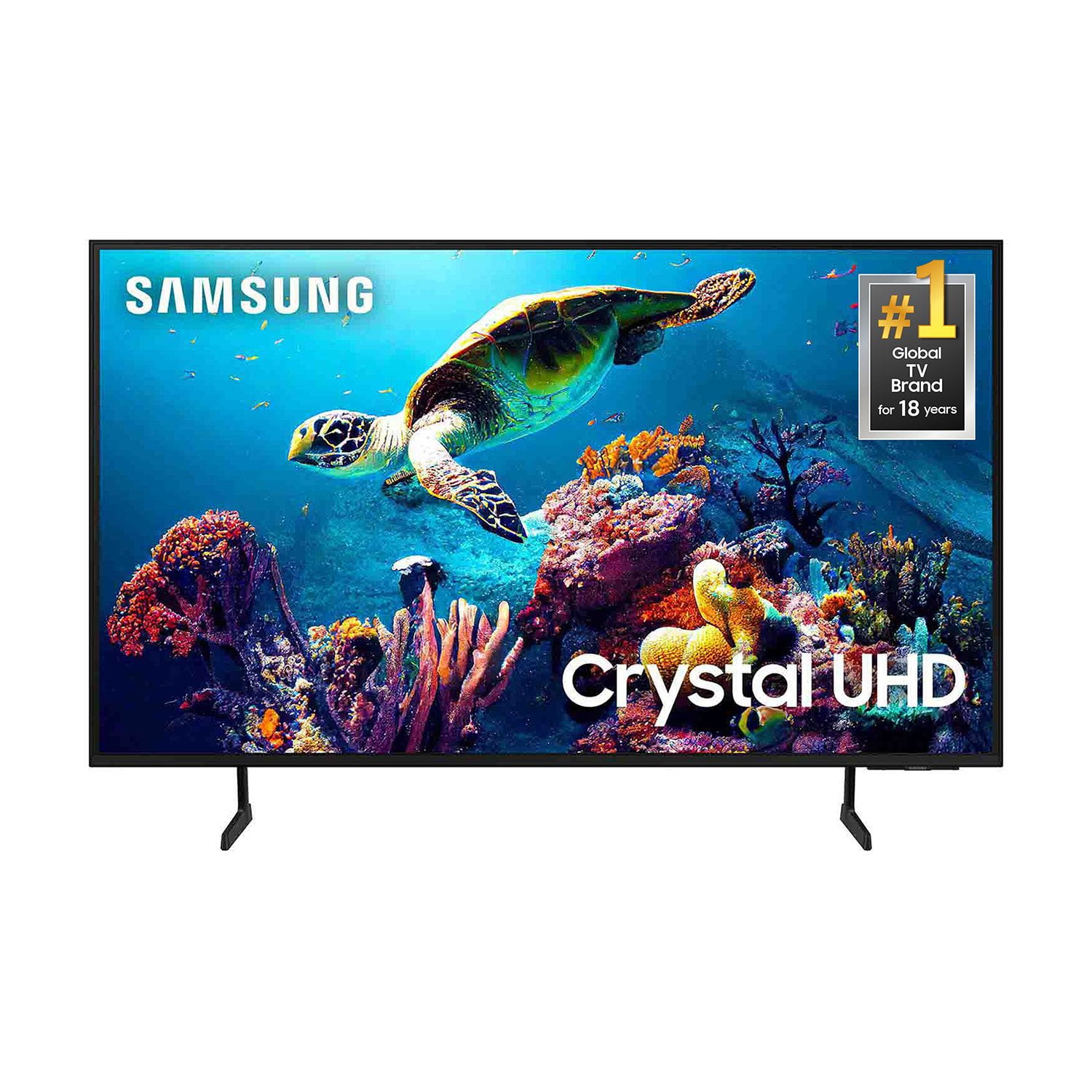
Customer reviews for SAMSUNG 65” Class DU6900D Series 4K UHD Smart TV for
SAMSUNG 65” Class DU6900D Series 4K UHD Smart TV
4.4 out of 5 stars
stars
2,261 ratings2,195 reviews
  1. 5 stars69% (1,554)
  2. 4 stars16% (363)
  3. 3 stars7% (153)
  4. 2 stars3% (78)
  5. 1 star5% (113)

Member photos

  • +559 images
Sort by |
Showing 761-770 of 2,195 reviews
Mar 27, 2025
Reviewer name: MACKY0202
5 out of 5 stars
5 out of 5 stars review

Nothing but samsung.

[This review was collected as part of a promotion.] I have had many TV brands over the decades but for the past one, I have only bought Samsung and referred them to family and friends. Picture quality, easy setup with connectivity across many different bluetooth platforms, I will not buy anything else.

Review from Samsung US
Helpful?3ZT00GJD0QQ915202201960
Feb 5, 2025
Reviewer name: Blondie63
4 out of 5 stars
4 out of 5 stars review

Great TV for the price

Bought this TV a few months ago and I really love the picture quality and clarity. Biggest drawback is the tiny remote that comes with it. It is hard to navigate and time consuming to get to what you want to watch. I downloaded a full button compatible remote on my IPad and I use that instead of the original remote

Review from Samsung US
Helpful?3ZT00GJD0QQ915202201960
Feb 5, 2025
Reviewer name: Art1957
4 out of 5 stars
4 out of 5 stars review

Nice TV, With a couple of bad ideas

I bought this TV about six weeks ago and use it nearly every day. I have found two things that I don't care for. One, is there is no app store. I want to add a local news app and I can't. I tried many ways and I still can't. So, when I want to see my local news from WENY I have to use my Roku TV in my bedroom. That TV has an app store easily obtainable. Another poor feature is adding a space between words in the search box. I had to contact Samsung to find out that the word "English" is secretly used as the space box when you are using it. Maybe the word "English" should turn into "Space" once you're done selecting a language. And one more thing. The operating "instructions" that you get with this TV are sub standard. They are possibly the worst I have ever seen in my lifetime. I have had a lot of electronic products throughout my life and have never seen any this bad and they basically don't tell you anything. Other than that, It's a nice TV

Review from Samsung US
Helpful?3ZT00GJD0QQ915202201960
Mar 8, 2025
Reviewer name: Whitneyisanickname
5 out of 5 stars
5 out of 5 stars review

Happy with my purchase

I have had this tv about 3 months. It's a great tv. It's smart, it is important.... the screen is huge...its very sleek and pretty. The functioning is easy as well I can jump from app to app or live TV with one button. I have not mounted the TV yet so I don't know how that will go but it seems the perfect size to put on a wall.

Review from Samsung US
Helpful?3ZT00GJD0QQ915202201960
Mar 5, 2025
Reviewer name: Android
4 out of 5 stars
4 out of 5 stars review

Great picture...but...

I am impressed with the picture quality, but have had issues with my cable box intermittently not being recognized by the television. I did a complete reset after contacting Samsung support, and it seemed to resolve the issue, but then happened once again on turning on the set and getting a 'No Signal' message in the 'Comcast, last viewing' display. Checking for HDMI 1 connection was found okay. Turning on/off television resolved issue, but unsure again each time I turn on set if my cable will come through.

Review from Samsung US
Helpful?3ZT00GJD0QQ915202201960
Feb 5, 2025
Reviewer name: Ryan
2 out of 5 stars
2 out of 5 stars review

not satisfied

I am kind of disappointed for two reason: the controller quality is not very good, it does not have a play stop feature, also the controller reciever is on the right so sometimes hard to use controller, desginin it in the middle would be better ssecond reason is the television is kind of slow it would be btter if it was faster, tcl which was 100 dollars cheaper was faster same size also worked better with alexa

Review from Samsung US
Helpful?3ZT00GJD0QQ915202201960
reply from Samsung Brand Ambassador

Ryan, Thank you for taking the time to provide feedback on your DU6900 TV. Please know that your feedback will be shared with our internal product teams. We take pride in our products and are sorry to hear that your experience was not up to our high standards. For optimal performance, we ask that you please ensure you've got the latest firmware version installed on your TV. You can check this by going to Home > Menu > Settings > Support > Software Update. You may also want to further optimize performance with the self-diagnostic tool, which checks memory, frees up unused cached memory, and closes background apps. Go to: Home > Menu > Settings > Support > Device Care > Start Device Care If you need further assistance, we would be happy to help! Please feel free to contact Samsung Support at 1-800-SAMSUNG, available from 8 AM to 12 AM EST, seven days a week. You can also chat with us on Samsung.com for immediate assistance. ~Samsung Pro

Mar 5, 2025
Reviewer name: Michelle E W R
2 out of 5 stars
2 out of 5 stars review

Nice tv.

I bought my Samsung Crystal 60 inch in the winter time of last year, 2024 because my Vizio 55 inch began to go out the screen was turning white from the bottom up, my Vizio was only four years old and after purchasing my new Samsung and using it I miss my remote control that I can press the numbers with the speakability of the Roku/Vizio remote and the fact that the antenna aspect has always been my gripe having a really nice television and can't enjoy watching it because of the reception and lack of due to junk waste antennas that filling the pockets of genius minds.

Review from Samsung US
Helpful?3ZT00GJD0QQ915202201960
reply from Samsung Brand Ambassador

Michelle E W R, Thank you for taking the time to provide feedback on your DU6900 TV. Please know that your feedback will be shared with our internal product teams. We take pride in our products and are sorry to hear that your experience was not up to our high standards. If there’s anything we can ever help with, please call us at 1-800-SAMSUNG, 8 AM - 12 AM EST, seven days a week. Or visit us on the Samsung website and click on the ‘Support’ link for: 1) LiveChat 2) Manuals, Software, & Warranty Info ~ Samsung Pro

Feb 5, 2025
Reviewer name: Chickpet
3 out of 5 stars
3 out of 5 stars review

Some great features

I am unable to get subtitles on some apps that I installed. I also bought a Bose sound bar and could not install it on the TV. I am able to get it on my LG TV. So I am a little disappointed. I chose the Samsung TV because, I love the TV plus option and the the clarity on the TV is much better.

Review from Samsung US
Helpful?3ZT00GJD0QQ915202201960
reply from Samsung Brand Ambassador

Hi there, Thank you for reaching out and letting us know about the Closed Captioning issues you are experiencing with your DU6900 TV. Please know that most Streaming Apps have their own Settings for Closed Captioning. Go into each app and locate the settings icon to enable Closed Captioning. To access all other Closed Captioning Settings, go to Settings > All Settings> General > Accessibility > Caption Settings. The DU6900 TV offers 2 HDMI ports and is Bluetooth and Wi-Fi capable, allowing a seamless connection across multiple devices at a time. If your external device requires an Optical port, we recommend utilizing an HDMI to Optical Converter. These can be found at your local electronics store. Please also keep in mind that an Optical port can be found on our DU8000F Series and above. If you need further assistance, we would be happy to help! Please feel free to contact Samsung Support at 1-800-SAMSUNG, available from 8 AM to 12 AM EST, seven days a week. You can also chat with us on Samsung.com for immediate assistance. ~Samsung Pro

Feb 5, 2025
Reviewer name: Grammie
3 out of 5 stars
3 out of 5 stars review

Where’s my Bluetooth?

Got my tv from my son for Christmas. I was so excited! Everything works fine except I can only connect to one Bluetooth external device. That happens to be my cable provider’s remote control!! Consequently, earphones, gaming devices, cell phones—nothing else Bluetooth related can be connected. I didn’t know they even made any Bluetooth devices that could only connect to one device. Anyhow, I’m stuck with a large screen that I can’t use for pictures of my family and I can’t view the videos my 3 grandsons send me from college. I’m not angry, just frustrated because this is the first of the Samsung electronics/appliances that has ever caused me a problem.

Review from Samsung US
Helpful?3ZT00GJD0QQ915202201960
reply from Samsung Brand Ambassador

Grammie, I’m sorry to hear about the issues you’ve experienced with Samsung’s DU6900 TV. Your feedback is important to us and will be shared with our product teams. We'd love to help you troubleshoot this issue. Please call us at 1-800-SAMSUNG, 8 AM - 12 AM EST, seven days a week. Our LiveChat agents are also available by clicking on the ‘Support’ link on our website. ~ Samsung Pro

Mar 5, 2025
Reviewer name: Nunya Biz
3 out of 5 stars
3 out of 5 stars review

Lacking features

I received this TV as a Christmas gift. It looks fine, but the internal speaker system is awful. This unit only has two HDMI inputs and a USB. I like listening to my TV through my stereo system. I had to buy a BlueTooth adaptor to plug into my stereo. The audio and video are so far off that I'm force to listen to the internal speakers. I would not have purchased this TV, but it was a gift. I'll deal with it.

Review from Samsung US
Helpful?3ZT00GJD0QQ915202201960
reply from Samsung Brand Ambassador

Nunya Biz, Thank you for sharing your thoughts regarding the DU6900 TV’s sound quality. We recommend adjusting the Sound Settings to improve your experience. You can change the Sound Mode by going to Settings > All Settings> Sound > Sound Mode. You can also customize the sound with Expert Settings by going to Settings > All Settings> Sound > Expert Settings. To address the audio delay, you may want to try the Audio Pass-Through feature. This feature allows the audio signal to be sent out unprocessed to an external Soundbar or receiver connected to the TV. The external Soundbar or receiver then processes the audio, thereby eliminating the added step of processing by the TV, which adds delay. To activate this feature, go to Settings > All Settings> Sound > Expert Settings > Digital Output Audio Format > set to Pass-Through. You can also purchase an HDMI to Optical Converter to pair your stereo system directly to the TV via cable. If you need further assistance, we would be happy to help! Please feel free to contact Samsung Support at 1-800-SAMSUNG, available from 8 AM to 12 AM EST, seven days a week. You can also chat with us on Samsung.com for immediate assistance. ~Samsung Pro