Skip to Main Content
Sam's Club
Sam's Club
All Departments
All Services
Customer reviews for SAMSUNG 65” Class DU6900D Series 4K UHD Smart TV for
SAMSUNG 65” Class DU6900D Series 4K UHD Smart TV
4.4 out of 5 stars
stars
2,261 ratings2,195 reviews
  1. 5 stars69% (1,554)
  2. 4 stars16% (363)
  3. 3 stars7% (153)
  4. 2 stars3% (78)
  5. 1 star5% (113)

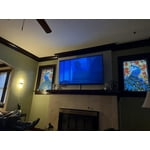
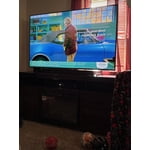
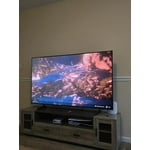
Member photos

  • +559 images
Sort by |
Showing 741-750 of 2,195 reviews
Dec 27, 2024
Reviewer name: HockeyMom
5 out of 5 stars
5 out of 5 stars review

SAMSUNG 60' TV

[This review was collected as part of a promotion.] has awesome picture, so life like and realistic! LOVE it! Sound is great, set up was very easy. Purchased Nov 2024 at great price. Great for streaming and movies. Samsung brand speaks volume as far as quality.

Review from Samsung US
Helpful?3ZT00GJD0QQ915202201960
Dec 22, 2024
Reviewer name: TRex
3 out of 5 stars
3 out of 5 stars review

Sound Issues

I like the picture quality for the price. But very disappointed in sound quality. I bought a sound bar to fix that issue, but very disappointed that the TV does not have an optical output, so I must connect via Bluetooth which causes latency issues.

Review from Samsung US
Helpful?3ZT00GJD0QQ915202201960
reply from Samsung Brand Ambassador

TRex, Thank you for choosing the Samsung DU6900 TV and for taking the time to provide us with detailed feedback on your experience. Your opinion is important to us and will be shared with our internal product teams. The DU6900 TV offers 2 HDMI ports and is Bluetooth and Wi-Fi capable, allowing a seamless connection across multiple devices at a time. If your external device requires an Optical port, we recommend utilizing an HDMI to Optical Converter. These can be found at your local electronics store. Please also keep in mind that an Optical port can be found on our DU8000F Series and above. If there’s anything we can ever help with, please call us at 1-800-SAMSUNG, 8 AM - 12 AM EST, seven days a week. Or visit us on the Samsung website and click on the ‘Support’ link for: 1) LiveChat 2) Manuals, Software, & Warranty Info ~ Samsung Pro

Mar 17, 2025
Reviewer name: Leeuts50
2 out of 5 stars
2 out of 5 stars review

Very disappointing

I just got this TV in February.I have been very disappointed with my TV. I’ve had a Samsung TV forever and the picture has always been perfect and the sound was fabulous. This TV; The picture always seems dark and the sound is horrible. I bought the sound bar when I bought the TV.

Review from Samsung US
Helpful?3ZT00GJD0QQ915202201960
reply from Samsung Brand Ambassador

Leeuts50, We appreciate you sharing your experience with the DU6900 TV. Your feedback regarding image quality is essential to us and will be shared with our internal teams. Please try adjusting the below image settings to improve your picture. Go to Home > Settings > All Settings > Picture > Picture Mode and select the mode that best fits your usage: 1) Standard: Default mode suitable for general viewing environments. 2) Natural: Reduces eye strain for a comfortable viewing experience. 3) Movie: Most suitable for watching TV or movies in a dark room. 4) Dynamic: Makes the picture brighter and clearer in bright viewing environments. 5) Filmmaker Mode: You can watch the source content (e.g., movie) as it is. If the image is defined as Filmmaker Mode, it will automatically switch to Filmmaker Mode while watching. You can also go to Settings > All Settings> Picture > Expert Settings > to manually fine-tune your image. For sound adjustments, go to Settings> All Settings> Sound. If you need further assistance, we would be happy to help! Please feel free to contact Samsung Support at 1-800-SAMSUNG, available from 8 AM to 12 AM EST, seven days a week. You can also chat with us on Samsung.com for immediate assistance. ~Samsung Pro

Feb 20, 2025
Reviewer name: House
3 out of 5 stars
3 out of 5 stars review

Tv

Christmas gift picture is great. We have run into a major problem. Husband is hard of hearing no jack in back to plug head phones into!! He can not watch the tv and hear it. W have been told this is the only tv made like this. Our bad luck !!problem

Review from Samsung US
Helpful?3ZT00GJD0QQ915202201960
reply from Samsung Brand Ambassador

House, Thank you for choosing the Samsung DU6900 TV and for taking the time to provide us with detailed feedback on your experience. Your opinion is important to us and will be shared with our internal product teams. The DU6900 TV offers 2 HDMI ports and is Bluetooth and Wi-Fi capable, allowing a seamless connection across multiple devices at a time. If your external device requires an Optical port, we recommend utilizing an HDMI to Optical Converter. These can be found at your local electronics store. Please also keep in mind that an Optical port can be found on our DU8000F Series and above. If you have any questions or would like any support, please reach out to us at 1-800-SAMSUNG, 8 AM - 12 AM EST, seven days a week. Our LiveChat agents are also available by clicking on the ‘Support’ link on our website. ~ Samsung Pro

Feb 6, 2025
Reviewer name: JLS46
3 out of 5 stars
3 out of 5 stars review

Excellent - most of the time

While the picture and sound are excellent, there appear to be recurring software issues. One day everything is fine, the next the system does not understand voice commands and fails to connect to the internet. I have four other TVs in my home (two of them Samsung) and there are no issues.

Review from Samsung US
Helpful?3ZT00GJD0QQ915202201960
reply from Samsung Brand Ambassador

JLS46, We appreciate your feedback on the Samsung DU6900 TV. I'm sorry to hear you are experiencing issues with your Wi-Fi disconnecting from the TV. First, let's ensure you are running the latest Firmware. Go to Settings> Support> Software Update. I recommend enabling auto-updates to ensure you do not miss any Firmware Updates. Go to Settings> Support> Software Update> then select Auto Update. Next, let's try running a cold boot on your TV. To do so, hold down the Power button on the Samsung TV remote until the TV turns off and then on again. This should take about 5 seconds. I hope these tips help resolve your concerns. If you need further assistance, we would be happy to help! Please feel free to contact Samsung Support at 1-800-SAMSUNG, available from 8 AM to 12 AM EST, seven days a week. You can also chat with us on Samsung.com for immediate assistance. ~Samsung Pro

Feb 5, 2025
Reviewer name: Cupcake
5 out of 5 stars
5 out of 5 stars review

Worth the money

This was the first time buying a smart TV and it’s been so worth it. The amount of features this thing has, the fact it remembers the last things I watched and recommends something similar, the fact I can have live TV going but still searching for something else, I mean the amount of stuff this thing can do is endless and incredible. Have only had it a few months and still learning all it can do, but I couldn’t be happier with this TV.

Review from Samsung US
Helpful?3ZT00GJD0QQ915202201960
Feb 5, 2025
Reviewer name: HappyTVOwner
5 out of 5 stars
5 out of 5 stars review

Nice TV at a Good Price.

We've used the TV for about 2 months and it has been great. Nice picture quality and the app set up is fairly easy. Main screen menu options are a little difficult to navigate until you get used to them. Overall very pleased with the function and price of this TV.

Review from Samsung US
Helpful?3ZT00GJD0QQ915202201960
Mar 31, 2025
Reviewer name: IheartSamsung
5 out of 5 stars
5 out of 5 stars review

Awesome TV

[This review was collected as part of a promotion.] Smooth interface, bright screen. Has an IT browser and easily connects to any and all devices. Have yet to have had an issue. Can't beat the quality at this price point! Wish it came with a voice remote but not all that terrible considering the bigger picture. Gr3at deal!!

Review from Samsung US
Helpful?3ZT00GJD0QQ915202201960
Mar 28, 2025
Reviewer name: Mattatatat
5 out of 5 stars
5 out of 5 stars review

A theater in your home

[This review was collected as part of a promotion.] This TV is a prime example of perfection. The customization abilities and the quality of the picture is amazing. Its seamless frame to frame no matter what you're watching or doing. My best purchase to date!

Review from Samsung US
Helpful?3ZT00GJD0QQ915202201960
Feb 5, 2025
Reviewer name: Brad
2 out of 5 stars
2 out of 5 stars review

Does not load Amazon

After a month of you, it would stop loading the Amazon prime. I have to unplug and restart the television every time so it will load the streaming services. Have not had a chance to call Samsung yet about it, but hopefully there will be a fix or replacement. I will update my review on the problem is addressed other than that it’s a good sound and picture quality.

Review from Samsung US
Helpful?3ZT00GJD0QQ915202201960
reply from Samsung Brand Ambassador

Hello, To help resolve the issue with the Prime Video app, I recommend running a cold reboot on your TV. There are two ways to do this: 1) Using the Remote: For most people, the easiest way is to hold down the Power button on the Samsung TV remote until the TV turns off and then on again. This should take about 5 seconds. 2) Using the Plug: If you do not have the remote, unplug your TV from the wall outlet or surge protector, leave it unplugged for 30 seconds, and then plug it back in. Next, I recommend ensuring the app is up to date by going to “Apps” on your Smart TV and selecting “Settings” from the top right corner. Next, select the Prime Video app and select "Update," if available. If the issue persists or if there is no Update available, we will try deleting and reinstalling the app. To do so, navigate to “Apps” on your Smart TV and select “Settings” from the top right corner. Next, select the app. Finally, select Delete, and select Delete again to confirm. Then we will reinstall the app by returning to “Apps” on your Smart TV and selecting “Settings” from the top right corner. Click on “Prime Video” and then select “Reinstall.” Also, please ensure you are running the latest Firmware update. Go to Settings> Support> Software Update. If you need further assistance, we would be happy to help! Please feel free to contact Samsung Support at 1-800-SAMSUNG, available from 8 AM to 12 AM EST, seven days a week. You can also chat with us on Samsung.com for immediate assistance. ~Samsung Pro