Skip to Main Content
Sams Club
Sams Club
Customer reviews for SAMSUNG 50" Class DU6900 Series UHD 4K Smart TV for
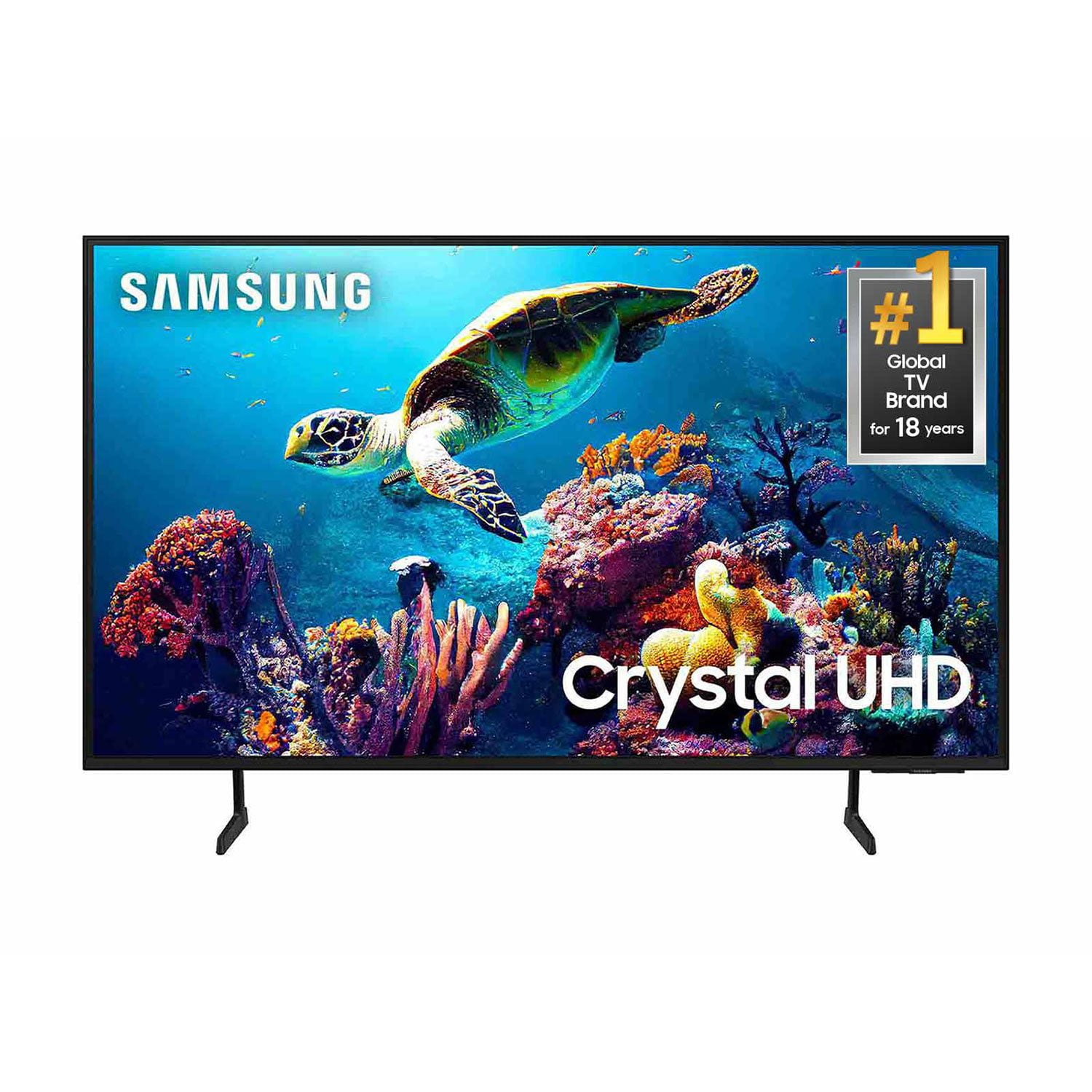
SAMSUNG 50" Class DU6900 Series UHD 4K Smart TV
4.4 out of 5 stars
stars2,179 ratings2,177 reviews
  1. 5 stars68% (1,482)
  2. 4 stars16% (354)
  3. 3 stars7% (154)
  4. 2 stars4% (81)
  5. 1 star5% (108)

Member photos

  • +557 images
Sort by |
Showing 1,261-1,270 of 2,177 reviews
Mar 20, 2025
Randy
4 out of 5 stars review

Terrible sound and volume

Have had my tv a month has a beautiful picture but the sound is terrible. Considering a sound bar to solve the situation have tried all the sound setting available Randy//

Review from Samsung US
Helpful?21P69184561C13959770739
May 20, 2025
Samsung70
4 out of 5 stars review

Samsung 70

[This review was collected as part of a promotion.] It does have a great view. It is pretty crystal clear I think it’s a lot better than the previous Samsung that I had.

Review from Samsung US
Helpful?21P69184561C13959770739
Mar 14, 2025
Bill
2 out of 5 stars review

Disappointed with product

Bought tv Dec. 2025. After 30 days, intermittent trouble with sound. Speaker pops, crackles without warning. Tv not reading HDMI hookup to gaming device, even when system is on. Very disappointed.

Review from Samsung US
Helpful?21P69184561C13959770739
reply from Samsung Brand Ambassador

Bill, If you are hearing a loud static noise, it could be caused by electrical feedback. I recommend the following: 1) Arranging the cables and making sure the TV has good ventilation will keep it quiet. 2) Check the cables. Make sure all cables are connected firmly to the proper, color-coded inputs on the TV and on the external devices. 3) Replace the audio connection cable, even if it is an HDMI or RF coaxial cable. Then test again to see if the issue still occurs. 4) Try connecting a different external device to the same input on the TV. Connect a different device to the same input on the TV using the same connection cables. For example, if a cable box is connected using the component connections, try connecting a DVD player to the same input with the same cables. If there is no buzzing, crackling, or humming with the second external device connected, the original device (the cable box in this example) is the source of the noise. To troubleshoot your HDMI connection, please try the following: 1) Power off all HDMI devices connected to the TV 2) Disconnect all HDMI cables from the TV 3) Power off and unplug the TV's power cord from the wall outlet 4) Press and hold the TV power button for 30 seconds 5) Reconnect HDMI cables back to the HDMI ports on the TV 6) Replug the TV's power cord back into the wall outlet and check the TV. If you need further assistance, please get in touch with us at 1-800-SAMSUNG, 8 AM - 12 AM EST, seven days a week. Our LiveChat agents are also available by clicking on the ‘Support’ link on our website. ~ Samsung Pro

Mar 5, 2025
Frustrated
4 out of 5 stars review

Can’t Add Apps

I would have given a 5 stars rating, but Samsung makes it extremely difficult to figure out how to add an app onto the smart tv. At the time of this writing, I still have not figured it out!

Review from Samsung US
Helpful?21P69184561C13959770739
Apr 19, 2025
Ourenjoyment
5 out of 5 stars review

Product has all the apps preset in it programing

[This review was collected as part of a promotion.] My grandson plays PlayStation on my TV the sound quality is great . The TV is synced up with my Samsung refrigerator . Love both products would and have recommended both .

Review from Samsung US
Helpful?21P69184561C13959770739
Mar 26, 2025
Abdiel
4 out of 5 stars review

Great TV but Software is slow

[This review was collected as part of a promotion.] Great Picture but Software lacks responsivness . Remote or TV lacks signal connection even after changing batteries .

Review from Samsung US
Helpful?21P69184561C13959770739
Feb 14, 2025
RGWW
2 out of 5 stars review

Not Good!

TV has myriad conflicts with Comcast Xfinity, Samsung remotes and applications like Paramount+ . I have to reboot it nearly every day to clear freezing apps. Having only 2 HDMI inputs limits the flexibility of inputs. I don't like it.

Review from Samsung US
Helpful?21P69184561C13959770739
reply from Samsung Brand Ambassador

RGWW, Thank you for taking the time to provide feedback on your DU6900 TV. Please know that your feedback will be shared with our internal product teams. We take pride in our products and are sorry to hear that your experience was not up to our high standards. If apps are not working correctly, we recommend first checking for firmware updates on your TV. Go to Home > Settings > Support > Software Update. If you do have the latest firmware, then you can next try a cold boot. There are two ways to cold boot your TV: 1) Using the Remote: For most people, the easiest way is to hold down the Power button on the Samsung TV remote until the TV turns off and then on again. This should take about 5 seconds. 2) Using the Plug: If you do not have the remote, unplug your TV from the wall outlet or surge protector, leave it unplugged for 30 seconds, and then plug it back in. For more help, please contact Samsung TV Support at 1-800-SAMSUNG, available 8 AM – 12 AM EST, seven days a week. For more contact options, click here: https://www.samsung.com/us/support/contact/ We look forward to hearing from you. ~Samsung Pro

Mar 20, 2025
2000plussamsungtv
5 out of 5 stars review

This is the best TV ever I love my Samsung TV.

[This review was collected as part of a promotion.] I really love my Samsung TV it has Samsung plus I can't stop watching it all the features the color I'm in love with this TV

Review from Samsung US
Helpful?21P69184561C13959770739
Dec 27, 2024
Thelynn
4 out of 5 stars review

We Love our Samsung TV, we have 3 Samsung TV's.

[This review was collected as part of a promotion.] We use our Samsung for everyday use, gaming for the kids and internet, youtube videos. What we enjoy is that we can link our tv's as well.

Review from Samsung US
Helpful?21P69184561C13959770739
Feb 5, 2025
rae2cue
5 out of 5 stars review

Love the Great Features!

I bought two Samsung Smart TVs, not at the same time, the one for the living room first, then one for the bedroom. They are the best purchases I made as far as TVs are concerned.

Review from Samsung US
Helpful?21P69184561C13959770739