
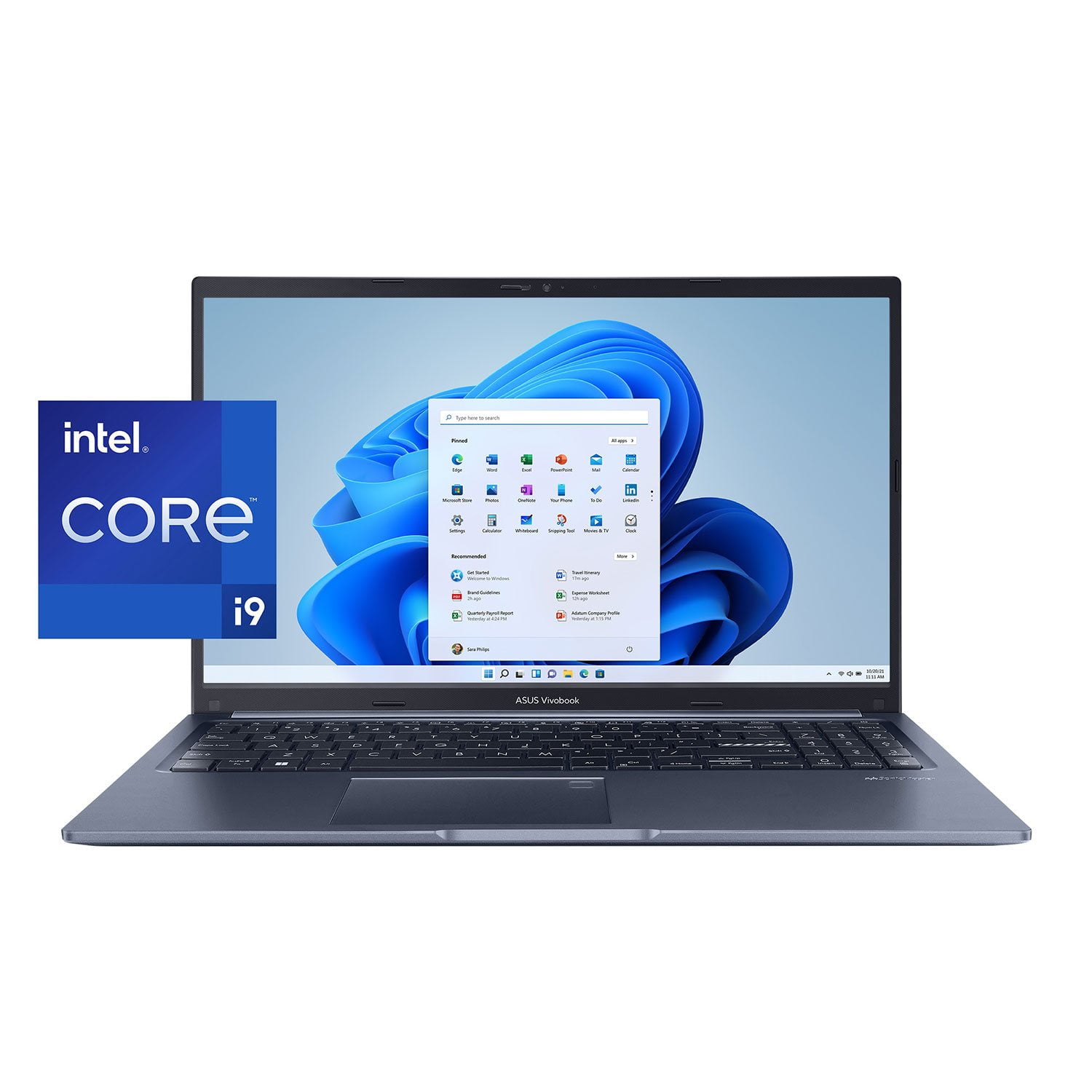
 Customer reviews for ASUS Vivobook 15 Slim 15.6” FHD Laptop - Intel Core i9-13900H - 16GB RAM - 1TB SSD - Windows 11 for
Member photos


Verified Purchase
VERY Mobile
Fast little laptop that starts up so quickly! Don't expect to be able to upgrade in the future, but it meets my needs for now. Lightweight, small, and tiny power supply (compared to the mobile gaming laptops/workstations I'm used to carrying). Only complaint: I sometimes hit the power button when reaching for delete - power button is on the same grid as all the keyboard buttons.
Verified Purchase
Great laptop
ASUS has come a long way. This is an excellent laptop for personal and home business use. Starts up fast, and very responsive. Backlit keyboard is a bonus!
Verified Purchase
Best value for the money
Fast and very responsive. I needed a laptop that could perform with some very demanding applications. This laptop has handled everything I threw at it without a problem.
Verified Purchase
It works good
I don't know much about lap top but it was working faster when recently got it but soon as install a vpn and McFee started to be a little slower.
Verified Purchase
Ok Lil laptop😃
Not a bad lil laptop, it’s a bit challenging to get started up right out of the box. Almost thought we were going to have to send it back. It took a couple days of trying to get past what language and country we wanted to select, it just wouldn’t allow us to select and move on to the next part in the initial setting up of the laptop, but after we closed it and let it sit for a couple days and came back to it we were able to proceed past that little hurdle. Hoping we don’t encounter any further issues down the road with it functioning properly.
Almost Perfect
I've had this computer for a little over two months and my complaints are the touchpad doesn't seem very responsive sometimes and the space keep doesn't always work. I'm also not used to the number pad layout as opposed to my old HP laptop but it's manageable. Once I stopped some of the windows enhanced features, it runs really fast. I wish it had upgradeable ram and hard drive but it does what I need it to do. I wish it was more upgradeable. All in all, I like it for most work I do at home and love the display as opposed to my old HP. I'm also supposed to get a 90-day warranty extension for posting this but that remains to be seen.
Great computer, horrible keyboard
I have had 3 of these, and each has had the same issue with the keyboard. Perhaps it is because I am a touch typist, but often times the keys I press do not register, or they register more than once. I have typed entire e-mails where even though I pressed the space bar between every word, there were no spaces between any of the words.
Dear Eric_of_AZ,Please accept our sincere apologies for the keyboard issue you have encountered with this laptop model and for the inconvenience caused. What you've experienced was not intentional or representative of our brand. To troubleshoot the issue described, we recommend following the steps in the FAQ below. Should the issue persist, please contact our support team at https://www.asus.com/us/support/CallUs to further investigate the problem or assist with repairing the device.We stand behind our products and continuously strive to improve our products and processes to achieve customer service excellence. For more information, email us at customerloyalty@asus.com and include the case number "N2310008092-0002" as a reference. We will do our best to resolve your case quickly. Your feedback is very important to us and enables us to improve our support channels. Thank you for choosing ASUS.Best Regards,ChantaeASUS Customer Loyalty US Supporthttps://www.asus.com/support/faq/1015071/
Lasted 8 months before requiring factory reset.
I bought this computer in March and it wouldn't start up in November. Customer Service was all too quick to do a factory reset, denying me the option to keep my personal files in the reset. That is an option, but it was inconvenient for her because it would require another reset if it didn't work. I let her go ahead with the factory reset as I had a backup service, but turns out it missed a lot of files, so I lost a lot of files, which isn't the fault of ASUS. Still, my experience is that this computer lasts 8 months and cr*ps-out and customer service isn't good. I liked it until then and was ready to get my wife one, but now I won't buy ASUS again. So I guess the silver lining is that because of this, I didn't make the same mistake twice.
Dear Richard Re,We're sorry to hear that the laptop was unable to boot which caused you to do a factory reset, and we apologize for the difficulties you have encountered with our support team. We understand the impression this may have created and we hope this will not be a long-term lasting impression as you have chosen ASUS as a trusted brand for excellence. We want to make your experience with ASUS a better one.Please email us at customerloyalty@asus.com and include the case number "N2411009873-0001" as a reference so that we can further investigate this issue. Maintaining a functioning unit is an urgent matter, and we are committed to helping you.We stand behind our products and continuously strive to improve our products and processes to achieve customer service excellence. We will do our best to resolve your case quickly. Your feedback is very important to us, and it enables us to improve our support channels. Thank you for choosing ASUS.Best Regards,ChantaeASUS Customer Loyalty US Support
Disappointment
Fantastic hardware at surprisingly affordable price. However, once un-packed it started showing some really disappointing shortcomings. First: battery charging and capacity. Took one hour to reach 100%, and once the system was activated, the battery only lasted for two hours. Second: no touch screen. The final blow was the BIOS which effectively barricades any updates from USB or external Blue Ray disk. This was a final blow - factory configuration with Windows 11 Home Edition running on top of Intel's most advanced hardware does not make sense ... especially when any upgrades are difficult.
Dear Dr C, Our sincere apologies for the problems you have had with the notebook and the inconvenience this has caused you. This is not the kind of quality to expect from ASUS products and it's not the norm. All ASUS products undergo intensive quality control, testing, and inspections. What you've experienced was not intentional or representative of our brand. Customer satisfaction is our top priority, and we strive to make every purchase enjoyable. Please allow us to make your experience with ASUS a better one.To troubleshoot the issue described, we recommend following the steps in the FAQ below. Should the issue persist, we recommend contacting our support team at https://www.asus.com/us/support/CallUs to investigate the problem further or assistance with getting the device repaired.We stand behind our products and continuously strive to improve our products and processes to achieve customer service excellence. For more information, email us at customerloyalty@asus.com and include the case number "N2311035867-0002" as a reference. We will do our best to resolve your case quickly. Your feedback is very important to us and enables us to improve our support channels. Thank you for choosing ASUS.Best Regards,ChantaeASUS Customer Loyalty US Supporthttps://www.asus.com/support/FAQ/1043914/
Sam's disappoints
Didn't use it very long, but I did get an error during set up which could be a bad indication of the future. Do not trust Sam's though. They have the original price as $1k “on sale” for $800 currently while their parent company Walmart is selling $800 MSRP on sale for $719. They even charge more for the extended warranty. They're hoping you'll buy thinking you're getting the best price because you're a member. Disappointed and definitely lost trust as a customer.
Dear Valued Customer, Thank you for your comment. We do understand your disappointment with the laptop and the inconvenience this may have caused if you had an error message during setup. This error message is most likely just a system glitch that can easily be resolved by ensuring Windows, drivers, applications and BIOS are up to date. Updates for the laptop are posted at: https://www.asus.com/us/laptops/for-home/vivobook/vivobook-15-f1504/helpdesk_knowledge/ . Additionally, since Windows 11 requires an internet access to complete Windows setup, ensure the laptop has access to an established and stable internet service or connection. Should you need further assistance with the product, please email me at cl-rodel@asus.com and I would be more than happy to help. Or, you are most welcome to call Product Support Hotline at: 1(888) 678-3688. Also, you can chat with an ASUS live support agent from the link: https://www.asus.com/us/support/article/1135/. Thank you for choosing an ASUS product. Regards, Rodel ASUS Customer Loyalty