Skip to Main Content
Sam's Club
Sam's Club
All Departments
All Services
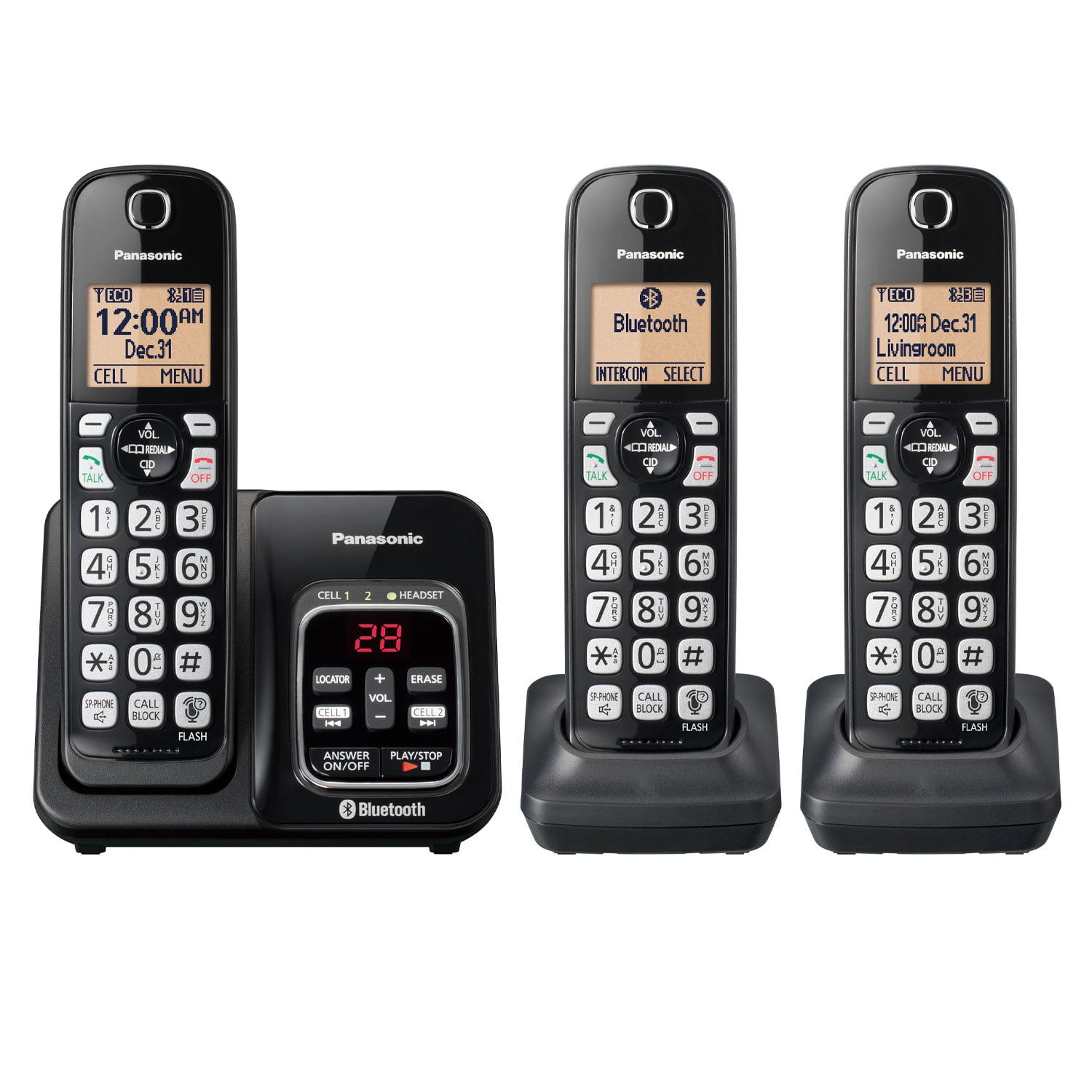
Customer reviews for Panasonic KX-TG833SK Bluetooth Link2Cell 3 Handset Cordless Phone for
Panasonic KX-TG833SK Bluetooth Link2Cell 3 Handset Cordless Phone
4.3 out of 5 stars
stars
88 ratings57 reviews
  1. 5 stars64% (56)
  2. 4 stars20% (18)
  3. 3 stars5% (4)
  4. 2 stars3% (3)
  5. 1 star8% (7)

Member photos

Sort by |
Showing 51-57 of 57 reviews
Dec 31, 2023
Reviewer name: Darla
5 out of 5 stars
5 out of 5 stars review

Verified Purchase

Christmas gift

Works great

Helpful?6TJRBKQ1SJD413947611202
reply from Panasonic Team

Thank you for your 5-star rating! We are happy to know you like the product. -C

Oct 19, 2020
Reviewer name: Sandra
5 out of 5 stars
5 out of 5 stars review

Good overall but manual somewhat difficult to use.

Poor manual otherwise good

Review from walmart.com
Helpful?6TJRBKQ1SJD413947611202
reply from Panasonic Team

Thank you for the feedback.

Jan 25, 2022
Reviewer name: DellafromPA
5 out of 5 stars
5 out of 5 stars review

Call Block Button!

The talking caller ID is a plus, but the best part is the special button to block calls! So easy.

Review from walmart.com
Helpful?6TJRBKQ1SJD413947611202
reply from Panasonic Team

We are glad to hear that you are enjoying the product, thank you for the 5 stars! -A

Dec 13, 2021
Reviewer name: Melavee
1 out of 5 stars
1 out of 5 stars review

I've been on the phone with AT

Review from walmart.com
Helpful?6TJRBKQ1SJD413947611202
reply from Panasonic Team

We suggest you contact Panasonic directly for assistance.

Aug 5, 2021
Reviewer name: Theresa
2 out of 5 stars
2 out of 5 stars review

Auto Robo Call Block

The autoblock feature does not connect your call no matter what the access code is set to.

Review from walmart.com
Helpful?6TJRBKQ1SJD413947611202
reply from Panasonic Team

We would need to check the settings that you have on your product in order to provide you with the proper solution. If you’re open to discussing it further, please contact Support Team via Live Chat on the Panasonic Website, Contact Us option, Mon-Fri, 9am-5pm EST.

Apr 21, 2024
Reviewer name: Nanak
2 out of 5 stars
2 out of 5 stars review

The answering machine won't record messages. The light flashes but doesn't play message.

Helpful?6TJRBKQ1SJD413947611202
reply from Panasonic Team

Thank you for taking the time to share your thoughts and feedback with us! Please make sure the answering machine is not set to "Greeting Only". Press MENU # 305 on a handset > go to "3 min" > press SELECT. To ensure that your answering machine is functioning correctly, first check the greeting it's set to play. Press MENU followed by #303 to listen to the current greeting. After reviewing the greeting, try calling your number from a different phone to see if the same greeting plays. If a different greeting is heard, it's possible that voicemail service is active on your line and is taking precedence over your answering machine. -M

Dec 28, 2023
Reviewer name: Lou
4 out of 5 stars
4 out of 5 stars review

Verified Purchase

Cordless phone

Works

Helpful?6TJRBKQ1SJD413947611202
reply from Panasonic Team

Thank you for your 4-star rating! We are glad to hear you are happy with the product. -C