Skip to Main Content
Sam's Club
Sam's Club
Customer reviews for SAMSUNG 55" Class CU7000D Crystal UHD Smart TV - UN55CU7000DXZA for
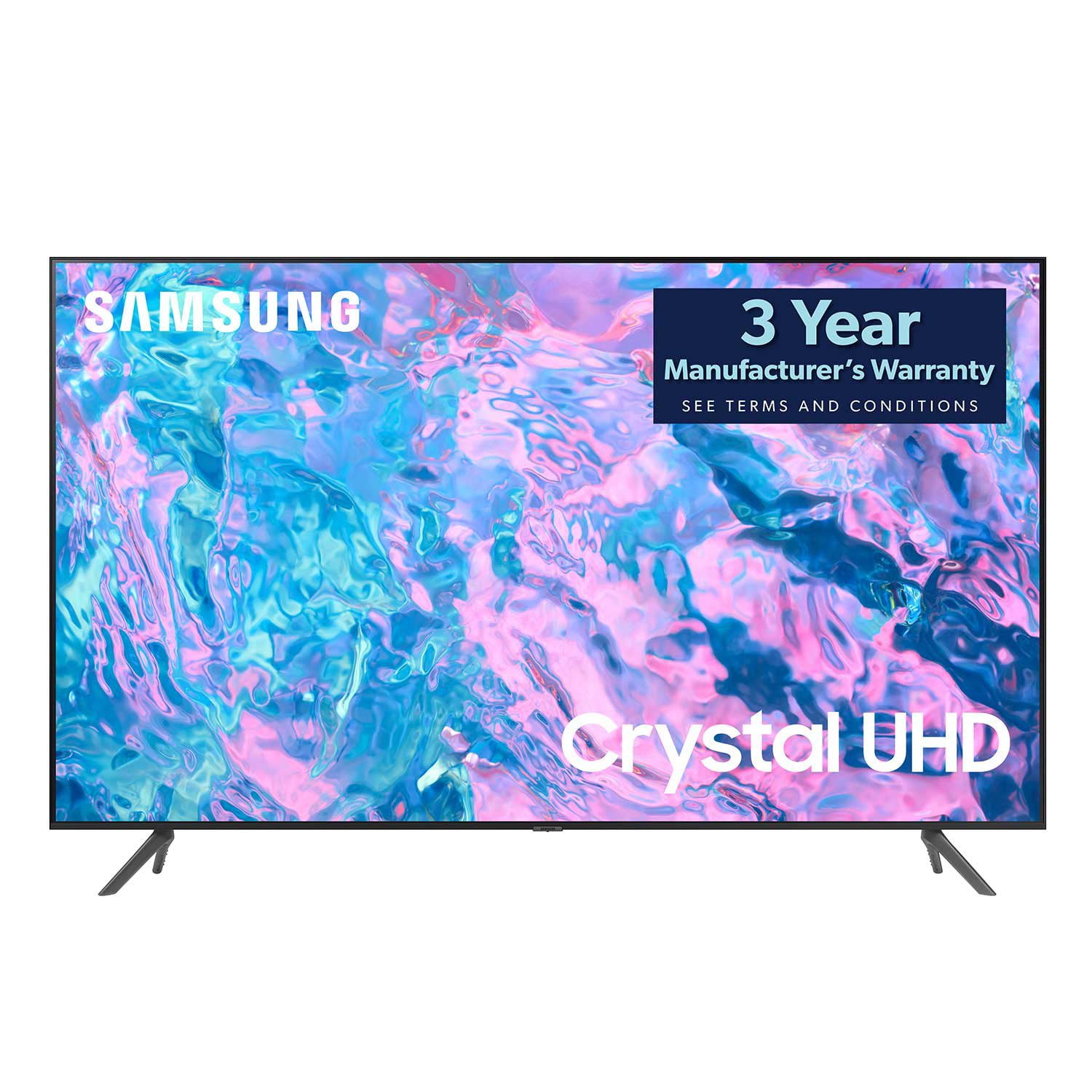
SAMSUNG 55" Class CU7000D Crystal UHD Smart TV - UN55CU7000DXZA
4.6 out of 5 stars
stars659 ratings572 reviews
  1. 5 stars72% (473)
  2. 4 stars20% (132)
  3. 3 stars4% (26)
  4. 2 stars1% (7)
  5. 1 star3% (21)

Member photos

  • +123 images
Sort by |
Showing 261-270 of 572 reviews
May 30, 2023
MsBiggKzz24
5 out of 5 stars review

Love our Samsung television

[This review was collected as part of a promotion.] It has amazing bright clear pictures. WE use it as our everyday television. We watch sports,movies and family memories. We love the clarity of every picture. It makes us feel like we can reach put and touch whatever on the screen.

Review from Samsung US
Helpful?1QJ37B7FTXIJ13935724563
Apr 24, 2023
hjh1970
5 out of 5 stars review

Awesome picture

[This review was collected as part of a promotion.] The best picture on a TV that I have ever seen! Everyone who sees it says the same thing. Love the features and screen size too. Will definitely buy more Samsung products. My Samsung refrigerator is the best also. You can't go wrong with Samsung!!

Review from Samsung US
Helpful?1QJ37B7FTXIJ13935724563
reply from Samsung Brand Ambassador

Hi hjh1970, Thank you for your review of the CU7000D TV. I'm glad you are enjoying the TV's Crystal Processor with 4K UHD Upscaling, allowing you to watch the content you love upgraded to dazzling 4K resolution. If there's anything we can do to help you, please do not hesitate to reach out to us. Call us at 1-800-SAMSUNG, 8 AM - 12 AM EST, seven days a week. LiveChat with an agent as well as manuals, software, and warranty info, can be found at the ‘Support’ link on our Samsung website. ~ Samsung Advisor

Aug 5, 2023
Delmustator
5 out of 5 stars review

Good for DCS but could be better.

I actually use this TV as a computer screen for DCS. Being that it's 4k and 43". I'm able to see even the smallest details at a distance. Spotting your adversary and keeping them in view is key in DCS. So far, with a good graphics card out to HDMI, the screen has been doing well. Only issue is that it does not have picture-in-picture. It would be nice to work on the PC and watch a streaming service in a smaller picture at the same time. But that is just a bonus feature.

Review from Samsung US
Helpful?1QJ37B7FTXIJ13935724563
May 31, 2023
Bouge1957
5 out of 5 stars review

Great TV. Easy to set up.

[This review was collected as part of a promotion.] Great TV. 100% wifi set up. Very easy. Migrating my streaming accounts was very easy. The Samsung TV app is very nice. The remote could be a bit sturdier. The back pops off easily. Otherwise, I highly recommend it.

Review from Samsung US
Helpful?1QJ37B7FTXIJ13935724563
Oct 18, 2023
Dqman93
5 out of 5 stars review

I love it!

[This review was collected as part of a promotion.] I absolutely love it. Fantastic picture. I was pleasantly surprised at how much better the picture quality improved since it has been awhile since my last upgrade. I would recommend. Football games look way better!

Review from Samsung US
Helpful?1QJ37B7FTXIJ13935724563
Aug 9, 2024
SingleLayerGake
5 out of 5 stars review

Overall A Great TV

[This review was collected as part of a promotion.] I use the TV to watch shows and movies. I had to put the TV "together" by myself and it was easy. I connected the Samsung sound bar - all very easy. The images are clear and the sound is good too. The remote is very easy to use. I have no compliants.

Review from Samsung US
Helpful?1QJ37B7FTXIJ13935724563
Jun 1, 2023
Maxialva489
5 out of 5 stars review

This product has great features

[This review was collected as part of a promotion.] I use my Samsung tv fot streaming, gaming and movies. My family really enjoys it . Has an amazing colors and great definition . Is like having our own movies at home. Excellent tv a television set with integrated Internet capabilities that offers more advanced computing ability and connectivity than a basic television set.

Review from Samsung US
Helpful?1QJ37B7FTXIJ13935724563
Jun 3, 2023
jrojas84
5 out of 5 stars review

Great TV - Extremely Happy!

[This review was collected as part of a promotion.] Excellent picture quality and very easy to set-up. The price point was more than reasonable for all the tech and features included. This TV is as sharp as my eyes need and it has a processor that gets Pluto, Hulu, you Tube TV, Tubi, Fox Nation, HBO Max, and a whole hose of others. Easy set up, good remote and lightweight.

Review from Samsung US
Helpful?1QJ37B7FTXIJ13935724563
Oct 14, 2024
MrBIll
4 out of 5 stars review

A good Television for the money.

[This review was collected as part of a promotion.] It's a great TV for the money and has allot of features. A good picture and access to all of its features via the remote. The only drawback is the speakers, you have to have the volume set on high for what I'd call a normal volume. I have 2 Samsung TV's and they both have the same problem, as opposed to my LG.

Review from Samsung US
Helpful?1QJ37B7FTXIJ13935724563
Feb 23, 2024
Coev
4 out of 5 stars review

Remote difficult to use.

It was not intuitive to push the volume and channel buttons for changing from the side rather than the top. The rep kept using the word toggle instead of push which did not make sense on a remote. Vocabulary is still an issue between generations and different first languages. Please add the word PUSH to instructions.

Review from Samsung US
Helpful?1QJ37B7FTXIJ13935724563
reply from Samsung Advisor

Hi Coev, We appreciate your review of the CU7000 TV Remote. Please know your feedback is important to us and will be shared with our internal teams. To learn how to use your Samsung remote and understand the settings on your TV, please use your remote to access the remote guide. Go to Home> (left directional button) Settings> Support> Remote Control Guide. If you need more help, Samsung is here for you. Please call us at 1-800-SAMSUNG, 8 AM - 12 AM EST, seven days a week. Our LiveChat agents are also available by clicking on the ‘Support’ link on our website. ~Samsung Advisor