Skip to Main Content
Sams Club
Sams Club
Customer reviews for Garmin DriveCam 76 GPS Dash Cam, 7in. for
Garmin DriveCam 76 GPS Dash Cam, 7in.
Sort by |
Showing 61-70 of 120 reviews
Mar 10, 2024
axistr
3 out of 5 stars review

Garmin DriveCam 76

I'm somewhat frustrated with this device. I'm a person that refuses to be tied to a mental prison called a "Smart Phone". In order to access a number of features on this device, a smart phone is required. I'm not sure why, because it clearly has Wi-Fi capabilities. Basically, I have to have my wife or kids on board with their phones in order to plug in directions, etc... The whole purpose behind buying this was to be cell independent. I'd just as soon throw it against the wall, at this point, but my wife threatened to beat me for having a temper tantrum! I guess I'll have to break down and buy the next generation Apple mini when they come out this year to make this thing work.

Review from Garmin
Helpful?3R7D8LAC7FC013915916923
Jun 7, 2023
LuluMeow
3 out of 5 stars review

Terrible

Garmin DriveCam 76 I bought around April 2023. Bought Europe map, installed. It never work like as Waze does. Garmin DriveCam 76 Needs to reprogramming software. It always struggles find the destination. It’s useless . So much money I paid. Feel deceived.

Review from Garmin
Helpful?3R7D8LAC7FC013915916923
Sep 26, 2024
Poptopps-73
4 out of 5 stars review

GARMIN DriveCam 76

The DriveCam 76 provides all of the features that I was looking for when the time came to replace my previous DriveSmart 61. Well designed and easy to install. Using a second windshield mount and power cable set, I performed a basic install in both my 2007 Chevrolet Silverado and 2015 Kia Sorento SX. This provides for flexibility using the GPS / dashcam and Bluetooth BC-40. My only issues have been with secure WiFi network login and locating the DriveCam 76 using the GARMIN Drive app. Though paired with my cell phone, it fails to locate the device. No issues using GARMIN Express for backup and software and map updates. I only wish that I could operate the device when connected to my computer. This would improve visibility and integration. A satisfied GARMIN customer.

Review from Garmin
Helpful?3R7D8LAC7FC013915916923
Jan 4, 2024
Scott VC
4 out of 5 stars review

Garmin makes good stuff

I upgraded from the nĂ¼viCam, which bricked on me after a recent software update. I guess that's a subtle way of telling me It was time to retire the older model. I'm happy to see a few new features: usb-c, Wi-Fi and a vault feature for saving videos. Seems slightly more user friendly than its predecessor. I do miss the magnetic mount from the previous model, but the software is much more robust and the user interface is more intuitive. There is a bit more video wobble in this new version.

Review from Garmin
Helpful?3R7D8LAC7FC013915916923
Dec 26, 2024
hjrjolie
5 out of 5 stars review

DriveCam 76

Bought this a few weeks ago and am very happy with the screen size and speed zone features. Red light camera notification is good. Still learning about all the features. Surprised when it notified me that the traffic was moving! However the Drive app is annoying when it pops up on my phone while I'm using other apps and not in the car driving around. Overall a great GPS.

Review from Garmin
Helpful?3R7D8LAC7FC013915916923
Feb 19, 2024
MikeVC
4 out of 5 stars review

DriveCam is good product, but it could be better.

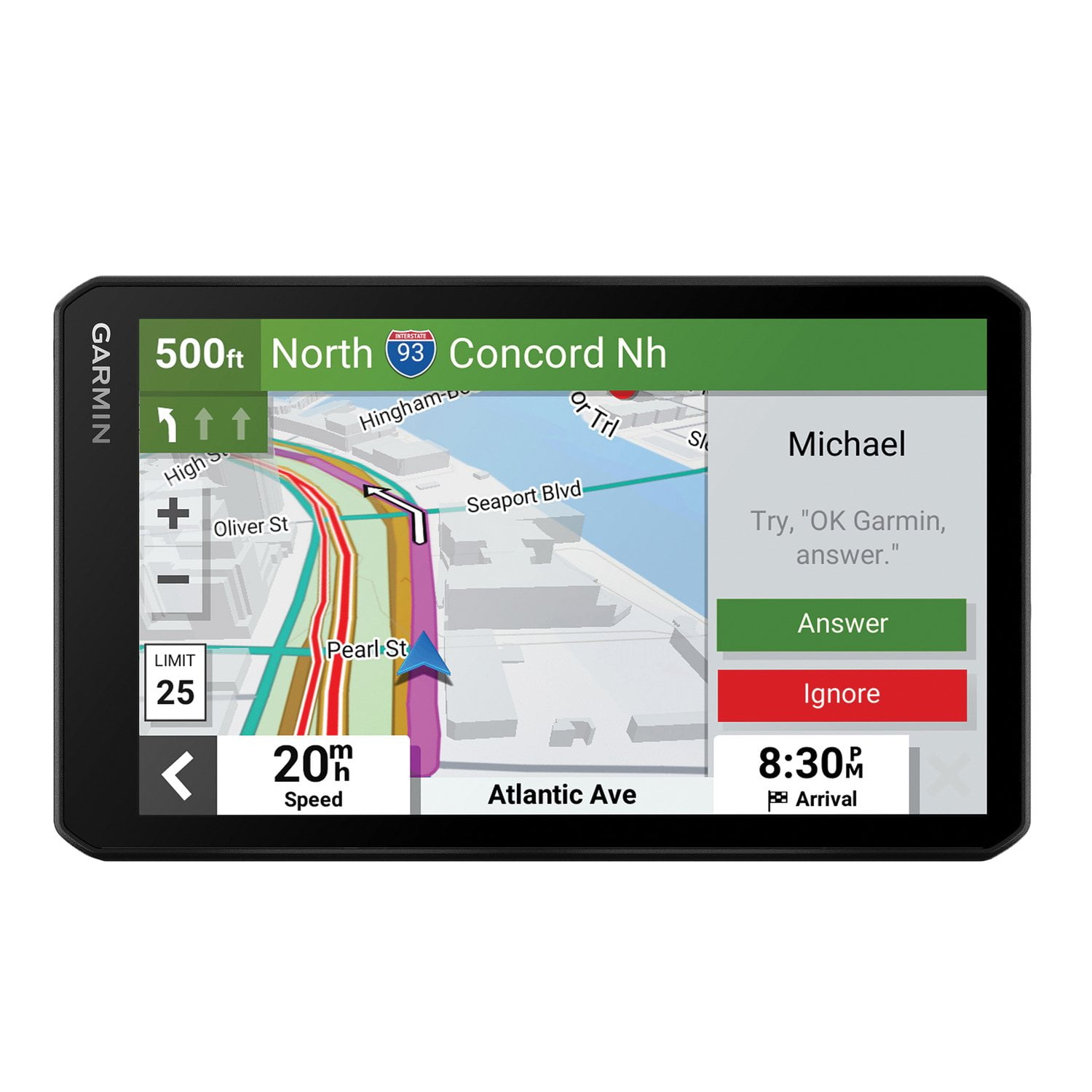
Before I start, I would say they are a lot of things I like about the Garmin DriveCam 76, but there are several things that are disappointing. I purchased this to replace a Garmin NovaCam that lost it's display. The NuviCam worked well until the end, and had features that were left out of the newer DriveCam. Among these features lost, was a quick disconnect magnetic mount that allowed quick removal when parked or switching vehicles. Another loss was the discontinued support for the Garmin Mechanic Dongle, which monitored engine function and the vehicle computer. The loss of these were very nearly a deal breaker for me. Most of the other features were carried from the NuviCam to the new DriveCam. That being said, the DriveCam screen looks crisp and modern, and the physical appearance is more streamlined. The voice commands seem to work well and respond quickly. The processor is a lot faster than the old one, and recalculates quickly. Unfortunately, the recorded track is difficult to see and disappears entirely on major roads. A different color than the map colors would help this problem. The GPS in the DriveCam doesn't work well if there are a lot of big trees... It is not as accurate as it's predecessor, and the recorded track is all over the place in forested areas. This has always been somewhat of a problem with GPS, but seem worse on the DriveCam. I don't regret the purchase, The DriveCam is a good product, but having previously owned the NuviCam, I think they could have made it better.

Review from Garmin
Helpful?3R7D8LAC7FC013915916923
Jun 6, 2024
RobersonOnWheels
5 out of 5 stars review

Perfect pairing of dashcam and GPS

FINALLY someone gets it right, and I'm not surprised its Garmin. The perfect pairing of a dashcam and GPS device, and works the way it should - quick and easy to set up and use. Love that I can add a SECOND camera to the system for a rearward view that my big truck needs!! THANK YOU GARMIN!

Review from Garmin
Helpful?3R7D8LAC7FC013915916923
Apr 1, 2024
BoiseBronco
4 out of 5 stars review

Only one weakness so far

Overall, this is an awesome Garmin GPS. The only point of irritation that I have found is with the sensitivity of lane changes. I receive lane change warnings at inappropriate times while moving and NOT drifting between the lines. Otherwise this is a great unit and a huge improvement over my previous Garmin GPS .

Review from Garmin
Helpful?3R7D8LAC7FC013915916923
Dec 16, 2022
Ed626
5 out of 5 stars review

It Has a BIG Screen

I love the large 7-inch screen on my DriveCam 76. It is very clear and I am not squinting to see what it is displaying. It is better than my Garmin Nuve 2300LM. I am also pleased about the voice commands. This makes it much easier to select my destination or stop points.

Review from Garmin
Helpful?3R7D8LAC7FC013915916923
Mar 1, 2024
JumpeeMan
2 out of 5 stars review

Not loving it so far. . .

I was sent this unit as a replacement for my standard 76 (no camera) as, after an update, my unit would no longer show the route (purple line) if I input a stop along my route and Garmin has known about this for 5 months at this point with no fix. The first DriveCam they sent me "locked up" and was very slow to respond when it wasn't locked up. I sent that back and they sent another unit. This one seems to work as expected BUT since the camera needs to "see" behind the unit (straight ahead through the windshield), the HUGE suction cup has to sit ABOVE the unit, which effectively blocks my view of oncoming traffic since I place the unit in the lower-left part of my windshield. I tried to place the suction cup BELOW the unit, but, it only fits one way and the units display doesn't rotate 180 degrees like a phone would which would solve the issue. If I sat about 5" taller in my seat, I could probably see over it and I tried to move it higher but then it's almost unusable. . not impressed. . just update my original unit so it works like it did when I purchased it and I'd be happy again.

Review from Garmin
Helpful?3R7D8LAC7FC013915916923