 Customer reviews for SAMSUNG 70” Class Q60D Series QLED Smart TV for
Member photos





 +120 images
Not Worth It
It’s…fine? I was very hopeful after fawning over this TV for months. But I have to admit - the picture quality is no better than my 20-year old Sony Bravia LCD. The color spectrum can be blinding at times, especially with white backgrounds. Even when adjusting the picture dynamics. The TV is blurry for the first 10-15 seconds of watching it before it 'settles'. The load time when using any of the streaming services is terribly slow at best, and they often won't load. If I could go back and buy this TV again, I wouldn't.
NormM, We appreciate your feedback on the response time, and for optimal performance, we ask that you please ensure you've got the latest firmware version installed on your TV. You can check this by going to: Home > Menu > Settings > Support > Software Update. You may also want to further optimize performance with the self-diagnostic tool, which checks memory, frees up unused cached memory, and closes background apps. Go to: Home > Menu > Settings > Support > Device Care > Start Device Care If the image you’re seeing isn’t to your liking, there are several picture settings you may want to adjust. Go to Home > left direction button > Settings > All Settings > Picture > Picture Mode ...and select the mode that best fits your usage: 1. Standard: Is the default mode suitable for general viewing environments 2. Dynamic: Makes the picture brighter and clearer in bright viewing environments 3. Eco: Provided to save energy 4. Movie: Suitable for watching TV or movies in a dark room 5. Filmmaker Mode: Provides source content just as the creators intended. If the image is defined as Filmmaker Mode, it’ll automatically switch to Filmmaker Mode while watching. You can also fine-tune your picture with expert settings such as brightness, contrast, sharpness and more (All Settings > Picture > Expert Settings). I hope these tips help. You can always contact us for further help at 1-800-SAMSUNG, 8AM - 12AM EST, 7 days a week. Our LiveChat agents are also available by clicking on the ‘Support’ link on our website. ~ Samsung Specialist
85" QLED TV
[This review was collected as part of a promotion.] This TV is worth all of the cost. It is obviously big and great to watch. It has all the bells and whistles of a smart TV. It also connects to my ring Doorbell and will show the video when someone is at my door allowing me to talk and view right through the TV. It also works as a Samsung hub allowing all of my smart products to be used through the smart things app. Couldn't ask for a better TV.
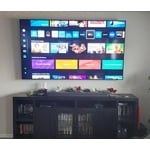
Love this TV
[This review was collected as part of a promotion.] Great picture, easily connects to all my devices, Alexa compatable, and can be controlled with smart things app on my phone. Easy to connect to all my streaming services and easy to navigate the hime screen.

Complex interface - not user friendly
Nice picture quality but the software/interface is horrible. it's definitely not user friendly. I'm not a tech genius but it shouldnt be that hard to figure out how to stream what i want and to do a slide show of my photos. I wouldn't buy Samsung again
Mike P, We appreciate you sharing your user experience. To assist in learning the various functions, please know you can download the Q60DD TV's User Manual, e-Manual, Remote Control Leaflet, and Quick Setup Guide on Samsung's website under Support > Manuals & Software > TVs & Home Theater. You can search for and select the Q60DD TV to download the guides you would like. The e-Manual and Remote Guide are both also embedded into your TV itself under Menu > Settings > Support > Open e-Manual. If you need more help, Samsung is here for you. Please call us at 1-800-SAMSUNG, 8AM - 12AM EST, 7 days a week. Our LiveChat agents are also available by clicking on the ‘Support’ link on our website. ~ Samsung Specialist
Avoid Samsung TVs
Extremely Disappointed ! I thought when I purchased Samsung I would be getting a top of the line tv. I purchased 3 Samsungs at Christmas to replace the living room and bedroom tvs. The interface or “hub” is confusing, the remote is junk, and the WIFI card is weak. TV is 25’ direct line of site from main router (WiFi 6) of a mesh system. I ended up having to hook a satellite node directly to all 3 tvs. ISP techs told me that Samsung tvs have some of the worst wifi cards out there.
Gendawg, We appreciate you taking the time to let us know about your experience with your TV. So that we can better troubleshoot this issue and provide steps towards a solution, please contact Samsung Support at 1-800-SAMSUNG, 8AM - 12AM EST, 7 days a week. Or visit us on the Samsung website and click on the ‘Support’ link for: • LiveChat • Manuals, Software, & Warranty Info ~ Samsung Specialist
Perfect for the at-home-office
I purchased this TV as a replacement to a much older 43" Samsung used for home office use. My primary viewing includes news, financial news, sports, light entertainment, and connection to Zfold5. Just recently I added the 4K viewing option from YTubeTV. I am overly pleased with the picture quality (a Samsung hallmark), ease of menu options, and links to other Samsung products. I look forward to growing my list of accessories (e.g., sound bar) as I see years of good use.
75” Class QLED 4K Q60D – An Impressive Home Entert
The 75-inch screen is truly a game-changer for anyone looking to upgrade their home viewing experience. The large display provides a cinematic feel, making it perfect for movies, sports, and gaming. The QLED 4K resolution delivers sharp and vibrant visuals, with rich colors and deep contrasts. The Quantum Dot technology really enhances the picture, making HDR content pop with impressive clarity. Smart Features & Software This TV is powered by Samsung’s Tizen operating system, which is user-friendly and smooth. It supports all major streaming services like Netflix, YouTube, Disney+, and more, with fast app loading times and minimal lag. Navigating menus is intuitive, and the overall software performance is reliable. Remote Control & Smartphone Integration The Smart Remote is a great addition—it’s minimalist and easy to use. Even better, the TV pairs seamlessly with smartphones (both iPhone and Android) via Samsung SmartThings app. You can control the TV from your phone, mirror your screen, or cast content with ease. The voice assistant (Bixby, Alexa, Google Assistant) is also integrated, making it even more convenient to control the TV hands-free. Connectivity & Sound The TV offers multiple HDMI ports, USB inputs, and wireless connectivity options like Wi-Fi and Bluetooth, making it versatile for all devices. The sound quality is decent for a flat-screen TV, but for a truly immersive experience, pairing it with a soundbar is recommended. Final Verdict The 75” Class QLED 4K Q60D is an excellent choice for those seeking a large, vibrant display with modern smart features and easy smartphone connectivity. It’s a perfect centerpiece for any living room, offering fantastic value for its price range. Rating: 4.5/5 Pros: Stunning picture quality, large screen, smart features, smartphone integration Cons: Built-in speakers could be better
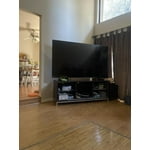
Absolutely awesome
[This review was collected as part of a promotion.] There are lots of cheaper TVs out there but when you buy a TV of this class you get something so much more enjoyable to use. There's no delay when scrolling through the menu. The picture is amazing, it's just a all around better TV. We will never skimp and save a few bucks vs purchasing a Samsung TV again.
Beautiful picture!
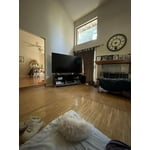
We bought this tv last year when we moved into our new home. I was concerned that it might be too big, but it is spectacular. The picture is very detailed and it fits perfectly. The different modes to make it look like its a painting or the same color as the wall is really cool!
A great upgrade
[This review was collected as part of a promotion.] The Tv arrived well packaged and right out of the box it was ready to setup, the setup was easy, I just had to connect it via Wi Fi and after the updates I was able to use it. The picture looks amazing, vivid colors, the contrast is also great. I like the operating system, it is easy to use, this is not my first Samsung TV and I do not think it will be my last becase of the system that it uses. The apps are easy to look for and use, I do not need anything else, it works alone, As for the Gaming Hub, it keeps my family entertained with different games without a gaming console so we really like that as well. I like the size it is in a shared room so everyone can enjoy. Overall it is another great TV from Samsung, from the picture to the apps and how fast it is on everything,