Skip to Main Content
Sam's Club
Sam's Club
Customer reviews for SAMSUNG 70” Class Q60D Series QLED Smart TV for
SAMSUNG 70” Class Q60D Series QLED Smart TV
4.4 out of 5 stars
stars701 ratings694 reviews
  1. 5 stars70% (492)
  2. 4 stars15% (108)
  3. 3 stars5% (36)
  4. 2 stars4% (28)
  5. 1 star5% (37)

Member photos

  • +120 images
Sort by |
Showing 321-330 of 694 reviews
Feb 13, 2025
Nonya
2 out of 5 stars review

Not good for streaming

This TV has horrible wi-fi reception. Otherwise it's a decent tv. Color is good, interface is good, but if you have to watch low definition tv it isn't worth it. The problem is not my home wi-fi as my other (TCL) tv receives the wi-fi signal fine.

Review from Samsung US
Helpful?1EEO1IUOE2NN13900012337
reply from Samsung Specialist

Hi there, Thank you for sharing your experience with Wi-Fi connectivity on your Q60D TV. This may be caused by a network issue. You might want to go through these steps to check your network connection: 1) Minimize interference by not using or turning off wireless devices. Also, verify that there are no obstacles between the TV and the modem or access point. (Wi-Fi strength can be decreased by appliances, cordless phones, stone walls/fireplaces, etc.) 2) If the wireless connection fails, connect the TV to the access point via a LAN cable. If the TV can connect to the Internet normally via the wired connection, there might be a problem with the access point. In this case, try using a different access point. 3) Perform a network test to check if there is a network problem. Press the Home button on your remote. Navigate to Settings > Support > Device Care > Self Diagnosis> Smart Hub Connection Test 4) Try a cold reboot of your TV by pressing and holding the power button for 5+ seconds until the TV turns off and on again. 5) Please also be sure you have the latest firmware update. You may want to enable automatic updates for convenience. Select Settings > Support > Software Update, then select Auto Update. For further assistance or service, please contact us at 1-800-SAMSUNG, 8AM - 12AM EST, 7 days a week. Or visit us on the Samsung website and click on the ‘Support’ link for: • LiveChat • Manuals, Software, & Warranty Info ~ Samsung Specialist

Oct 24, 2024
Plug4ya
4 out of 5 stars review

Tv ok so far

[This review was collected as part of a promotion.] Tv is ok so far , sometimes it has a few glitches come across the screen but other than that TV has been great

Review from Samsung US
Helpful?1EEO1IUOE2NN13900012337
Feb 5, 2025
Edwin Sellars
4 out of 5 stars review

Good clarity and sound

I like the tv but I was told that I would get Hulu, paramount etc. without having to put in passwords for each channel !!!! Such a pain in the butt! So😩😩!! ,

Review from Samsung US
Helpful?1EEO1IUOE2NN13900012337
Apr 26, 2025
Shayne
5 out of 5 stars review

Samsung has the best trusted products

All my TVs were Samsung as well as my laptops, cell phone etc. I trust the brand. My new TV is beyond great. The picture is crisp with deep defining colors etc. I am so glad I made this picture.

Review from Samsung US
Helpful?1EEO1IUOE2NN13900012337
May 5, 2025
Sroy73
4 out of 5 stars review

Niceeee!

Great Picture! Cool feature think the lightbonthe remote is slick idea. I wonder why YouTube TV doesn't come pre installed on TV. For my son who plays a lot of Xbox games and streaming.

Review from Samsung US
Helpful?1EEO1IUOE2NN13900012337
Dec 28, 2024
Suavebk2
5 out of 5 stars review

Massive screen!
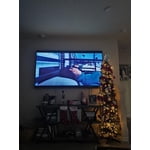
[This review was collected as part of a promotion.] We have always wanted a big TV and could not have been more satisfied with the 85 inch Samsung QLED. High quality, and no lag in frames and switching within apps.

Review from Samsung US
Helpful?1EEO1IUOE2NN13900012337
Dec 28, 2024
MJMCG
1 out of 5 stars review

TV remotes do not work

I bought this at the end of August 2024 and I now cannot use it. The original remote and the replacement remote does not work. Very difficult to access the features. Sorry I bought it.

Review from Samsung US
Helpful?1EEO1IUOE2NN13900012337
reply from Samsung Specialist

MJMCG, I’m sorry to hear your SolarCell Remote is not working as expected. Please try these steps which may help resolve this: 1. Press and hold Return and Microphone buttons (diagonally up and to the right of Return). This will reset the remote. 2. Stand within 1 foot of the TV and press and hold Return and Play/Pause simultaneously for at least 5 seconds or until a message appears on your TV indicating that the remote is now connected If you’re still experiencing issues with the remote, please also try the following: - Unplug the TV for 30 seconds, and plug it back in. - Try moving closer to the TV and re-pairing. - Check to see if your remote is charged: Settings > All Settings > General & Privacy > Power and Energy Saving > Available Remote Battery - Check for available firmware updates on your TV: Settings > Support > Software Update > Update Now I hope the above helps. Should the issue persist, please contact Samsung Support at 1-800-SAMSUNG, 8AM - 12AM EST, 7 days a week. Our LiveChat agents are also available by clicking on the ‘Support’ link on our website. ~ Samsung Specialist

Mar 10, 2025
jamie
2 out of 5 stars review

DISAPPOINTING‼️ COLOR ADJUSTMENT A MAJOR PROBLEM

DISAPPOINTED 😞 ‼️‼️‼️. Very hard to get good complexion color, especially live broadcast. Color dissolves with cloud-like color if tv viewed from side. expected much. Old Vizio had much better color. Sorry I bought.

Review from Samsung US
Helpful?1EEO1IUOE2NN13900012337
reply from Samsung Specialist

jamie, We appreciate your thoughts on the picture quality of Samsung’s Q60D TV. If the image you’re seeing isn’t to your liking, there are several picture settings you may want to adjust. Go to Home > left direction button > Settings > All Settings > Picture > Picture Mode ...and select the mode that best fits your usage: 1. Standard: Is the default mode suitable for general viewing environments 2. Dynamic: Makes the picture brighter and clearer in bright viewing environments 3. Eco: Provided to save energy 4. Movie: Suitable for watching TV or movies in a dark room 5. Filmmaker Mode: Provides source content just as the creators intended. If the image is defined as Filmmaker Mode, it’ll automatically switch to Filmmaker Mode while watching. You can also fine-tune your picture with expert settings such as brightness, contrast, sharpness and more (All Settings > Picture > Expert Settings). For further assistance with settings adjustments, please contact Samsung Customer Support at 1-800-SAMSUNG, 8AM - 12AM EST, 7 days a week. Or visit us on the Samsung website and click on the ‘Support’ link for: • LiveChat • Manuals, Software, & Warranty Info ~ Samsung Specialist

Apr 20, 2025
Yooper51
5 out of 5 stars review

Very satisfied.

I have been using this Samsung TV for about a month and am very pleased with the picture quality. Being the first smart tv that I have owned, it has been a learning experience. So far it has been easy to use and set up was pretty straight forward.

Review from Samsung US
Helpful?1EEO1IUOE2NN13900012337
May 6, 2025
Denny
4 out of 5 stars review

Many features

Excellent! Many features that I’m still learning. Have to admit, I prefer the older style remote. I’ve yet to get this one figured out. Maybe better tutorials would help.

Review from Samsung US
Helpful?1EEO1IUOE2NN13900012337