Skip to Main Content
Sam's Club
Sam's Club
Customer reviews for SAMSUNG 70” Class Q60D Series QLED Smart TV for
SAMSUNG 70” Class Q60D Series QLED Smart TV
4.4 out of 5 stars
stars701 ratings694 reviews
  1. 5 stars70% (492)
  2. 4 stars15% (108)
  3. 3 stars5% (36)
  4. 2 stars4% (28)
  5. 1 star5% (37)

Member photos

  • +120 images
Sort by |
Showing 211-220 of 694 reviews
Jun 17, 2024
insparks
1 out of 5 stars review

Good TV but horrible remote

I like the TV but the TV is only as good as the remote control is. First, there is no controls on the TV itself so you can not control the TV volume, power and channel selection. Second the remote control that Samsung provides is horrible, you can't control the volume consistency, sometimes it works and sometimes it DON'T. When I unboxed the TV it took the remote five to six minutes to start to respond to the remote control then all of sudden it started working and it hasn't got any better so far.

Review from Samsung US
Helpful?1EEO1IUOE2NN13900012337
reply from Samsung Specialist

insparks, I'm sorry to hear of the misunderstanding regarding the SolarCell Remote. Please know you can control the volume, change channels, and power your TV on/off with the included remote. * To power on/off: Press the red Power key in the upper left corner * To adjust volume: Below the Back button and above the Netflix hotkey, you'll see a thin rocker button with (+) on the top and (-) below; simply push up on this button to increase, and down to decrease volume. * To change channels: Below the Play/Pause button and above the Prime Video hotkey, you'll see a thin rocker button with (^) on the top and (v) below; simply push up on this button to go up one channel, and down to go to the next channel. If your remote is not working as expected, please try these steps which may help resolve this: 1. Press and hold Return and Microphone buttons (diagonally up and to the right of Return). This will reset the remote. 2. Stand within 1 foot of the TV and press and hold Return and Play/Pause simultaneously for at least 5 seconds or until a message appears on your TV indicating that the remote is now connected If you’re still experiencing issues with the remote, please also try the following: - Unplug the TV for 30 seconds, and plug it back in. - Try moving closer to the TV and re-pairing. - Check to see if your remote is charged: Settings > All Settings > General & Privacy > Power and Energy Saving > Available Remote Battery - Check for available firmware updates on your TV: Settings > Support > Software Update > Update Now If you need more help, Samsung is here for you. Please call us at 1-800-SAMSUNG, 8AM - 12AM EST, 7 days a week. Our LiveChat agents are also available by clicking on the ‘Support’ link on our website. ~ Samsung Specialist

Mar 5, 2025
Michael
5 out of 5 stars review

This TV ia amazing! Beautiful colors!

My cable company was discontinuing streaming TVs older than 2017. I purchased this TV as a replacement. With a learning curve, I was able to add the streaming services I use to the TV. I also like the Samsung TV Plus feature. It gives a number of channels over a number of categories. I appreciate the relaxation stations (oceanview, stream, rain, etc.).

Review from Samsung US
Helpful?1EEO1IUOE2NN13900012337
Dec 3, 2024
jubilee
3 out of 5 stars review

Great TV but Shuts Off

[This review was collected as part of a promotion.] Overall this is a great TV however it does have problems turning itself off and on. A lot of times I can't even figure out how to fix it. The picture is great Sound is great but it's just the auto shut off and disconnection that does not give it five stars for me.

Review from Samsung US
Helpful?1EEO1IUOE2NN13900012337
reply from Samsung Specialist

jubilee, I’m sorry to hear that your Q60DD TV is turning on and off on its own. Please try a few troubleshooting steps that may help solve the issue: 1) Check the power cable for damage and proper connection. If the cable is bent, broken, kinked, pinched, pressed excessively (possibly by a heavy object on top of it) or damaged, this is likely the cause of the issue. Replace the cable. 2) Unplug the TV from the wall outlet for 30 seconds, and then plug it back in. 3) If the power cycling allows enough time in between powering on and off, try updating the TV to the latest firmware. There is a risk, however. If the TV turns off during the software update, it could damage the TV. Updates can take up to 30 minutes depending on network speed, so if the TV is not turning off too frequently, try updating the software. 4) TVs which can connect to SmartThings can be turned on using compatible devices, sometimes automatically. However, if abnormal "power on" signals are sent through the wireless network, they will trigger this function and make the TV turn on. If you do not want this function, navigate to Menu > Settings > All Settings > Connection > Network > Expert Settings > Power On with Mobile, and turn the setting off. If the issue persists after these steps, please call us so that we can better investigate your issue and assist with a solution. You can reach Samsung Support at 1-800-SAMSUNG, 8AM - 12AM EST, 7 days a week. Our LiveChat agents are also available by clicking on the ‘Support’ link on our website. ~ Samsung Specialist

Nov 21, 2024
Samsung4ever81
4 out of 5 stars review

Great Samsung products
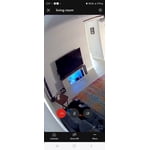
[This review was collected as part of a promotion.] I love my TV's I have two 65" I access them through my fold 6 smart things if the kids leave them on I can easily turn off from anywhere. One of the remotes is completely going does not charge with light as much or even plug-in. But we make do.

Review from Samsung US
Helpful?1EEO1IUOE2NN13900012337
Apr 19, 2025
Dissatisfied
2 out of 5 stars review

No More Samsung

Very disappointing TV. We thought we were upgrading from our 2014 model, but there is no sound when you turn it on. It is necessary to access a streaming channel and then convert back to the TV to obtain sound on the TV. This is not progress. The issue is with the TV not the cable connection. This has been established beyond a doubt. This is certainly the last Samsung product for us. Beware.

Review from Samsung US
Helpful?1EEO1IUOE2NN13900012337
reply from Samsung Specialist

Dissatisfied, We appreciate you taking the time to let us know about your experience with your TV. So that we can better troubleshoot this issue and provide steps towards a solution, please contact Samsung Support at 1-800-SAMSUNG, 8AM - 12AM EST, 7 days a week. Or visit us on the Samsung website and click on the ‘Support’ link for: • LiveChat • Manuals, Software, & Warranty Info ~ Samsung Specialist

Aug 16, 2025
JetEagle
5 out of 5 stars review

I like it .

It does what I would like it to . No complaints .

Review from Samsung US
Helpful?1EEO1IUOE2NN13900012337
May 5, 2025
Jackie
5 out of 5 stars review

Perfect size for my two areas!

This is the second 32" Class QLED 4K Q60D television I have purchased. I have one in my bedroom and one on my enclosed front porch. Love Love Love both of them!!

Review from Samsung US
Helpful?1EEO1IUOE2NN13900012337
Jul 2, 2024
Parker6969
5 out of 5 stars review

TV qualities

[This review was collected as part of a promotion.] This Samsung TV has a great picture and sounds for different places that you set the TV up and makes your overall watching TV experience wonderful and comfortable!

Review from Samsung US
Helpful?1EEO1IUOE2NN13900012337
Mar 7, 2025
davecx
5 out of 5 stars review

So Worth While

I bought this TV a couple of months ago. We have always liked Samsung then a friend offered us a deal on another make. We just didn't like it and decided we would buy a Samsung again. So happy we did.

Review from Samsung US
Helpful?1EEO1IUOE2NN13900012337
May 20, 2025
Renee
5 out of 5 stars review

Exceptional TV

Love the picture and overall quality of this TV. It is perfect for my room as I watch a lot of TV at night. Sound is great and this is very functional for what I need.

Review from Samsung US
Helpful?1EEO1IUOE2NN13900012337