Skip to Main Content
Sams Club
Sams Club
Customer reviews for SAMSUNG 65” Class Q72D Series QLED Smart TV for
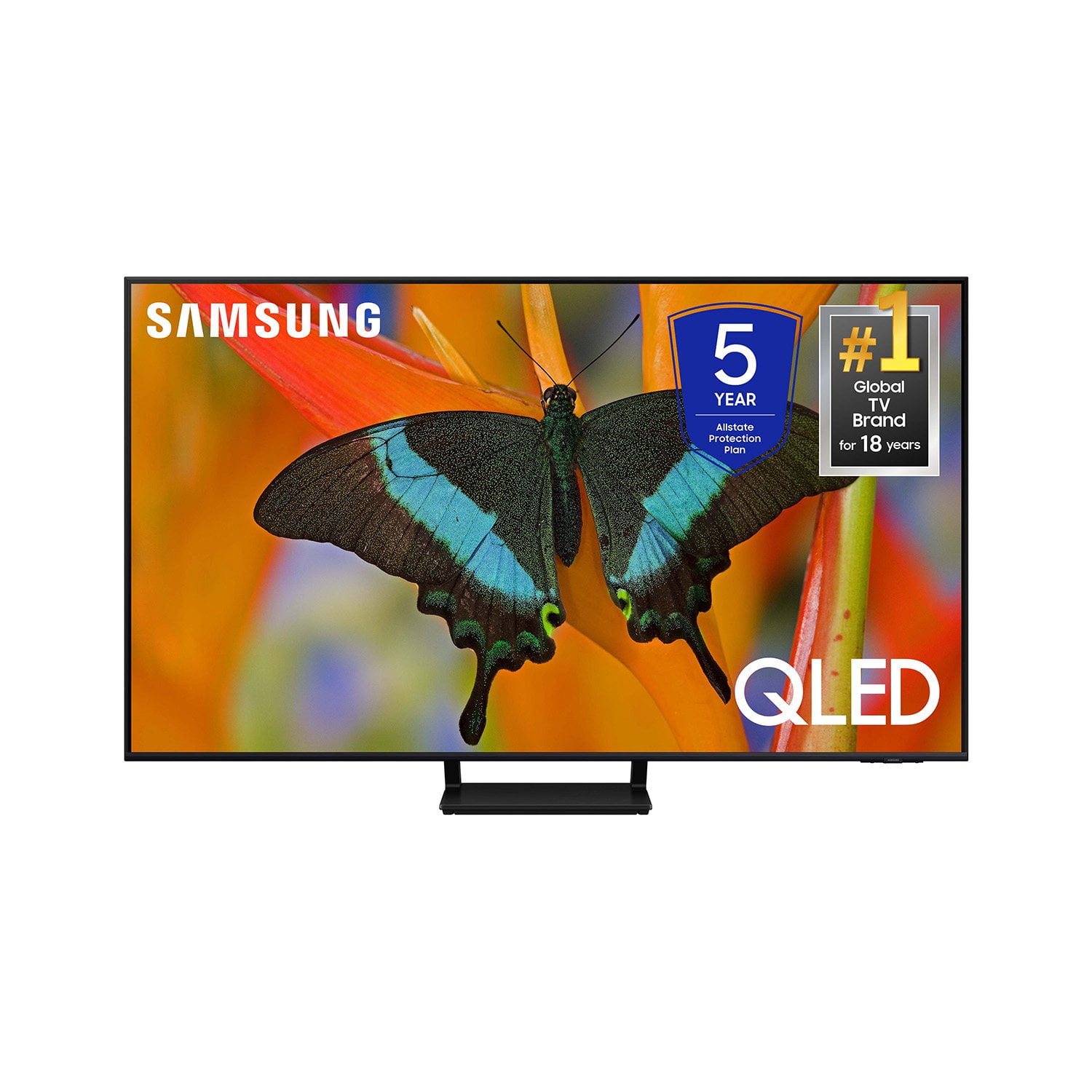
SAMSUNG 65” Class Q72D Series QLED Smart TV
4.6 out of 5 stars
stars274 ratings274 reviews
  1. 5 stars77% (212)
  2. 4 stars14% (39)
  3. 3 stars4% (12)
  4. 2 stars1% (3)
  5. 1 star3% (8)

Member photos

  • +84 images
Sort by |
Showing 151-160 of 274 reviews
Mar 21, 2025
WatchBB
5 out of 5 stars review

Great view from here!

[This review was collected as part of a promotion.] The is an experience of epic proportions! Crisp colors and excellent lighting from every angle. Just loving watching March Madness!!!

Review from Samsung US
Helpful?0S8WA20FT3TX13889911831
Mar 20, 2025
Don1234
5 out of 5 stars review

Great picture!

[This review was collected as part of a promotion.] This Samsung has a real life looking picture. I love the lighted remote feature. Setup was easy to do.

Review from Samsung US
Helpful?0S8WA20FT3TX13889911831
Mar 20, 2025
Swayy320600
5 out of 5 stars review

The tv that keeps on giving

[This review was collected as part of a promotion.] Great picture, love the remote and being rechargeable. Also like the game pass feature where you don't need an Xbox to play games right off tv.

Review from Samsung US
Helpful?0S8WA20FT3TX13889911831
Mar 5, 2025
JohnnyD
3 out of 5 stars review

Picture and options

Love the TV but can't figure out how to set up My Favorite Channels. I'm 74 so I may be too old to grasp this stuff. The manual is of little to no help and, yes, even old people can read. :)

Review from Samsung US
Helpful?0S8WA20FT3TX13889911831
reply from Samsung Specialist

JohnnyD, We appreciate you sharing your user experience. To assist in learning the various functions, please know you can download the Q72DD TV's User Manual, e-Manual, Remote Control Leaflet, and Quick Setup Guide on Samsung's website under Support > Manuals & Software > TVs & Home Theater. You can search for and select the Q72DD TV to download the guides you would like. The e-Manual and Remote Guide are both also embedded into your TV itself under Menu > Settings > Support > Open e-Manual. If you need more help, Samsung is here for you. Please call us at 1-800-SAMSUNG, 8AM - 12AM EST, 7 days a week. Our LiveChat agents are also available by clicking on the ‘Support’ link on our website. ~ Samsung Specialist

Mar 18, 2025
Ogeegamer1
5 out of 5 stars review

Wonderful color,Wonderful picture

[This review was collected as part of a promotion.] Excellent sound I recommend samsung products to anyone who wants to enjoy reach out and touch looking picture.

Review from Samsung US
Helpful?0S8WA20FT3TX13889911831
Mar 20, 2025
TUT1970
5 out of 5 stars review

NEW 75 BEDROOM TV

[This review was collected as part of a promotion.] We needed a bigger TV in the Master BR, (she did) this actually turned out great. The TV is amazing, so much available on the programing, apps and tuning capabilities. Perfect for our needs.

Review from Samsung US
Helpful?0S8WA20FT3TX13889911831
Feb 5, 2025
Dgriff
1 out of 5 stars review

Blurry Picture

Picture is NOT clear for most programs especially sporting events. It appears blurry and colors are washed out I have a 15 year old Panasonic that has a clearer picture Very disappointing

Review from Samsung US
Helpful?0S8WA20FT3TX13889911831
reply from Samsung Specialist

Dgriff, We appreciate your thoughts on the picture quality of Samsung’s Q72DD TV. If the image you’re seeing isn’t to your liking, there are several picture settings you may want to adjust. Go to Home > left direction button > Settings > All Settings > Picture > Picture Mode ...and select the mode that best fits your usage: 1. Standard: Is the default mode suitable for general viewing environments 2. Dynamic: Makes the picture brighter and clearer in bright viewing environments 3. Eco: Provided to save energy 4. Movie: Suitable for watching TV or movies in a dark room 5. Filmmaker Mode: Provides source content just as the creators intended. If the image is defined as Filmmaker Mode, it’ll automatically switch to Filmmaker Mode while watching. You can also fine-tune your picture with expert settings such as brightness, contrast, sharpness and more (All Settings > Picture > Expert Settings). For further assistance with settings adjustments, please contact Samsung Customer Support at 1-800-SAMSUNG, 8AM - 12AM EST, 7 days a week. Our LiveChat agents are also available by clicking on the ‘Support’ link on our website. ~ Samsung Specialist

Mar 20, 2025
HoboJoJo
5 out of 5 stars review

Fabulous TV

[This review was collected as part of a promotion.] Our new TV has a vibrant rich picture. The smart TV functions are easy to set up, program and navigate. We couldn't be happier.

Review from Samsung US
Helpful?0S8WA20FT3TX13889911831
Feb 28, 2025
Photohobby
5 out of 5 stars review

Wonderful selection

I watch it more than I watch streaming services I pay for. They have a good variety of channels and shows. I am happy this is being offered to me as a Samsung customer.

Review from Samsung US
Helpful?0S8WA20FT3TX13889911831
Feb 5, 2025
Komi
4 out of 5 stars review

Good TV so far

Good tv, I'm just use to the Sony Tv color after all these years of Sony Tv fan. The remote control is a bit harder to get use to and it's very sensitive but overall it's ok and the price is right.

Review from Samsung US
Helpful?0S8WA20FT3TX13889911831