Skip to Main Content
Sam's Club
Sam's Club
All Departments
All Services
Customer reviews for SAMSUNG 50" Class DU7200 Series 4K Smart TV for
SAMSUNG 50" Class DU7200 Series 4K Smart TV
4.3 out of 5 stars
stars
1,145 ratings1,023 reviews
  1. 5 stars62% (710)
  2. 4 stars19% (223)
  3. 3 stars9% (98)
  4. 2 stars5% (54)
  5. 1 star5% (60)

Member photos

  • +160 images
Sort by |
Showing 981-990 of 1,023 reviews
Feb 22, 2025
Reviewer name: Gary
3 out of 5 stars
3 out of 5 stars review

Picture quality is not great but is ok

Picture quality is just OK but not great I would not buy this model of TV again

Review from Samsung US
Helpful?6FFFIGX8UWW613884652301
reply from Samsung Advisor

Hi Gary, It’s unfortunate to hear you’re not fully satisfied with your DU7200 TV’s image quality. Below are a few settings that I recommend adjusting: Go to Home > Settings > All Settings > Picture > Picture Mode and select the mode that best fits your usage: 1) Standard: Default mode suitable for general viewing environments. 2) Natural: Reduces eye strain for a comfortable viewing experience. 3) Movie: Most suitable for watching TV or movies in a dark room. 4) Dynamic: Makes the picture brighter and clearer in bright viewing environments. 5) Filmmaker Mode: You can watch the source content (e.g., movie) as it is. If the image is defined as Filmmaker Mode, it will automatically switch to Filmmaker Mode while watching. You can also go to Settings > All Settings> Picture > Expert Settings > to manually fine-tune your image. If you need more help, Samsung is here for you. Call us at 1-800-SAMSUNG, 8 AM - 12 AM EST, seven days a week. Our LiveChat agents are also available by clicking on the ‘Support’ link on our website. ~ Samsung Advisor

Apr 19, 2025
Reviewer name: Debbie
2 out of 5 stars
2 out of 5 stars review

Popping sound

Got a popping sound coming my tv every so often not happy….

Review from Samsung US
Helpful?6FFFIGX8UWW613884652301
reply from Samsung Advisor

Hi Debbie, If you are hearing a loud static noise, it could be caused by electrical feedback. I recommend the following: 1. Arranging the cables and making sure the TV has good ventilation will keep it quiet. 2. Check the cables. Make sure all cables are connected firmly to the proper, color-coded inputs on the TV and on the external devices. 3. Replace the audio connection cable. Replace the audio connection cable, even if it is an HDMI or RF coaxial cable. Then test again to see if the issue still occurs. 4. Try connecting a different external device to the same input on the TV. Connect a different device to the same input on the TV using the same connection cables. For example, if a cable box is connected using the component connections, try connecting a DVD player to the same input with the same cables. If there is no buzzing, crackling, or humming with the second external device connected, the original device (the cable box in this example) is the source of the noise. If you need more help, Samsung is here for you! Please call us at 1-800-SAMSUNG, 8 AM - 12 AM EST, seven days a week. Our LiveChat agents are also available by clicking on the ‘Support’ link on our website. ~ Samsung Advisor

Apr 19, 2025
Reviewer name: Donna
2 out of 5 stars
2 out of 5 stars review

Bad purchase

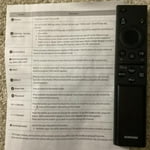
Very hard to find what you are looking for. The controller is way too small.

Review from Samsung US
Helpful?6FFFIGX8UWW613884652301
reply from Samsung Advisor

Hi Donna, Thank you for sharing your opinion on the DU7200 TV remote. We understand there can be a learning curve when you get a new TV! This is why we have built a guide built into the TV that teaches you how to use your remote. Just go to Home> (left directional button) Settings> Support> Remote Control Guide. If you need more help, Samsung is here for you. Please call us at 1-800-SAMSUNG, 8 AM - 12 AM EST, seven days a week. Our LiveChat agents are also available by clicking on the ‘Support’ link on our website. ~Samsung Advisor

Apr 5, 2025
Reviewer name: Jern
4 out of 5 stars
4 out of 5 stars review

Good not perfect

Like tv. Having trouble connecting to external speakers. Limited inputs and confusing.

Review from Samsung US
Helpful?6FFFIGX8UWW613884652301
Apr 21, 2025
Reviewer name: Carrie
5 out of 5 stars
5 out of 5 stars review

Samsung is the best

We love our new Samsung 70 inch TV. Wonderful picture and it is bright and clear.

Review from Samsung US
Helpful?6FFFIGX8UWW613884652301
Feb 20, 2025
Reviewer name: Timothy
5 out of 5 stars
5 out of 5 stars review

Fine TV

Great pic, sound, and clarity on this 65" TV. Really enjoy the features.

Review from Samsung US
Helpful?6FFFIGX8UWW613884652301
Apr 19, 2025
Reviewer name: Buckeye Reviewer
5 out of 5 stars
5 out of 5 stars review

Great TV

Great picture and sound. Fantastic 4k TV. Nice features and easy setup. Another win for Samsung!

Review from Samsung US
Helpful?6FFFIGX8UWW613884652301
Jun 6, 2025
Reviewer name: Farmwife
2 out of 5 stars
2 out of 5 stars review

Stops broadcast often

Changes to tuner one about every two hours. Does it automatically

Review from Samsung US
Helpful?6FFFIGX8UWW613884652301
reply from Samsung Advisor

Hi Farmwife, We appreciate you taking the time to let us know about your experience with your TV. So that we can better troubleshoot this issue and provide steps towards a solution, please contact Samsung Support at 1-800-SAMSUNG, 8AM - 12AM EST, 7 days a week. Or visit us on the Samsung website and click on the ‘Support’ link for: •  LiveChat •  Manuals, Software, & Warranty Info ~ Samsung Advisor

Feb 5, 2025
Reviewer name: Ty559
5 out of 5 stars
5 out of 5 stars review

Great product

I'm always a big fan of Samsung products. Never disappointed..

Review from Samsung US
Helpful?6FFFIGX8UWW613884652301
May 20, 2025
Reviewer name: Hitman
5 out of 5 stars
5 out of 5 stars review

Easy setup

Everything you need is in this tv. Easy to setup and had a fantastic picture.

Review from Samsung US
Helpful?6FFFIGX8UWW613884652301