Skip to Main Content
Sams Club
Sams Club
Customer reviews for SAMSUNG 50" Class DU7200 Series 4K Smart TV for
SAMSUNG 50" Class DU7200 Series 4K Smart TV
4.3 out of 5 stars
stars1,144 ratings1,022 reviews
  1. 5 stars62% (709)
  2. 4 stars19% (223)
  3. 3 stars9% (98)
  4. 2 stars5% (54)
  5. 1 star5% (60)
Write a review

Customer photos

  • +159 images
Sort by |
Showing 851-860 of 1,022 reviews
Apr 17, 2024
JohnJohn
1 out of 5 stars review

Not happy

No optical audio outpit. Can not dowload several apps such as Hulu and Vudu.

Review from Samsung US
Helpful?6FFFIGX8UWW613884652301
reply from Samsung Advisor

Hi JohnJohn, I'm sorry to hear that the Samsung DU7200 TV did not live up to your expectations. Please know your opinion is important to us and will be shared with our internal product teams. The DU72000 TV offers 3 HDMI ports and is Bluetooth and Wi-Fi capable, allowing a seamless connection across multiple devices at a time. If your external device requires an Optical port, we recommend utilizing an HDMI to Optical Converter. These can be found at your local electronics store. Please also keep in mind that an Optical port can be found on our DU8000 Series and above. Next, please know both the Hulu and VUDU apps are available on this TV. To access the built-in app store, please use your remote to go to Home>Apps> Search for the app you want to download> Press Download. If you have any questions or need help setting up your TV, please reach out to us at 1-800-SAMSUNG, 8 AM - 12 AM EST, seven days a week. Our LiveChat agents are also available by clicking on the ‘Support’ link on our website. ~ Samsung Advisor

Feb 5, 2025
liz55
1 out of 5 stars review

Samsung tv

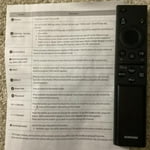
Returned my Samsung tv. Hate the Samsung remotes. Please make them chunkier and easy to open.

Review from Samsung US
Helpful?6FFFIGX8UWW613884652301
reply from Samsung Advisor

Hi liz55, We appreciate your feedback and are sorry that you were unhappy with the Samsung DU7200 TV remote. Should you ever decide to give Samsung TVs another try and have questions or need help with settings, setup, or features, we would be happy to help. Call us at 1-800-SAMSUNG, 8 AM – 12 AM EST, seven days a week. LiveChat with an agent, as well as manuals, software, and warranty info, can be found at the ‘Support’ link on our Samsung website. ~Samsung Advisor

Feb 5, 2025
Mary
2 out of 5 stars review

Samsung 50 inch tv

I bought this Christmas. The remote doesn’t work. My prime doesn’t work half the time.

Review from Samsung US
Helpful?6FFFIGX8UWW613884652301
reply from Samsung Advisor

Hi Mary, Thank you for reaching out and letting us know about the issues you are experiencing with your remote. Please try the following troubleshooting steps: First, please remove the batteries from your remote, and then hold the Power button for eight seconds to reset the remote. Then, reinsert the batteries and try to use the remote again. Next, Check if the remote is sending an IR signal. Take either a digital camera or use the camera on your phone or tablet. Point the remote at the camera, and then press and hold the Power button on the remote. As you hold the button down, look at the camera's screen. If the remote is sending an IR signal, you will see a colored light coming from the remote control. If you do not see the IR light, replace the batteries with fresh ones and try again. If you still do not see the IR light, then replace the remote. If you need more help, Samsung is here for you! Please call us at 1-800-SAMSUNG, 8 AM - 12 AM EST, seven days a week. Our LiveChat agents are also available by clicking on the ‘Support’ link on our website. ~ Samsung Advisor

May 5, 2025
Mike
5 out of 5 stars review

Great so far!

Beautiful picture, easy set up. Bought trhee weeks ago

Review from Samsung US
Helpful?6FFFIGX8UWW613884652301
May 9, 2025
bone
4 out of 5 stars review

none

x great but to many feachers for some of us seniors

Review from Samsung US
Helpful?6FFFIGX8UWW613884652301
Apr 19, 2025
alley
2 out of 5 stars review

TV

Not too happy with the Sound very low . Have to turn all the way up .

Review from Samsung US
Helpful?6FFFIGX8UWW613884652301
reply from Samsung Advisor

Hi, Thank you for sharing your experience with low volume. There are several volume features you can adjust, which may improve your audio experience. 1) Auto Volume automatically adjusts the sound to a certain level when changing channels or switching to another external input. Go to Settings > All Settings> Sound > Expert Settings > Auto Volume. 2) Adaptive Sound automatically adjusts to a specific volume level while watching TV. The TV analyzes your volume usage history by time period to automatically adjust the volume when you use an app or switch to an external input source. Go to Settings> All Settings> Sound> Sound Mode> Adaptive Sound. 3) Several Sound Modes are likewise available to meet your personal preferences: Home > Settings > All Settings> Sound > Sound Mode. Also, some sources have their own volume control, which might need to be set higher. Please check the volume control of the external device (cable box or satellite box, DVD, Blu-ray, etc.) connected to your TV. Also, check the cable connection between an external device and the TV and then try the cable connection again. If you need more help, Samsung is here for you! Please call us at 1-800-SAMSUNG, 8 AM - 12 AM EST, seven days a week. Our LiveChat agents are also available by clicking on the ‘Support’ link on our website. ~ Samsung Advisor

May 5, 2025
Uncle Ed
5 out of 5 stars review

Good TV

We have no problems with this TV. Easy to set up and use.

Review from Samsung US
Helpful?6FFFIGX8UWW613884652301
May 8, 2025
Jesse
5 out of 5 stars review

Great

I am happy for that television —————————————————————

Review from Samsung US
Helpful?6FFFIGX8UWW613884652301
Mar 5, 2025
gary
4 out of 5 stars review

okay

I bought the tv not knowing it didn't have a hook up for sound bar.

Review from Samsung US
Helpful?6FFFIGX8UWW613884652301
Mar 8, 2025
Bobby
4 out of 5 stars review

Good picture, extras, ease to operate

Bought 43" for bedroom and it was so good I replaced the Sony in the living room with a 65"

Review from Samsung US
Helpful?6FFFIGX8UWW613884652301