Skip to Main Content
Sam's Club
Sam's Club
All Departments
All Services
Customer reviews for SAMSUNG 50" Class DU7200 Series 4K Smart TV for
SAMSUNG 50" Class DU7200 Series 4K Smart TV
4.3 out of 5 stars
stars
1,145 ratings1,023 reviews
  1. 5 stars62% (710)
  2. 4 stars19% (223)
  3. 3 stars9% (98)
  4. 2 stars5% (54)
  5. 1 star5% (60)

Member photos

  • +160 images
Sort by |
Showing 821-830 of 1,023 reviews
Mar 5, 2025
Reviewer name: Anonymous
4 out of 5 stars
4 out of 5 stars review

Good value

Was given for Christmas, it works as it should and looks good.

Review from Samsung US
Helpful?6FFFIGX8UWW613884652301
Apr 19, 2025
Reviewer name: Jackie
4 out of 5 stars
4 out of 5 stars review

Great picture

The picture quality is great but the volume have to be turned up to 79 to hear it clearly

Review from Samsung US
Helpful?6FFFIGX8UWW613884652301
Jun 6, 2025
Reviewer name: Gogetter
5 out of 5 stars
5 out of 5 stars review

Great features

My Samsung tv is amazing it has great features and picture.

Review from Samsung US
Helpful?6FFFIGX8UWW613884652301
May 1, 2025
Reviewer name: Andy
5 out of 5 stars
5 out of 5 stars review

Working great!

This is our third Samsung TV and we love it. Was easy to install.

Review from Samsung US
Helpful?6FFFIGX8UWW613884652301
Mar 5, 2025
Reviewer name: Samsung fan
5 out of 5 stars
5 out of 5 stars review

Super easy to use

So far so good. I just got it. Picture and sound awesome!

Review from Samsung US
Helpful?6FFFIGX8UWW613884652301
Mar 5, 2025
Reviewer name: CAM M
3 out of 5 stars
3 out of 5 stars review

TV is adequate for price

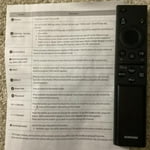
Volume varies on channels. Remote control is not easy to use.

Review from Samsung US
Helpful?6FFFIGX8UWW613884652301
reply from Samsung Advisor

Hi CAM M, Thank you for your purchase and feedback. Please try adjusting the following Settings to improve your experience. The Auto Volume function automatically adjusts the sound to a certain level when changing channels or switching to another external input. Go to Settings > All Settings> Sound > Expert Settings > Auto Volume = On. For ease of use, you can learn how to use your Samsung Remote by going to Home> (left directional button) Settings> Support> Remote Control Guide. If you need more help, Samsung is here for you. Please call us at 1-800-SAMSUNG, 8 AM - 12 AM EST, seven days a week. Our LiveChat agents are also available by clicking on the ‘Support’ link on our website. ~Samsung Advisor

May 5, 2025
Reviewer name: lennycapp
5 out of 5 stars
5 out of 5 stars review

Amazing Product

I bought this a month ago and I'm so happy I did. Quality TV

Review from Samsung US
Helpful?6FFFIGX8UWW613884652301
Feb 21, 2025
Reviewer name: Lang
3 out of 5 stars
3 out of 5 stars review

Not good sound

My previous TV set volume 30 New Samsung you have to set to 80 to hear

Review from Samsung US
Helpful?6FFFIGX8UWW613884652301
reply from Samsung Advisor

Hi Lang, Thank you for sharing your experience with low volume. There are several volume features you can adjust, which may improve your audio experience. 1) Auto Volume automatically adjusts the sound to a certain level when changing channels or switching to another external input. Go to Settings > All Settings> Sound > Expert Settings > Auto Volume. 2) Adaptive Sound automatically adjusts to a specific volume level while watching TV. The TV analyzes your volume usage history by time period to automatically adjust the volume when you use an app or switch to an external input source. Go to Settings> All Settings> Sound> Sound Mode> Adaptive Sound. 3) Several Sound Modes are likewise available to meet your personal preferences: Home > Settings > All Settings> Sound > Sound Mode. Also, some sources have their own volume control, which might need to be set higher. Please check the volume control of the external device (cable box or satellite box, DVD, Blu-ray, etc.) connected to your TV. Also, check the cable connection between an external device and the TV and then try the cable connection again. If you’d like more help with settings, we are always happy to help! Call us at 1-800-SAMSUNG, 8 AM - 12 AM EST, seven days a week. Or visit us on the Samsung website and click on the ‘Support’ link for: 1) LiveChat 2) Manuals, Software, & Warranty Info ~ Samsung Advisor

Feb 20, 2025
Reviewer name: BIGBADWOOD
5 out of 5 stars
5 out of 5 stars review

GREAT TV

ONE OF THE BEST TV'S FOR THE DOLLAR A TRUELY WONDERFULL UNIT !

Review from Samsung US
Helpful?6FFFIGX8UWW613884652301
Feb 20, 2025
Reviewer name: Robbie
5 out of 5 stars
5 out of 5 stars review

Great TV

Bought it less than a week ago, and very pleased with the picture. Samsung is, the only way to go.

Review from Samsung US
Helpful?6FFFIGX8UWW613884652301