
 Customer reviews for SAMSUNG 75" Class TU700D-Series Crystal Ultra HD 4K Smart TV UN75TU700DFXZA for
Member photos


 +1529 images
Great family TV
[This review was collected as part of a promotion.] My wife picked out a great TV for the kids game room. The bang for your buck is worth every penny. Not too fancy and not too complicated with a screen that is almost theatre quality. The impressive Samsung TU7000 Crystal UHD TV 65" wowed me right out of the box. The size is perfect for the kids and room size. Set up was a breeze, we are considering mounting the television when we get the chance and it looks super easy to do. There are an adequate amount for any connection you may need. Turn on was nice and the instructions walked me through set up of all the parental controls for anything the kids may stream and added all the accounts seamlessly on the Wi-Fi. The remote is easy and simple with everything well labeled and laid out. The clarity and sharpness are nice and the colors are deeply rich. My son and I love gaming on the TV, it makes everything life size, like your in the game. The girls colorful cartoon movies are bold and bright with every color of the rainbow visible. I even sneak up there after a long hard day and watch a good horror or action movie. The blacks are visible and the motion rate is superb. All the connections were simple and the television recognized each device that it connected to . I can definitely recommend this Samsung TV with its smart capabilities and all the apps and streaming service I can connect to, there is always something to watch and enjoy on this big beautiful tv.
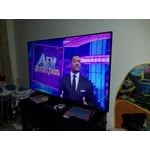
Samsung 50" TV
[This review was collected as part of a promotion.] I purchased this Samsung smart TV 50" to replace our Sony 32" TV. I am very impressed with the image quality and features on this TV. The color is outstanding and lifelike. The remote controller does take some time to learn and use.
The perfect, affordable TV for the Home or Office
[This review was collected as part of a promotion.] This TV renders crystal clear images and everything works as advertised. TV has no defects or issues since purchase back in September. Remote was responsive and clear to navigate. Sound quality is clear as well. Would purchase again.
Nice TV. Could be great.
[This review was collected as part of a promotion.] Our TV is used for streaming and gaming. Overall, the picture quality is nice. The internal speakers are pretty good but we use a sound bar. The issues I have with this model are 1) In dark programming there is a visible, stuttered motion trail that is very unnatural and distracting. It looks best with bright program material. 2) The power button/controls on the bottom center of the frame are pretty useless. 3) Due to #2, when the TV freezes I have to pull the power to get it to work, which used to happen fairly frequently. 4) The remote is not friendly - the transport controls are very small and at the bottom. Also, there is no bluetooth button! You have to navigate through many pages through the settings to connect/disconnect headphones. I like the TV but the LG I had before this was much more user-friendly. I realize Samsung makes much nicer TVs but the I'd be reluctant to commit to an upgrade without knowing these issues would be addressed.
Hi Brisby12, Thank you for your review of the Samsung TU7000 TV and feedback on the image quality and stuttering. Please know we are here to help you. Please try the troubleshooting steps to address these issues. First, let's make sure you are running the latest firmware. To check your firmware, head to Settings>Support>Software Update and then update from there if needed. Also, for lag, to further optimize performance, use the self-diagnostic tool, which checks memory, frees up unused cached memory, and closes background apps. Go to: Settings > Support > Device Care > Start Device Care Next, For optimal motion image performance, you may want to adjust the picture clarity setting by going to Settings > Picture > Expert Settings > Picture Clarity Settings - Off: Picture Clarity Settings will always be off - Auto: Picture Clarity Settings will automatically activate and deactivate based on the type of program being watched - Custom: Allows custom adjustments and settings to be used. By selecting the Custom option, you can access these advanced settings for Judder Reduction, LED Clear Motion, and Noise Reduction. If you need more help, Samsung is here for you. Please call us at 1-800-SAMSUNG, 8 AM - 12 AM EST, seven days a week. Our LiveChat agents are also available by clicking on the ‘Support’ link on our website. ~ Samsung Advisor
Looks great!
[This review was collected as part of a promotion.] Perfect size! Imagine super clear! Easy to set up, I'm not the best At installing, was able to fit all on my own. Always wanted a smart tv, this is a great choice. Sound is my fave. I don't need surround sound, it sounds great. You can adjust picture modes, customize to your own. It's fun using my phone as a remote. My daughter is always losing our remotes. This is one of my favorite features.
It's good enough for me
So I like the picture the size and profile and the remote. Don't like to cheesy brand emblem on the front. I was upset to find out I couldn't get the CBC app and while mirroring from my phone is a work around. I'd rather just click on the app. But overall I have all Samsung TVs and for the price It serves the purpose well.
Hi Sammygirl, thanks so much for your kind words! We sincerely appreciate your feedback and will share this with our team. We hope you enjoy many years of great entertainment with your Samsung TV!
Dont buy
extremely laggy, also the remote feels super cheap and outdated. dont know why everytime i press a button on the remote it takes 2-5 seconds for the tv to respond. picture is 5/10 only because blacks are not deep whatsoever so it just ruins the whole look of the picture. would not recommend buying.
Isaac24: Thank you for sharing your experience with the TU7000 TV. I am sorry that you are seeing some lag when you use your remote. Have you tried Device Care option? Go to Settings > Support> Device Care > Start Device Care This service checks memory and frees up unused cached memory and closes background apps. Regarding the darkness of your picture, Samsung is aware of the problem, and a new firmware update will be released soon to address this issue. Using your TV's remote, navigate to Settings, and select Support. Select Software Update, and then select Update Now. New updates will be downloaded and installed on your TV. Updates usually take a few minutes; please do not turn off the TV until the update is complete. When the update is finished, the TV will restart automatically. If there aren't any new updates, select OK to exit. You may want to enable automatic updates for conveniences. Select Settings > Support > Software Update, then select Auto Update. If you would like to update your software using USB, please check for the latest version at: https://www.samsung.com/us/support/owners/product/crystal-uhd-tvs-tu7000-2020 Instructions for how to update firmware are detailed here: samsung.com/us/support/answer/ANS00062224/ If you need further assistance or have any questions, please contact Samsung Customer Support. 1) Phone: 1-800-SAMSUNG, Available 8AM -12AM EST (7 Days a Week) 2) LiveChat: https://www.samsung.com/us/support/#contact_us_for_support 3) Facebook Messenger: https://www.facebook.com/samsungsupport 4) Twitter: https://twitter.com/SamsungSupport 5) The Samsung Members Community is also a great resource for getting help from Samsung moderators and customers: https://us.community.samsung.com If you have not already done so, we invite you to register your new Samsung product at: https://www.samsung.com/us/account/signin/?redirect=https%3A%2F%2Fwww.samsung.com%2Fus%2Fsupport%2Fregister%2F Registering your product gives you access to easy warranty support, convenient opt-in to special promos and offers, faster troubleshooting and service, and quick notification of system updates. ~ Samsung Solutions
Love everything but the remote
this is a great tv. a little fickle at times when for some reason it loses the interent connection and we have to do the setup again. our bigger samsung in the other room doesnt lose this connection so its just this tv. the picture is sharp and clear. the sound is awesome. we bought this because of the bluetooth connection to ear buds and that is perfect. my biggest complaimt is the remote. its awful. no lights so you cant see what you are doing if the room is dark. its too small so we are always hitting the wrong buttons. and it feels backwards in your hand. when you hold it, the design does not place your hand in the right position for easy management . plus sometimes it gurns off our other samsung tv. it really is not well thought out.
Great Quality
[This review was collected as part of a promotion.] Great quality for the price. I absolutely love the quality of the picture for the TV and the fact that I can control my TV with one remote. With the other brand I replaced, I still had to use my cable remote and my tv remote. Thanks Samsung!
Great picture, Great sound!
i finally moved out of the stone ages, and bought my first smart tv! so far i am loving it, all my services in one location! no more hunting for the remote, only to find it and realize it's not the one you need. my only complaint is that sometimes it won't turn on, at all. the only thing that fixes it, is to unplug it for about 10 seconds. what's up with that, samsung?