Skip to Main Content
Sam's Club
Sam's Club
All Departments
All Services
Customer reviews for SAMSUNG 75" Class TU700D-Series Crystal Ultra HD 4K Smart TV UN75TU700DFXZA for
SAMSUNG 75" Class TU700D-Series Crystal Ultra HD 4K Smart TV UN75TU700DFXZA
4.4 out of 5 stars
stars
10.4K ratings10K reviews
  1. 5 stars69% (7,257)
  2. 4 stars18% (1,886)
  3. 3 stars5% (566)
  4. 2 stars3% (265)
  5. 1 star5% (498)

Member photos

  • +1523 images
Sort by |
Showing 921-930 of 10,063 reviews
Jul 24, 2022
Reviewer name: Televisionman
4 out of 5 stars
4 out of 5 stars review

Great TV, okay operating system
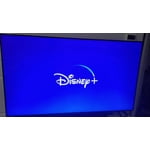
[This review was collected as part of a promotion.] I've had this TV for a few months now and im very impressed with it. Definitely exactly what I wanted. The operating system can sometimes bug out a bit, or lag behind, so it's not perfect but no smart TV is.

Review from Samsung US
Helpful?3STAXRT0NDXF13883163940
reply from Samsung Brand Ambassador

Hi TelevisionMan, Thank you for sharing details of the menu/interface lag you’ve experienced on your TU7000 TV. Please ensure your TV’s firmware is up to date with the latest version, which includes updates to improve lag. You can check this by going to Settings > Support > Software Update. You may also want to further optimize performance with the self-diagnostic tool, which checks memory, frees up unused cached memory, and closes background apps. Go to Settings > Support > Device Care > Start Device Care. I hope this tip helps improve your enjoyment. For more help, please call us at 1-800-SAMSUNG, 8 AM - 12 AM EST, seven days a week. LiveChat with an agent, as well as manuals, software, and warranty info, can be found at the ‘Support’ link on our Samsung website. Thanks for being a part of the Samsung family! ~ Samsung Advisor

Oct 15, 2021
Reviewer name: SkipReynolds
2 out of 5 stars
2 out of 5 stars review

Decent tv but nothing special

[This review was collected as part of a promotion.] The tv works and it is a tv but it is extremely lacking in any features that would make a person who cares about tech at all buy it. As far as a Joe six pack looking to just buy something to watch Netflix on it's just fine. I know it's entry level but black levels should be improved as a basic feature.

Review from Samsung US
Helpful?3STAXRT0NDXF13883163940
Aug 22, 2022
Reviewer name: Dylan
3 out of 5 stars
3 out of 5 stars review

Turns off and on continuously

so i've had my samsung for 2years now went to turn on the other day, as soon as i used the remote tv turned on w the samsung screen for less then a second, then the screen then began to turn soff, then back on continuously had to unplug the power cord from wall. did research stating in forums that if this happens check-out remotes batteries and replace, then unplug tv for 30 secs from wall and turn on from tv on/ off button. result was the tv would do the same thing turning off and on continues till power is removed from device. this upsets me knowing that the tv is still new..

Review from Samsung US
Helpful?3STAXRT0NDXF13883163940
reply from Samsung Brand Ambassador

Hi Dylan, I’m sorry to hear you’re experiencing a power cycling issue where your TV is turning itself on and off repeatedly. Please know we are here to help you! Please try a few troubleshooting steps that may help solve the issue: 1) Check the power cable for damage and proper connection. 2) If the cable is bent, broken, kinked, pinched, pressed excessively (possibly by a heavy object on top of it), or damaged, this is likely the cause of the issue. Replace the cable. 3) Unplug the TV from the wall outlet for 30 seconds, then plug it back in. 4) If the power cycling allows enough time between powering on and off, try updating the TV to the latest firmware. There is a risk, however. If the TV turns off during the software update, it could damage the TV. Updates can take up to 30 minutes depending on network speed, so if the TV is not turning off too frequently, try updating the software. If the issue persists after these steps, then the TV will likely need service. Please contact us so that we can better investigate your issue and assist you with a solution or replacement. Please call us at 1-800-SAMSUNG, 8 AM - 12 AM EST, 7 days a week. LiveChat with an agent, as well as manuals, software, and warranty info, can be found at the ‘Support’ link on our Samsung website. ~ Samsung Advisor

Sep 14, 2021
Reviewer name: gregg
3 out of 5 stars
3 out of 5 stars review

Wont screen mirror with apple device

bought this tv as a secondary tv as i love my other samsung q90.... the main purpose was to be able to screen mirror with apple product, but it just wont seem to work. maybe after a call with samsung it will be able to, but right now it is just annoying.

Review from Samsung US
Helpful?3STAXRT0NDXF13883163940
Oct 25, 2022
Reviewer name: Dadof3
5 out of 5 stars
5 out of 5 stars review

We love this Tv

[This review was collected as part of a promotion.] The clarity of this tv is amazing. It doesn't matter if we are streaming movies, watching live tv, or mirroring from a laptop, the picture is absolutely crystal clear. We have had nearly every brand of tv ever made, but none come close to our Samsung

Review from Samsung US
Helpful?3STAXRT0NDXF13883163940
Sep 30, 2022
Reviewer name: SamsungJones75
5 out of 5 stars
5 out of 5 stars review

Best tv purchase yet
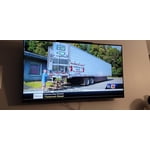
[This review was collected as part of a promotion.] Love my Samsung TV as it is the best tv Ive ever purchased. I dont have to have any streaming devices as it is a Smart tv so all my favorite apps are available with ine remote. Best feature of all is the Samsung Plus TV wich brings lots of over the air channels including my local channels. This TV has allowed me to cut the cord.

Review from Samsung US
Helpful?3STAXRT0NDXF13883163940
Jul 27, 2022
Reviewer name: Credolikemen
5 out of 5 stars
5 out of 5 stars review

The Best Tv

[This review was collected as part of a promotion.] I mostly use my tv for Netflix and gaming but I always have that 4k resolution that makes it look nice and smooth because I'm a bit of a tech nerd so I use that high resolution for like 4k YouTube videos or when I'm watching a movie and I want it to look amazing.

Review from Samsung US
Helpful?3STAXRT0NDXF13883163940
Aug 22, 2020
Reviewer name: Gus Miraglia
3 out of 5 stars
3 out of 5 stars review

Apps

its the only tv that allowed me to watch hbo max, so... thats what i took under consideration when i had to buy a new tv. however, the tv operating system is slow. it's laggy! i'm used to a faster operation speed. i have other tv brands at home: vizio (which sucks but opens any app faster than this samsung) and an lg which i adore. other than that... the tv is pretty good. based on this... i think it is overprized.

Review from Samsung US
Helpful?3STAXRT0NDXF13883163940
reply from OBA

Gus: Thank you for sharing your experience with the TU7000 TV. I am sorry that you are experiencing some delayed response when navigating through your apps. To optimize the smart TV performance, please try Device Care option under the Support Menu. Go to Settings > Support> Device Care > Start Device Care This service checks memory and frees up unused cached memory and closes background apps. I hope this helps to solve your concerns. Should you need further assistance, please contact Samsung Customer Support. 1-800-SAMSUNG (8AM -12AM EST, 7 days a week) Or visit us on the Samsung website and click on the SUPPORT link in the upper right corner for: 1) Contact Us Options (LiveChat, Remote Support, Facebook, Twitter) 2) Product Support 3) Manuals and Downloads 4) Warranty Info 5) Product Registration: Registering your product gives you access to easy warranty support, convenient opt-in to special promos and offers, faster troubleshooting and service, and quick notification of system updates 6) Samsung Community: A great resource for getting help from Samsung moderators and customers and more 7) …and more product, repair, order, and care options Again, thank you for taking the time to share your thoughts on this product. Your feedback helps us continuously deliver best-in-class products and service. ~ Samsung Solutions

Jan 15, 2023
Reviewer name: Alwaysweet10
4 out of 5 stars
4 out of 5 stars review

Yes

Bright and crisp. Love everything about it. Easy to plug in and watch. Wish there was another HDMI third port so took off a star. Great TV and am liking the one in all remote for all my devices. It found all of my devices easily and was very intuitive.

Review from Samsung US
Helpful?3STAXRT0NDXF13883163940
May 17, 2022
Reviewer name: MmTV24
5 out of 5 stars
5 out of 5 stars review

Had to upgrade

[This review was collected as part of a promotion.] Had the 43 inch in the living room. Upgraded to 55 (who doesn't love a bigger screen), same model! Wouldn't have gotten any other brands or models if I wasn't satisfied with my 43 inch. Also love how it comes with Samsung TV (no cable, so can watch real tv without streaming).

Review from Samsung US
Helpful?3STAXRT0NDXF13883163940