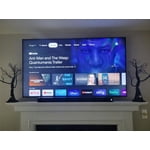
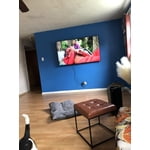
Skip to Main Content
Sam's Club
Sam's Club
All Departments
All Services
Customer reviews for SAMSUNG 75" Class TU700D-Series Crystal Ultra HD 4K Smart TV UN75TU700DFXZA for
SAMSUNG 75" Class TU700D-Series Crystal Ultra HD 4K Smart TV UN75TU700DFXZA
4.4 out of 5 stars
stars
10.4K ratings10K reviews
  1. 5 stars69% (7,257)
  2. 4 stars18% (1,886)
  3. 3 stars5% (566)
  4. 2 stars3% (265)
  5. 1 star5% (498)

Member photos

  • +1523 images
Sort by |
Showing 7,611-7,620 of 10,063 reviews
Sep 26, 2022
Reviewer name: LoveMyTV
5 out of 5 stars
5 out of 5 stars review

The features are very easy to navigate
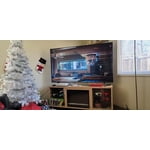
[This review was collected as part of a promotion.] I use the tv for every day use from streaming to gaming and casting and using as my computer monitor to using samsung dex.

Review from Samsung US
Helpful?3STAXRT0NDXF13883163940
Aug 23, 2022
Reviewer name: frankk
3 out of 5 stars
3 out of 5 stars review

Shadows on black areas on screen

[This review was collected as part of a promotion.] I think it is OK, but my other family members have a LG, Sony, and Insignia TV's and they look better. I also had to put a bluetooth sound bar. The sound is not great

Review from Samsung US
Helpful?3STAXRT0NDXF13883163940
reply from Samsung Brand Ambassador

Hi, frankk, Thank you for your feedback on the Samsung TU7000 regarding the picture quality and sound. Your input is important to us and will be shared with the internal product teams. To help you better enjoy your TV, we recommend trying the following troubleshooting steps to enhance your picture quality and sound. Go to Home > Settings > Picture > Picture Mode and select the mode that best fits your usage: 1) Standard: Default mode suitable for general viewing environments. 2) Natural: Reduces eye strain for a comfortable viewing experience. 3) Movie: Suitable for watching TV or movies in a dark room. 4) Dynamic: Makes the picture brighter and clearer in bright viewing environments. 5) Filmmaker Mode: You can watch the source content (e.g., movie) as it is. If the image is defined as Filmmaker Mode, it will automatically switch to Filmmaker Mode while watching. You can also go to Settings > Picture > Expert Settings and configure the image settings to your taste with additional functions. If the same problem persists, run a diagnostic test. (Home > Settings > Support > Device Care > Self Diagnosis > Picture Test). If the problem disappears during the test, check your TV signal (Home > Settings > Support > Device Care > Self Diagnosis > Signal Information) to check the signal strength. The signal strength must be more than 20 dB (more than 4 bars on the icon) for stable signal reception. Additionally, there are several sound settings you can adjust to suit your personal sound preferences. Change the Sound Mode by going to Settings > Sound > Sound Mode. You can customize the sound with Expert Settings by going to Settings > Sound > Expert Settings. I hope this helps you enjoy your experience. If you’d like more help with settings, please know we’re here to help! Call us at 1-800-SAMSUNG, 8 AM - 12 AM EST, seven days a week. Or visit us on the Samsung website and click on the ‘Support’ link for: 1) LiveChat 2) Manuals, Software, & Warranty Info ~ Samsung Advisor

Oct 22, 2020
Reviewer name: Love
5 out of 5 stars
5 out of 5 stars review

Love the features on the tv

[This review was collected as part of a promotion.] Love the smart tv options to be able to put apps on my tv. The picture is incredible absolutely love the 4K picture. Great tv.

Review from Samsung US
Helpful?3STAXRT0NDXF13883163940
Jul 22, 2021
Reviewer name: Grim1026
5 out of 5 stars
5 out of 5 stars review

Samsung Crystal UHD T7000 60"

[This review was collected as part of a promotion.] We use the TV for TV and games and it works a good as expected it displays many beautiful and vivid colors.

Review from Samsung US
Helpful?3STAXRT0NDXF13883163940
Oct 5, 2022
Reviewer name: opticalwizard
5 out of 5 stars
5 out of 5 stars review

Great deal, quality TV

[This review was collected as part of a promotion.] I use this TV for streaming, PC monitor and entertainment. Samsung is the premium brand. I have 2 Samsung 65" TV's and 2 LG 24" TV's. The 24" TV's would be Samsung, if they were available.

Review from Samsung US
Helpful?3STAXRT0NDXF13883163940
Nov 6, 2022
Reviewer name: Giesch
5 out of 5 stars
5 out of 5 stars review

This TV is amazing!
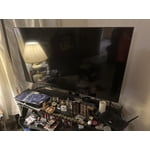
[This review was collected as part of a promotion.] I use my TV for gaming and watching movies and shows. I love the quality and the 4K picture. It is unbelievable how life like it looks. I would highly recommend Samsung.

Review from Samsung US
Helpful?3STAXRT0NDXF13883163940
Sep 19, 2020
Reviewer name: Lizzylou
5 out of 5 stars
5 out of 5 stars review

New TV

[This review was collected as part of a promotion.] I love this TV. The picture is great, sharp and clear. The size is perfect for my living room. Still learning the features and how they work.

Review from Samsung US
Helpful?3STAXRT0NDXF13883163940
Oct 25, 2022
Reviewer name: ebill5
5 out of 5 stars
5 out of 5 stars review

great color

[This review was collected as part of a promotion.] we love our Samsung TV. the color on screen and crisp detail is the best TV we've had. don't even hesitate to buy this model

Review from Samsung US
Helpful?3STAXRT0NDXF13883163940
Oct 25, 2022
Reviewer name: Kei1002
4 out of 5 stars
4 out of 5 stars review

Pretty Good

[This review was collected as part of a promotion.] The tv has a beautiful picture and all the apps, which are easily accessible. The family and I now have another area to come together and spend time together.

Review from Samsung US
Helpful?3STAXRT0NDXF13883163940
May 28, 2022
Reviewer name: Love4life
5 out of 5 stars
5 out of 5 stars review

EASY USAGE

[This review was collected as part of a promotion.] The product has step by step instruction on how to maneuver through different app and setting up is a breeze

Review from Samsung US
Helpful?3STAXRT0NDXF13883163940