Join Now
Skip to Main Content
Sam's Club
Sam's Club
All Departments
All Services
Customer reviews for SAMSUNG 75" Class TU700D-Series Crystal Ultra HD 4K Smart TV UN75TU700DFXZA for
SAMSUNG 75" Class TU700D-Series Crystal Ultra HD 4K Smart TV UN75TU700DFXZA
4.4 out of 5 stars
stars
10.4K ratings10K reviews
  1. 5 stars69% (7,261)
  2. 4 stars18% (1,887)
  3. 3 stars5% (566)
  4. 2 stars3% (265)
  5. 1 star5% (499)

Member photos

  • +1529 images
Sort by |
Showing 741-750 of 10,069 reviews
Jun 6, 2023
Reviewer name: Angela06
1 out of 5 stars
1 out of 5 stars review

I bought this television about a year and a half ago, the screens is now continuously super dim which you can hardly see in a bark room. I'm not happy about having to repair or replace it. Neither of which is going to happen any time soon, I'm not made of money. Does make me feel confident is Samsung products. 🤦🏻‍♀️🤷🏻‍♀️

Review from Samsung Canada
Helpful?3STAXRT0NDXF13883163940
reply from Samsung Support Team

Hello, thank you for your review. We are here to help. Please contact us at 1-800-SAMSUNG or via live chat on our website (http://www.samsung.com/ca/support/) for assistance. Thanks again, we look forward to hearing from you.

Sep 20, 2020
Reviewer name: cjhenner
5 out of 5 stars
5 out of 5 stars review

Perfect 2nd TV

[This review was collected as part of a promotion.] Bought this TV to put in kids rec room for gaming and movies. Has everything needed for easy hook up and ease of use. Only drawback i found is that there is no component video input, but then I needed to update to blu-ray anyways!

Review from Samsung US
Helpful?3STAXRT0NDXF13883163940
Jan 5, 2022
Reviewer name: 07GK
5 out of 5 stars
5 out of 5 stars review

Great TV

this is our 5th samsung tv and happy with this one to! we did have to do a youtube search on why we couldn't get our internet to stay connected so just did the factory reset and working like a charm. will have to buy a sound bar as the location we have this one the sound is not as good as what we would like it to be.

Review from Samsung US
Helpful?3STAXRT0NDXF13883163940
Sep 24, 2021
Reviewer name: GEARTH
5 out of 5 stars
5 out of 5 stars review

First Samsung tv

[This review was collected as part of a promotion.] Have plenty of Samsung monitors and always been happy with them so decided to get a tv and couldn't be happier once you set up your Samsung account you get access to free programming up scales everything to 4K and love the dedicated game port hdr 10 better than may monitor just go buy one great price for an even better tv

Review from Samsung US
Helpful?3STAXRT0NDXF13883163940
Jun 16, 2022
Reviewer name: Dcast210
3 out of 5 stars
3 out of 5 stars review

This tv is great but it started flickering.

[This review was collected as part of a promotion.] Tv started flickering when we set it to the lower brightness levels. We either have it full broth was or deal with the flickering light. It's makes watching tv at night feel kinda blinding. Only way we found to fix it was to smack the tv till it goes to normal brightness. Most times we have to keep it full brightness.

Review from Samsung US
Helpful?3STAXRT0NDXF13883163940
Aug 23, 2022
Reviewer name: Samsungfanforever
5 out of 5 stars
5 out of 5 stars review

Dream come true

[This review was collected as part of a promotion.] I just really love everything about this TV and all of Samsung products such as mobiles, surround sound, and home appliances. It was a dream come true when I purchased my TV. I love everything about Samsung.

Review from Samsung US
Helpful?3STAXRT0NDXF13883163940
May 24, 2022
Reviewer name: Justin
4 out of 5 stars
4 out of 5 stars review

This product is authentic

[This review was collected as part of a promotion.] I really enjoy this TV. I have bought 2 of this same kind already and I can say it is fit for purpose. If a move into a bigger house in future, I will buy a bigger screen of this or an upgrade whichever comes first.

Review from Samsung US
Helpful?3STAXRT0NDXF13883163940
Jul 18, 2021
Reviewer name: Karen
5 out of 5 stars
5 out of 5 stars review

size of the screen/clarity of picture

unfortunately, i hadn't realized the amount of wifi space necessary to properly operate a tv like this, but will soon be purchasing more band space to allow me to do more "moving around" with the remote without loss of operation and the need to get up and unplug the tv to get it to turn off. guess i should have known better, but i'm not a techie kind of person. you might want to advertise a minimum number of megs for proper use of this product so others wanting a smart tv understand this.

Review from Samsung US
Helpful?3STAXRT0NDXF13883163940
Oct 25, 2022
Reviewer name: Nuteeter
5 out of 5 stars
5 out of 5 stars review

Nice TV that was gifted to me

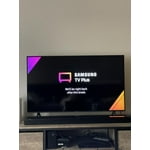
[This review was collected as part of a promotion.] I watch cable and other pay for view applications. I have also watched Samsung tv. Wish I could figure out a way to set a default on startup other than Samsung tv. Other than that, the tv is great for me.

Review from Samsung US
Helpful?3STAXRT0NDXF13883163940
Oct 23, 2020
Reviewer name: JFB49
1 out of 5 stars
1 out of 5 stars review

The Worst TV I've ever owned

[This review was collected as part of a promotion.] It does not wanna turn on, just turning it on takes five minutes every time, every time you go to turn it on you have to unplug it, we had to go through the set up at least five times, Not happy with this TV

Review from Samsung US
Helpful?3STAXRT0NDXF13883163940
reply from OBA

JFB49: Thank you for purchasing the Samsung TU7000 TV. I am very sorry that you are experiencing issues turning your TV on. You may want to try the following troubleshooting steps: (1) Make sure that the AC power cord is securely plugged in to the TV and the wall outlet. (2) Make sure that the wall outlet is working and the power indicator at the bottom of the TV is lit and glowing a solid red. If it is off, the TV either does not have power, or it is on and the screen is black. If it is blinking, your TV may need service. (3) Try pressing the TV Controller button at the bottom of the TV to make sure that the problem is not with the remote control. (4) If the TV turns on, your issue may be with the remote control Your TV has several self-diagnosis tools built in that can help solve problems with signal, network, picture, or sound. Go to Settings > Support> Device Care > Start Device Care Please be sure you have the latest firmware. You can check to see what software version your TV is using and if there is an available update through the settings on your TV. Go to Settings>Support>Software Update Both the current version and new version number will be displayed. The current version is what your TV is using and the new version is the latest update. New updates will be downloaded and installed on your TV. Updates usually take a few minutes; please do not turn off the TV until the update is complete. When the update is finished, the TV will restart automatically. If there aren't any new updates, select OK to exit. You may want to enable automatic updates for convenience by selecting > Auto Update. Should your problem persist, please contact Samsung Customer Support: 1-800-SAMSUNG (available 8AM -12AM EST, 7 days a week) Or visit us on the Samsung website and click on the ‘Support’ link in the upper right corner of the homepage for: 1) Contact Us Options (LiveChat, Remote Support, Facebook, Twitter) 2) Product Support 3) Manuals and Downloads 4) Warranty Info 5) Product Registration: Registering your product gives you access to easy warranty support, convenient opt-in to special promos and offers, faster troubleshooting and service, and quick notification of system updates 6) Samsung Community: A great resource for getting help from Samsung moderators and customers and more 7) …and more product, repair, order, and care options ~ Samsung Solutions