Join Now
Skip to Main Content
Sam's Club
Sam's Club
All Departments
All Services
Customer reviews for SAMSUNG 75" Class TU700D-Series Crystal Ultra HD 4K Smart TV UN75TU700DFXZA for
SAMSUNG 75" Class TU700D-Series Crystal Ultra HD 4K Smart TV UN75TU700DFXZA
4.4 out of 5 stars
stars
10.4K ratings10K reviews
  1. 5 stars69% (7,261)
  2. 4 stars18% (1,887)
  3. 3 stars5% (566)
  4. 2 stars3% (265)
  5. 1 star5% (499)

Member photos

  • +1529 images
Sort by |
Showing 7,091-7,100 of 10,069 reviews
Sep 6, 2021
Reviewer name: FanOfSamsung
4 out of 5 stars
4 out of 5 stars review

Easy and fast to add smart tv apps.

[This review was collected as part of a promotion.] Nice picture, fast picure upgrgrade when watching sports or playi g video games. Easy to setup with my galaxy S20 Note Ultra to share screen.

Review from Samsung US
Helpful?3STAXRT0NDXF13883163940
May 23, 2022
Reviewer name: relaxation
5 out of 5 stars
5 out of 5 stars review

great picture and features

[This review was collected as part of a promotion.] We have enjoyed our new 65" Crystal Samsung TV, love all the features and the ease of use and set up

Review from Samsung US
Helpful?3STAXRT0NDXF13883163940
Oct 25, 2022
Reviewer name: Angel3
5 out of 5 stars
5 out of 5 stars review

Wonderful TV

[This review was collected as part of a promotion.] Good price. Easy to set up. Clear picture. Good sound. No need to go to the movies any more Grrrrrrrrrrrrrrrrrreat

Review from Samsung US
Helpful?3STAXRT0NDXF13883163940
Oct 5, 2022
Reviewer name: specv2517
5 out of 5 stars
5 out of 5 stars review

Beautiful picture
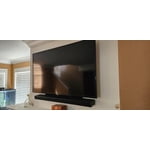
[This review was collected as part of a promotion.] The ps5 looks amazing on Samsung TVs. The 4K picture is exquisite. I also have the 4K Curved Television. Samsung never disappoints.

Review from Samsung US
Helpful?3STAXRT0NDXF13883163940
Jul 29, 2022
Reviewer name: RodInva
5 out of 5 stars
5 out of 5 stars review

What was needed

[This review was collected as part of a promotion.] Previous tv died after 7 years, this was available and a decent price. I knew the quality would be good, it's a Samsung! Had no idea the tv would exceed my expectations!

Review from Samsung US
Helpful?3STAXRT0NDXF13883163940
Jul 23, 2022
Reviewer name: Gmoney
5 out of 5 stars
5 out of 5 stars review

This product has great sound

[This review was collected as part of a promotion.] Great product simple to use great picture the best sound. This tv was a great price. Has all the features that I need and love the remote.

Review from Samsung US
Helpful?3STAXRT0NDXF13883163940
Sep 19, 2021
Reviewer name: Love48Shop
5 out of 5 stars
5 out of 5 stars review

Voice command YouTube great quality

[This review was collected as part of a promotion.] Streaming, games, movies, sport, you tube, school, work, Cars, update, netflix, filimo, music, glwiz, iranian movies and series

Review from Samsung US
Helpful?3STAXRT0NDXF13883163940
Sep 16, 2020
Reviewer name: Kx27
5 out of 5 stars
5 out of 5 stars review

Great features and amazing price

[This review was collected as part of a promotion.] Love my tv. It has amazing features and apps as well. Price is unbeatable for a 65” Great quality. Won't be disappointed.

Review from Samsung US
Helpful?3STAXRT0NDXF13883163940
Oct 25, 2022
Reviewer name: cdigo55
3 out of 5 stars
3 out of 5 stars review

sound is very low

[This review was collected as part of a promotion.] In all the sound settings the sound does not get very loud. You can have setting via remote upto 70's and still not hear well.

Review from Samsung US
Helpful?3STAXRT0NDXF13883163940
reply from Samsung Brand Ambassador

Hi cdigo55, Thank you for sharing your experience with low volume. There are several volume features you can adjust that may improve your experience. 1) Auto Volume automatically adjusts the sound to a certain level when changing channels or switching to another external input. Go to Settings > Sound > Expert Settings > Auto Volume. 2) Adaptive Sound automatically adjusts to a specific volume level while watching TV. The TV analyzes your volume usage history by time period to automatically adjust the volume when you use an app or switch to an external input source. Go to Settings> Sound> Sound Mode> Adaptive Sound. 3) Several Sound Modes are likewise available to meet your personal preferences: Home > Settings > Sound > Sound Mode. Also, some sources have their own volume control, which might be set too low. Please check the volume control of the external device (cable box or satellite box, DVD, Blu-ray, etc.) connected to your TV. Also, check the cable connection between an external device and the TV and then try the cable connection again. If you need more help, Samsung is here for you. Please call us at 1-800-SAMSUNG, 8 AM - 12 AM EST, seven days a week. Our LiveChat agents are also available by clicking on the ‘Support’ link on our website. ~ Samsung Advisor

Nov 8, 2020
Reviewer name: swede
4 out of 5 stars
4 out of 5 stars review

Easy to set up

[This review was collected as part of a promotion.] This tv is like a plug and play so easy to use and set up. I connect to my directv and watching the football game in minutes love it

Review from Samsung US
Helpful?3STAXRT0NDXF13883163940