Skip to Main Content
Sam's Club
Sam's Club
All Departments
All Services
Customer reviews for SAMSUNG 75" Class TU700D-Series Crystal Ultra HD 4K Smart TV UN75TU700DFXZA for
SAMSUNG 75" Class TU700D-Series Crystal Ultra HD 4K Smart TV UN75TU700DFXZA
4.4 out of 5 stars
stars
10.4K ratings10K reviews
  1. 5 stars69% (7,261)
  2. 4 stars18% (1,887)
  3. 3 stars5% (566)
  4. 2 stars3% (265)
  5. 1 star5% (499)

Member photos

  • +1529 images
Sort by |
Showing 6,861-6,870 of 10,069 reviews
Oct 15, 2020
Reviewer name: Onewgalaxy
3 out of 5 stars
3 out of 5 stars review

It works but it feels lacking

[This review was collected as part of a promotion.] Honestly the peak brightness really bothers me on the set. My older say from Samsung is easy brighter. That being said I bought it for is bluetooth connectivity and that works.

Review from Samsung US
Helpful?3STAXRT0NDXF13883163940
reply from OBA

Onewgalaxy: I am sorry to hear that you are not happy with the brightness levels of your TU7000 TV. If the colors on your TV are correct but just a little too dark or bright, try adjusting the following settings You can try Dynamic Picture Mode by going to Settings > Picture > Picture Mode > Dynamic Or manually adjust the Brightness settings to your liking. Go to Home> Settings> Picture> Expert Settings> Brightness You may also want to adjust the Contrast, Sharpness, Color, or Tint (G/R) in the Expert Settings. We also recommend that you adjust the settings of your Power Saving Mode. Go to Settings> General> Eco Solution> Power Saving Mode. I hope this helps to solve your issue. For further assistance, please contact Samsung Customer Support. 1-800-SAMSUNG (available 8AM -12AM EST, 7 days a week) Or visit us on the Samsung website and click on the ‘Support’ link in the upper right corner of the homepage for: 1) Contact Us Options (LiveChat, Remote Support, Facebook, Twitter) 2) Product Support 3) Manuals and Downloads 4) Warranty Info 5) Product Registration: Registering your product gives you access to easy warranty support, convenient opt-in to special promos and offers, faster troubleshooting and service, and quick notification of system updates 6) Samsung Community: A great resource for getting help from Samsung moderators and customers and more 7) …and more product, repair, order, and care options ~ Samsung Solutions

Jul 27, 2022
Reviewer name: twofford02
5 out of 5 stars
5 out of 5 stars review

Samsung smart tv

[This review was collected as part of a promotion.] I use my smart TV for streaming, gaming,smart viewing...has great picture and sound...I love all of my samsung devices..

Review from Samsung US
Helpful?3STAXRT0NDXF13883163940
Aug 23, 2022
Reviewer name: RMulet
5 out of 5 stars
5 out of 5 stars review

Phenomenal TV

[This review was collected as part of a promotion.] The entire family love the crystal clear and smooth of image of this tv, definitely a great upgrade for our living room, this tv take Netflix and chill to the next level:)

Review from Samsung US
Helpful?3STAXRT0NDXF13883163940
Jul 26, 2022
Reviewer name: kkid808
5 out of 5 stars
5 out of 5 stars review

Amazing features for the price

[This review was collected as part of a promotion.] This is the best tv I've owned and it's the most reasonably priced too! All the apps you need to stop paying for cable!

Review from Samsung US
Helpful?3STAXRT0NDXF13883163940
Aug 23, 2022
Reviewer name: Adj830
5 out of 5 stars
5 out of 5 stars review

Great TV for the price

[This review was collected as part of a promotion.] Great quilty for the price will not go to another brand all I have ever used is Samsung because it is the best

Review from Samsung US
Helpful?3STAXRT0NDXF13883163940
May 23, 2022
Reviewer name: HappyGirl
4 out of 5 stars
4 out of 5 stars review

I really enjoy this tv.

[This review was collected as part of a promotion.] Has a great color and is super light and easy to use and navigate. My last tv was over 10 years old, so I am super happy

Review from Samsung US
Helpful?3STAXRT0NDXF13883163940
Jul 27, 2022
Reviewer name: Nanaboys
5 out of 5 stars
5 out of 5 stars review

Enjoy the clear view
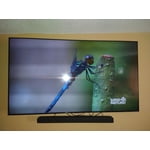
[This review was collected as part of a promotion.] Grandkids love watching the YouTube videos I feel like you're at the theater when you're watching the movies. And the sound is really great.

Review from Samsung US
Helpful?3STAXRT0NDXF13883163940
Oct 25, 2022
Reviewer name: Lovethesam
5 out of 5 stars
5 out of 5 stars review

Samsung loving

[This review was collected as part of a promotion.] Love it!! Steaming made easy and navigation is a breeze. My family will never buy a different tv. We are hooked for life.

Review from Samsung US
Helpful?3STAXRT0NDXF13883163940
Sep 8, 2021
Reviewer name: Odium77
5 out of 5 stars
5 out of 5 stars review

This is the biggest and best picture on a TV

[This review was collected as part of a promotion.] I use my TV to play my PS4 games and watch all my favorite shows on it. I woul recommend this television to anyone. No complaints.

Review from Samsung US
Helpful?3STAXRT0NDXF13883163940
Oct 25, 2022
Reviewer name: GMAsTheater
3 out of 5 stars
3 out of 5 stars review

Seen, but not H E A R D…

[This review was collected as part of a promotion.] Great picture… however, the audio is no comparison. Definitely need to purchase a sound bar or some type of speaker.

Review from Samsung US
Helpful?3STAXRT0NDXF13883163940
reply from Samsung Brand Ambassador

Hi GMAsTheater, Thank you for sharing your thoughts regarding the TU7000 TV’s sound quality. Please know we are here to help. You can adjust the sound settings and modes to suit your personal sound preferences. You can change the Sound Mode by going to Settings > Sound > Sound Mode. You can also customize the sound with Expert Settings by going to Settings > Sound > Expert Settings. To assist you with possible sound settings adjustments for a better audio experience or choosing a Samsung Soundbar to complement your viewing enjoyment, please reach out to us at 1-800-SAMSUNG, 8 AM - 12 AM EST, seven days a week. Our LiveChat agents are also available by clicking on the ‘Support’ link on our website. ~ Samsung Advisor