
Skip to Main Content
Sam's Club
Sam's Club
All Departments
All Services
Customer reviews for SAMSUNG 75" Class TU700D-Series Crystal Ultra HD 4K Smart TV UN75TU700DFXZA for
SAMSUNG 75" Class TU700D-Series Crystal Ultra HD 4K Smart TV UN75TU700DFXZA
4.4 out of 5 stars
stars
10.4K ratings10K reviews
  1. 5 stars69% (7,257)
  2. 4 stars18% (1,886)
  3. 3 stars5% (566)
  4. 2 stars3% (265)
  5. 1 star5% (498)

Member photos

  • +1523 images
Sort by |
Showing 6,501-6,510 of 10,063 reviews
Sep 27, 2022
Reviewer name: Nicopachon
3 out of 5 stars
3 out of 5 stars review

Not a big fan

[This review was collected as part of a promotion.] TV has a green line on the right side of the screen only after less than a year of use. Internet connection is lacking and i am unable to connect to smart things application

Review from Samsung US
Helpful?3STAXRT0NDXF13883163940
reply from Samsung Brand Ambassador

HI Nicopachon, We are sorry to hear about your experience with the TU7000 TV having wi-fi connectivity issues and a green line on the screen. Please know we are here to help you. First, let's ensure your Firmware is up to date. Go to Settings> Support> Software Update. Next, to address the green line on your screen, please follow the below steps: 1. Check all input cable connections if any external devices are connected. 2. If the issue persists, define exactly what is wrong with the display. For example, mosaics and blocks, multiple lines or white dots, and fixed horizontal or vertical lines. 3. Try changing channels using the remote control. Is the issue the same on all media? 4. Press the Home button (which looks like a house), select Source, and choose another input source. Is the issue the same on all sources? 5. If the same problem persists, run a diagnostic test. (Home > Settings > Support > Device Care > Self Diagnosis > Picture Test). 6. If the problem disappears during the test, check your TV signal (Home > Settings > Support > Device Care > Self Diagnosis > Signal Information) to check the signal strength. For stable signal reception, the signal strength must be more than 20 dB (more than 4 bars on the icon). To address your wi-fi connectivity issue, please try the following: 1. Use 5Ghz wi-fi if possible 2. Try wired LAN if available 3. Try repositioning the router, so there are no obstacles between your TV and the router Should your issue persist, please get in touch with Samsung Customer Support. You can contact us at 1-800-SAMSUNG, 8 AM - 12 AM EST, seven days a week. LiveChat with an agent, as well as manuals, software, and warranty info, can be found at the ‘Support’ link on our Samsung website. ~ Samsung Advisor

Sep 16, 2020
Reviewer name: Deere69
4 out of 5 stars
4 out of 5 stars review

Great picture

[This review was collected as part of a promotion.] Overall the picture quality is excellent. Sound is above average. Wish the remote was like my 65" Samsung. Like the remote with only a few buttons

Review from Samsung US
Helpful?3STAXRT0NDXF13883163940
Sep 15, 2020
Reviewer name: Irvinehome
5 out of 5 stars
5 out of 5 stars review

Best tv for the price

[This review was collected as part of a promotion.] I can't tell you how good of a tv it is for the price. A lot of people complain of the software but the way I see it is are you here for the software of to watch tv.

Review from Samsung US
Helpful?3STAXRT0NDXF13883163940
Jun 23, 2021
Reviewer name: joda1995
5 out of 5 stars
5 out of 5 stars review

wonderful picture

[This review was collected as part of a promotion.] this tv has a beautiful clean and clear picture, it was easy to set-up and use to stream and play our video games or watch movies.

Review from Samsung US
Helpful?3STAXRT0NDXF13883163940
Oct 24, 2020
Reviewer name: BatmanLeeray
5 out of 5 stars
5 out of 5 stars review

Amazing

[This review was collected as part of a promotion.] 10 out of 10. I love this tv. It has great quality and I just love playing my games on it. I can see everything clear.

Review from Samsung US
Helpful?3STAXRT0NDXF13883163940
Apr 16, 2021
Reviewer name: brookerbaby511
5 out of 5 stars
5 out of 5 stars review

The best quality for best price

[This review was collected as part of a promotion.] I bought this TV for my fiance for Christmas this year, and it was the best thing I could have gotten him! I don't think I've ever seen such a clear high definition picture in my life.

Review from Samsung US
Helpful?3STAXRT0NDXF13883163940
Apr 18, 2021
Reviewer name: Syoung12
5 out of 5 stars
5 out of 5 stars review

Heck, I love this TV

[This review was collected as part of a promotion.] The picture is great and the streaming interface is seamless. I can easily go from cable to a streaming service. I have been sick and this has been a saving grace.

Review from Samsung US
Helpful?3STAXRT0NDXF13883163940
Aug 23, 2022
Reviewer name: TV7000
4 out of 5 stars
4 out of 5 stars review

TV7000aaaaa

[This review was collected as part of a promotion.] Great TV for Movies and television shows. Very grainy watching sports. Abcdefhijklmnopqrstuvwxyz

Review from Samsung US
Helpful?3STAXRT0NDXF13883163940
Aug 21, 2022
Reviewer name: Lovejoy
5 out of 5 stars
5 out of 5 stars review

Great TV for the price
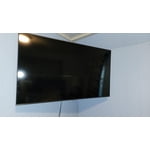
[This review was collected as part of a promotion.] Nice colors and thin enough to easily mount on the wall. The image is Chrystal clear and the volume is ok.

Review from Samsung US
Helpful?3STAXRT0NDXF13883163940
Jul 6, 2020
Reviewer name: Anonymous
1 out of 5 stars
1 out of 5 stars review

Bad Experience. Display started acting weird

writing this review after a month of use. after a month the display started acting weird. randomly, it started flickering, or the display was distorted. turning off the tv and turning it back on didn't resolve. bad experience.!

Review from Samsung US
Helpful?3STAXRT0NDXF13883163940
reply from OBA

MALAV MISTRY: If your TV is flickering or dimming sporadically, you may need to disable some of the energy efficiency features. Disable Ambient Light Detection, Power Saving Mode, Motion Lighting, or Contrast Enhancer. Settings > General> Eco Solution> Ambient Light Detection Settings > General> Eco Solution> Power Saving Mode Settings > General> Eco Solution> Motion Lighting Settings > Picture > Expert Settings > Contrast Enhancer Run Picture Test. When the tested image quality is normal, check the signal of the connected device. Settings > Support > Device Care > Self Diagnosis > Picture Test I hope this helps. If your issue persists, please contact Samsung TV Support at 1-800-SAMSUNG (available 8AM -12AM EST, 7 days a week) Or visit us on the Samsung website and click on the SUPPORT link in the upper right corner for: 1) Contact Us Options (LiveChat, Remote Support, Facebook, Twitter) 2) Product Support 3) Manuals and Downloads 4) Warranty Info 5) Product Registration: Registering your product gives you access to easy warranty support, convenient opt-in to special promos and offers, faster troubleshooting and service, and quick notification of system updates 6) Samsung Community: A great resource for getting help from Samsung moderators and customers and more 7) …and more product, repair, order, and care options Again, thank you for taking the time to share your thoughts on this product. Your feedback helps us continuously deliver best-in-class products and service. ~ Samsung Solutions






