Skip to Main Content
Sam's Club
Sam's Club
All Departments
All Services
Customer reviews for SAMSUNG 75" Class TU700D-Series Crystal Ultra HD 4K Smart TV UN75TU700DFXZA for
SAMSUNG 75" Class TU700D-Series Crystal Ultra HD 4K Smart TV UN75TU700DFXZA
4.4 out of 5 stars
stars
10.4K ratings10K reviews
  1. 5 stars69% (7,261)
  2. 4 stars18% (1,887)
  3. 3 stars5% (566)
  4. 2 stars3% (265)
  5. 1 star5% (499)

Member photos

  • +1529 images
Sort by |
Showing 6,471-6,480 of 10,069 reviews
Jun 13, 2022
Reviewer name: Willie
5 out of 5 stars
5 out of 5 stars review

Love this TV

[This review was collected as part of a promotion.] This tv along with the other 3 Samsung tv's that we own are fantastic. The remote is very easy to use for streaming and as a smart tv it is very easy to navigate. Thank you

Review from Samsung US
Helpful?3STAXRT0NDXF13883163940
Apr 9, 2023
Reviewer name: BH1944
2 out of 5 stars
2 out of 5 stars review

Terrible remote control

I hate the remote control. Way too many buttons & buttons are extremely small. The TV is very difficult to navigate. No user friendly. Very dissatisfied

Review from Samsung US
Helpful?3STAXRT0NDXF13883163940
Nov 21, 2020
Reviewer name: 39862
5 out of 5 stars
5 out of 5 stars review

TV IS GREAT

[This review was collected as part of a promotion.] The TV has worked great, but the remote was hard to use so I got an universal and it works better. thanks for asking

Review from Samsung US
Helpful?3STAXRT0NDXF13883163940
Oct 31, 2022
Reviewer name: Love2fish
4 out of 5 stars
4 out of 5 stars review

Easy on the eyes
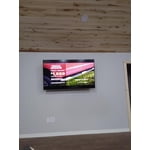
[This review was collected as part of a promotion.] I use the TV for sports and movies. The picture is great. The sound is ok I will purchase a sound bar. The remote is easy to use.

Review from Samsung US
Helpful?3STAXRT0NDXF13883163940
Oct 6, 2020
Reviewer name: SamsungRocks1
5 out of 5 stars
5 out of 5 stars review

Excellent tv with great picture quality!

[This review was collected as part of a promotion.] The tv is perfect in every way. Although, I really dislike the remote that comes with this model. The 8 series remotes are much better.

Review from Samsung US
Helpful?3STAXRT0NDXF13883163940
Jan 31, 2022
Reviewer name: Glouie
3 out of 5 stars
3 out of 5 stars review

It all roses!

We are seniors. The buttons on the remote are very hard to read and too tiny!! The sound in the tv and sound bar got stuck at one level and had to get support to help. This is apparently a very common problem with these tvs

Review from Samsung Canada
Helpful?3STAXRT0NDXF13883163940
reply from Operations

Hi Glouie, thank you for sharing your thoughts with us. We’re sorry to hear that you’re disappointed, and we will be sure to share your feedback with our teams so we can continually improve our products, services, and processes. Thanks again.

Jan 19, 2021
Reviewer name: JJohn
1 out of 5 stars
1 out of 5 stars review

The remote sucks!

everything about the tv was great except the remote. its was so bad i return my tv after 2 days. there are way to many buttons on the remote and it does'nt have a natural feel like my other tv remotes.

Review from Samsung US
Helpful?3STAXRT0NDXF13883163940
reply from Samsung Brand Ambassador

JJohn: I am very sorry to hear that you were not completely happy with the remote that came with your TU7000 TV, and you have returned it. Please know that the other TVs in our 2020 lineup come with the Samsung OneRemote. Should you ever decide to give Samsung TVs another try and have questions or need assistance with settings, setup, or features, please know we are always here to help. 1-800-SAMSUNG (ask for TVs), available 8AM -12AM EST, 7 days a week Or visit us on the Samsung website and click on the ‘Support’ link in the upper right corner of the homepage for: 1) Contact Us Options (LiveChat, Remote Support, Facebook, Twitter) 2) Product Support 3) Manuals and Downloads 4) Warranty Info 5) Samsung Community: A great resource for getting help from Samsung moderators and customers and more 6) …and more product, repair, order, and care options ~ Samsung Solutions

Sep 17, 2020
Reviewer name: Shirlen
4 out of 5 stars
4 out of 5 stars review

Nice TV

love the quality and how clear it is-nice price and love the features it comes with- i would have gave 5 stars but the remote doesn't light up or have a light feature on it. when it's dark its very hard to see the buttons.

Review from Samsung US
Helpful?3STAXRT0NDXF13883163940
Sep 15, 2020
Reviewer name: jacob
5 out of 5 stars
5 out of 5 stars review

Everything is great

[This review was collected as part of a promotion.] I've had this tv for a couple of months and it never disappoints, the only thing I would like is a new remote, but other than that this Is a great tv

Review from Samsung US
Helpful?3STAXRT0NDXF13883163940
Nov 14, 2020
Reviewer name: Larissa
3 out of 5 stars
3 out of 5 stars review

A lot of glitches

the picture is great. but there are a lot of glitches. every now and then it exits out of a streaming app and goes to the home page. prime video doesn't work well with it at all. the remote stops working sometimes.

Review from Samsung US
Helpful?3STAXRT0NDXF13883163940
reply from OBA

Larissa: Thank you for sharing your experience with the TU7000 TV. I am sorry that you are experiencing some issues with glitches and with apps not responding as they should. To optimize the smart TV performance, please try Device Care option under the Support Menu. Go to Settings > Support> Device Care > Start Device Care This service checks memory and frees up unused cached memory and closes background apps. Please also be sure you are running the latest firmware. You can check to see what software version your TV is using and if there is an available update through the settings on your TV. Go to: Settings>Support>Software Update. Version 1410.1 (released on 11/4/20) is the most current version. Both the current version and new version number will be displayed. The current version is what your TV is using and the new version is the latest update. You may want to enable automatic updates for convenience by selecting > Auto Update. Should you need further assistance, please contact Samsung Customer Support. 1-800-SAMSUNG (ask for TVs), available 8AM -12AM EST, 7 days a week Or visit us on the Samsung website and click on the ‘Support’ link in the upper right corner of the homepage for: 1) Contact Us Options (LiveChat, Remote Support, Facebook, Twitter) 2) Product Support 3) Manuals and Downloads 4) Warranty Info 5) Product Registration: Registering your product gives you access to easy warranty support, convenient opt-in to special promos and offers, faster troubleshooting and service, and quick notification of system updates 6) Samsung Community: A great resource for getting help from Samsung moderators and customers and more 7) …and more product, repair, order, and care options ~ Samsung Solutions