Skip to Main Content
Sam's Club
Sam's Club
All Departments
All Services
Customer reviews for SAMSUNG 75" Class TU700D-Series Crystal Ultra HD 4K Smart TV UN75TU700DFXZA for
SAMSUNG 75" Class TU700D-Series Crystal Ultra HD 4K Smart TV UN75TU700DFXZA
4.4 out of 5 stars
stars
10.4K ratings10K reviews
  1. 5 stars69% (7,261)
  2. 4 stars18% (1,887)
  3. 3 stars5% (566)
  4. 2 stars3% (265)
  5. 1 star5% (499)

Member photos

  • +1529 images
Sort by |
Showing 6,181-6,190 of 10,069 reviews
May 23, 2022
Reviewer name: deejay85
5 out of 5 stars
5 out of 5 stars review

great product for its price point

[This review was collected as part of a promotion.] great for streaming, gaming, and working. I connect my work laptop to my tv and its perfect for wfh.

Review from Samsung US
Helpful?3STAXRT0NDXF13883163940
May 23, 2022
Reviewer name: Hometv
3 out of 5 stars
3 out of 5 stars review

I like the size of the tv
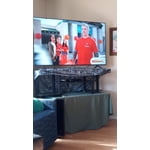
[This review was collected as part of a promotion.] My TV has a very clear picture and the size is perfect but the sound could be a little better and clearer.

Review from Samsung US
Helpful?3STAXRT0NDXF13883163940
reply from Samsung Brand Ambassador

Hometv: While it’s great to hear that you’re loving the clear picture and size of your TU7000 TV, I’m very sorry to hear of the difficulties you experienced with the sound. One possible cause for the low volume is the source. Some sources have their own volume control which might be set too low. Please check the volume control of the external device (cable box or satellite box, DVD, Blu-ray, etc.) connected to your TV. Also, check the cable connection between an external device and the TV and then try cable connection again. We recommend you try a Sound Test under Support > Self Diagnosis > Start Sound Test. Another way to check the source volume is to test an internal streaming source like Netflix or YouTube to compare. You may also want to select from several Sound Modes and advanced settings to meet your personal preferences. Press the Home button on your remote, and then navigate to Settings > Sound > Sound Mode I hope this helps improve your audio experience. Should you need further assistance or have any questions, please contact Samsung Customer Support at 1-800-SAMSUNG (ask for TVs), available 8AM - 12AM EST, 7 days a week. For additional support resources, visit us on the Samsung website and click on the ‘Support’ link in the upper right corner of the homepage for: 1) Chat with Us/Product Help: To begin a chat or find solutions, choose ‘TVs & Home Theater’ and select your model & topic. 2) Manuals, Software, & Warranty Info Thank you for choosing Samsung. ~ Samsung Advisor

Sep 20, 2021
Reviewer name: Mrlonely43v3r
5 out of 5 stars
5 out of 5 stars review

This product is amazing

[This review was collected as part of a promotion.] I'm so happy about this product cus the images is so clear n the movies its super fun cuz wit the bew its yes perfect.

Review from Samsung US
Helpful?3STAXRT0NDXF13883163940
Aug 9, 2022
Reviewer name: Great Past time Relaxing
5 out of 5 stars
5 out of 5 stars review

Everything is great as perfect wonderful pictures,

Really appreciate my Samsung 58" perfect size for my room would recommend this product for enjoyable peace of mind Viewing Great Product, Ease of operations

Review from Samsung Canada
Helpful?3STAXRT0NDXF13883163940
reply from Operations

So glad to hear you're enjoying your Samsung TV!

Aug 22, 2022
Reviewer name: Emaster
4 out of 5 stars
4 out of 5 stars review

Great value

[This review was collected as part of a promotion.] Easy to use, and all the built in streaming options are wonderful. My version is lacking inputs, but my fault for not checking.

Review from Samsung US
Helpful?3STAXRT0NDXF13883163940
May 24, 2022
Reviewer name: Jbeezy
5 out of 5 stars
5 out of 5 stars review

Great bang for your buck tv

[This review was collected as part of a promotion.] This tv looks great, and has all the features I expect from a modern TV for a great price. All my games and movies explode with color. I love it, you'll only find samsung tvs in my home.

Review from Samsung US
Helpful?3STAXRT0NDXF13883163940
Oct 12, 2021
Reviewer name: PSAINME
5 out of 5 stars
5 out of 5 stars review

Great picture at outstanding price

[This review was collected as part of a promotion.] This 70” 4K Samsung has a brilliant picture, particularly in a low-light setting. Easy features to navigate. I did need to download a firmware upgrade to get the HDR picture with my Apple TV 4K.

Review from Samsung US
Helpful?3STAXRT0NDXF13883163940
Jun 16, 2022
Reviewer name: Civilize
5 out of 5 stars
5 out of 5 stars review

Super apps

[This review was collected as part of a promotion.] All the apps you want and needs. Beautiful crystal clear pictures. Able to plug all computers and game modules and cell phone in tv using plug in or Bluetooth. Wifi with no cables needed.

Review from Samsung US
Helpful?3STAXRT0NDXF13883163940
Nov 10, 2021
Reviewer name: Turkey
3 out of 5 stars
3 out of 5 stars review

Great size

(This review was collected as part of a promotion.) Not happy with picture quality, very blurry in the background. Really can't watch sports very well!

Review from Samsung Canada
Helpful?3STAXRT0NDXF13883163940
reply from Operations

Hi there, thanks for reaching out. We regret that you had this issue but we're confident we can help! Please get in touch with us at 1-800-SAMSUNG or via live chat on our website (http://www.samsung.com/ca/support/)

Sep 16, 2020
Reviewer name: Dburn16
4 out of 5 stars
4 out of 5 stars review

This product has some good features but see below

[This review was collected as part of a promotion.] Not user friendly. Have trouble with sound and. Picture is very dark on night scenes tried to lighten it up. Doesn't work

Review from Samsung US
Helpful?3STAXRT0NDXF13883163940