
Skip to Main Content
Sam's Club
Sam's Club
All Departments
All Services
Customer reviews for SAMSUNG 75" Class TU700D-Series Crystal Ultra HD 4K Smart TV UN75TU700DFXZA for
SAMSUNG 75" Class TU700D-Series Crystal Ultra HD 4K Smart TV UN75TU700DFXZA
4.4 out of 5 stars
stars
10.4K ratings10K reviews
  1. 5 stars69% (7,257)
  2. 4 stars18% (1,886)
  3. 3 stars5% (566)
  4. 2 stars3% (265)
  5. 1 star5% (498)

Member photos

  • +1523 images
Sort by |
Showing 6,011-6,020 of 10,063 reviews
Sep 27, 2022
Reviewer name: ODkirk
5 out of 5 stars
5 out of 5 stars review

75" Samsung

[This review was collected as part of a promotion.] We love this TV! Easy to use, crystal clear picture and downloading Apps is a breeze. We would highly recommend this TV to anyone.

Review from Samsung US
Helpful?3STAXRT0NDXF13883163940
Sep 15, 2020
Reviewer name: Movies
4 out of 5 stars
4 out of 5 stars review

Great TV

[This review was collected as part of a promotion.] Picture is great and I love the smart TV features. Easy to use. I'm not a big fan of the remote, but that's not a deal breaker.

Review from Samsung US
Helpful?3STAXRT0NDXF13883163940
Oct 5, 2022
Reviewer name: MJK2514
5 out of 5 stars
5 out of 5 stars review

Good Value

[This review was collected as part of a promotion.] We use as our outdoor TV and it is a perfect for this. This TV has a very nice picture and is easily wall mounted.

Review from Samsung US
Helpful?3STAXRT0NDXF13883163940
Aug 19, 2021
Reviewer name: Chris h
4 out of 5 stars
4 out of 5 stars review

Nice TV and easy to navigate

Had this for 2 months now. Picture and sound are nice. Problem though it magically turns on by itself if no one is in the room or if we are sleeping. I haven't contacted Samsung yet to troubleshoot. Hopefully it is just a setting.

Review from Samsung Canada
Helpful?3STAXRT0NDXF13883163940
reply from Operations

Hi Chris, thank you for reaching out. Please get in touch with a member of our technical team at 1-800-SAMSUNG or via live chat on our website (http://www.samsung.com/ca/support/). They'll be able to check why your TV turns on by itself. Thank you! M.L

Sep 21, 2021
Reviewer name: Sebo420
4 out of 5 stars
4 out of 5 stars review

Very nice

[This review was collected as part of a promotion.] This TV is very nice, the options are very endless. The picture is crispy and beautiful. The sound is also amazing. You definitely can't beat the price for this TV. I love it.

Review from Samsung US
Helpful?3STAXRT0NDXF13883163940
Jul 27, 2022
Reviewer name: Estfiles
5 out of 5 stars
5 out of 5 stars review

This TV has a beautiful, clear picture.
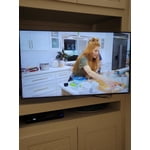
[This review was collected as part of a promotion.] We use our TV to watch movies, game shows, and TV shows. Great sound and easy to use. Colors are so vivid

Review from Samsung US
Helpful?3STAXRT0NDXF13883163940
Dec 1, 2020
Reviewer name: Geejay
2 out of 5 stars
2 out of 5 stars review

Broked picture

turn on tv this morning this was my picture. unplug tv turned back on everything was fine. not sure what the problem was but if it occur again i will return it.

Review from Samsung US
Helpful?3STAXRT0NDXF13883163940
reply from OBA

Geejay: Thank you for purchasing the Samsung TU7000 TV. I am very sorry you experienced a brief issue with your TV not displaying properly. Should this happen again, you may want to try the following troubleshooting steps: 1) Check the antenna and input cable connections 2) Check the antenna and HDMI cable connections 3) If the issue persists, define exactly what is wrong with the display. For example, mosaics and blocks, multiple lines or white dots, fixed horizontal, or vertical lines 4) Try changing channels using the remote control. Is the issue the same on all channels? 5) Press the Home button (looks like a house), select Source, choose another input source. Is the issue the same on all sources? 6) If the same problem persists, run a diagnostic test. (Home > Settings > Support > Device Care > Self Diagnosis > Picture Test) 7) If the problem disappears during the test, check your TV signal (Home > Settings > Support > Device Care > Self Diagnosis > Signal Information) to check the signal strength. Signal strength must be more than 20 dB (more than 4 bars on the icon) for stable signal reception Should you need further assistance, please contact Samsung Customer Support. 1-800-SAMSUNG (ask for TVs), available 8AM -12AM EST, 7 days a week Or visit us on the Samsung website and click on the ‘Support’ link in the upper right corner of the homepage for: 1) Contact Us Options (LiveChat, Remote Support, Facebook, Twitter) 2) Product Support 3) Manuals and Downloads 4) Warranty Info 5) Product Registration: Registering your product gives you access to easy warranty support, convenient opt-in to special promos and offers, faster troubleshooting and service, and quick notification of system updates 6) Samsung Community: A great resource for getting help from Samsung moderators and customers and more 7) …and more product, repair, order, and care options ~ Samsung Solutions

May 24, 2022
Reviewer name: Anonymous
5 out of 5 stars
5 out of 5 stars review

Goodtvreview

[This review was collected as part of a promotion.] Very nice, no problems. Very happy with purchase. Price was good for value. Need to purchase a sound bar now.

Review from Samsung US
Helpful?3STAXRT0NDXF13883163940
Sep 21, 2020
Reviewer name: TVwithaToddler
5 out of 5 stars
5 out of 5 stars review

This is awesome!

[This review was collected as part of a promotion.] The features of this television and the ease in using it, is perfect. The setup was so easy and the interface makes it a breeze to use. The visual is amazing.

Review from Samsung US
Helpful?3STAXRT0NDXF13883163940
Oct 26, 2020
Reviewer name: Anonymous
5 out of 5 stars
5 out of 5 stars review

THIS PRODUCT IS EASY TO MANUVER

[This review was collected as part of a promotion.] I ABSOLUTLY LOVE THIS TV! EASE OF USE AND HOOK UP TO MY EXTRAS. WISH I KNEW HOW TO USE THE BLUETOOTH OPTION THO

Review from Samsung US
Helpful?3STAXRT0NDXF13883163940






