Skip to Main Content
Sam's Club
Sam's Club
All Departments
All Services
Customer reviews for SAMSUNG 75" Class TU700D-Series Crystal Ultra HD 4K Smart TV UN75TU700DFXZA for
SAMSUNG 75" Class TU700D-Series Crystal Ultra HD 4K Smart TV UN75TU700DFXZA
4.4 out of 5 stars
stars
10.4K ratings10K reviews
  1. 5 stars69% (7,261)
  2. 4 stars18% (1,887)
  3. 3 stars5% (566)
  4. 2 stars3% (265)
  5. 1 star5% (499)

Member photos

  • +1529 images
Sort by |
Showing 5,311-5,320 of 10,069 reviews
Oct 1, 2020
Reviewer name: Omar370
3 out of 5 stars
3 out of 5 stars review

bad things in samsung

[This review was collected as part of a promotion.] there is vertical lines is showing while watching fast moving scenes or soccer matches and the tv software is so heavy tv lags alot and have dark corners and bad gray uniformity

Review from Samsung US
Helpful?3STAXRT0NDXF13883163940
reply from OBA

Omar370: Thank you for purchasing the Samsung TU7000 TV. I am very sorry you are experiencing issues with your TV not displaying properly. Please try the following troubleshooting steps: 1) Check the antenna and input cable connections 2) Check the antenna and HDMI cable connections 3) If the issue persists, define exactly what is wrong with the display. For example, mosaics and blocks, multiple lines or white dots, fixed horizontal, or vertical lines 4) Try changing channels using the remote control. Is the issue the same on all channels? 5) Press the Home button (looks like a house), select Source, choose another input source. Is the issue the same on all sources? 6) If the same problem persists, run a diagnostic test. (Home > Settings > Support > Device Care > Self Diagnosis > Picture Test) 7) If the problem disappears during the test, check your TV signal (Home > Settings > Support > Device Care > Self Diagnosis > Signal Information) to check the signal strength. Signal strength must be more than 20 dB (more than 4 bars on the icon) for stable signal reception To optimize the smart TV performance, please try Device Care option under the Support Menu. Go to Settings > Support> Device Care > Start Device Care This service checks memory and frees up unused cached memory and closes background apps. Should you need further assistance, please contact Samsung Customer Support. 1-800-SAMSUNG (available 8AM -12AM EST, 7 days a week) Or visit us on the Samsung website and click on the ‘Support’ link in the upper right corner of the homepage for: 1) Contact Us Options (LiveChat, Remote Support, Facebook, Twitter) 2) Product Support 3) Manuals and Downloads 4) Warranty Info 5) Product Registration: Registering your product gives you access to easy warranty support, convenient opt-in to special promos and offers, faster troubleshooting and service, and quick notification of system updates 6) Samsung Community: A great resource for getting help from Samsung moderators and customers and more 7) …and more product, repair, order, and care options - Samsung Solutions

Aug 7, 2022
Reviewer name: iffur555im666
5 out of 5 stars
5 out of 5 stars review

Not the greatest TV but not the worst either...
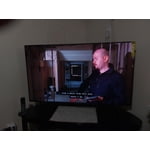
[This review was collected as part of a promotion.] I only use my Samsung Television exclusively for streaming... I don't use it for anything else at all.

Review from Samsung US
Helpful?3STAXRT0NDXF13883163940
May 24, 2022
Reviewer name: CLEandHappy
5 out of 5 stars
5 out of 5 stars review

Fantastic unit

[This review was collected as part of a promotion.] I got this as my main TV I am so happy I will definitely stick with Samsung for my next TV whenever that is due

Review from Samsung US
Helpful?3STAXRT0NDXF13883163940
Sep 15, 2020
Reviewer name: Gabi
5 out of 5 stars
5 out of 5 stars review

PERFECT FOR OUR FAMILY

[This review was collected as part of a promotion.] This TV is very functional and worked perfectly for our family. We are very happy with our purchase.

Review from Samsung US
Helpful?3STAXRT0NDXF13883163940
Oct 11, 2021
Reviewer name: Rpierce2032
5 out of 5 stars
5 out of 5 stars review

Great smart television

[This review was collected as part of a promotion.] Every single day between myself and my husband along with the kids when they are lucky. Do wish it had a remote finder capability

Review from Samsung US
Helpful?3STAXRT0NDXF13883163940
Oct 21, 2020
Reviewer name: MAVRCK33
5 out of 5 stars
5 out of 5 stars review

Love this TV

[This review was collected as part of a promotion.] Samsung is the best for TV entertainment. I love this TV because it works seamlessly with my Apple products.

Review from Samsung US
Helpful?3STAXRT0NDXF13883163940
Jun 9, 2020
Reviewer name: Disappointed
2 out of 5 stars
2 out of 5 stars review

Highly disappointed

i am highly disappointed in this television. keeps blanking out. i had to reset it to factory a few times. there are different color lines running across the television when i switch channels or streams.

Review from Samsung US
Helpful?3STAXRT0NDXF13883163940
reply from OBA

Disappointed: Thank you for purchasing the Samsung TU7000 TV. I am very sorry you are experiencing issues with your TV not displaying properly and blanking out. Please try the following troubleshooting steps: 1) Check the antenna and input cable connections 2) Check the antenna and HDMI cable connections 3) If the issue persists, define exactly what is wrong with the display. For example, mosaics and blocks, multiple lines or white dots, fixed horizontal, or vertical lines 4) Try changing channels using the remote control. Is the issue the same on all channels? 5) Press the Home button (looks like a house), select Source, choose another input source. Is the issue the same on all sources? 6) If the same problem persists, run a diagnostic test. (Home > Settings > Support > Device Care > Self Diagnosis > Picture Test) 7) If the problem disappears during the test, check your TV signal (Home > Settings > Support > Device Care > Self Diagnosis > Signal Information) to check the signal strength. Signal strength must be more than 20 dB (more than 4 bars on the icon) for stable signal reception Should you need further assistance, please contact Samsung Customer Support. 1) Phone: 1-800-SAMSUNG (ask for TVs) , Available 8 AM-12 AM EST 7 days a week 2) LiveChat: https://www.samsung.com/us/support/#contact_us_for_support 3) Facebook Messenger: https://www.facebook.com/samsungsupport 4) Twitter: https://twitter.com/SamsungSupport 5) The Samsung Members Community is also a great resource for getting help from Samsung moderators and customers: https://us.community.samsung.com If you have not already done so, we invite you to register your new Samsung product at: https://www.samsung.com/us/account/signin/?redirect=https%3A%2F%2Fwww.samsung.com%2Fus%2Fsupport%2Fregister%2F Registering your product gives you access to easy warranty support, convenient opt-in to special promos and offers, faster troubleshooting and service, and quick notification of system updates. ~ Samsung Solutions

Sep 17, 2020
Reviewer name: jorge
4 out of 5 stars
4 out of 5 stars review

Excellent

[This review was collected as part of a promotion.] The only bad thing is activate the sleep mode in my old Samsung TV just in one clic you activate the sleep

Review from Samsung US
Helpful?3STAXRT0NDXF13883163940
Oct 25, 2022
Reviewer name: Rjack1953
5 out of 5 stars
5 out of 5 stars review

Samsung tv

[This review was collected as part of a promotion.] My tu7000 tv is great. Love the picture quality Best tv we ever owned. Highly recommend Samsung tvs

Review from Samsung US
Helpful?3STAXRT0NDXF13883163940
Oct 25, 2022
Reviewer name: IR1981
5 out of 5 stars
5 out of 5 stars review

Crystal Clear

[This review was collected as part of a promotion.] Response time is great, easily connects with other devices, crystal clear pic and sound is great. Couldn't ask for more at this price point.

Review from Samsung US
Helpful?3STAXRT0NDXF13883163940