
Skip to Main Content
Sam's Club
Sam's Club
All Departments
All Services
Customer reviews for SAMSUNG 75" Class TU700D-Series Crystal Ultra HD 4K Smart TV UN75TU700DFXZA for
SAMSUNG 75" Class TU700D-Series Crystal Ultra HD 4K Smart TV UN75TU700DFXZA
4.4 out of 5 stars
stars
10.4K ratings10K reviews
  1. 5 stars69% (7,257)
  2. 4 stars18% (1,886)
  3. 3 stars5% (566)
  4. 2 stars3% (265)
  5. 1 star5% (499)

Member photos

  • +1523 images
Sort by |
Showing 4,351-4,360 of 10,064 reviews
Oct 17, 2021
Reviewer name: Pacemaker813
5 out of 5 stars
5 out of 5 stars review

Crystal clear picture

[This review was collected as part of a promotion.] Use it for basic movie watching and some basic gaming. I love the ability to use my galaxy phone to link with the TV for ultimate control. Makes it extremely easy to cast my phone to the TV to show off pics and videos.

Review from Samsung US
Helpful?3STAXRT0NDXF13883163940
Sep 12, 2021
Reviewer name: ZV041388
3 out of 5 stars
3 out of 5 stars review

Cable movies streaming

[This review was collected as part of a promotion.] I have dish love watching my sports great picture. Mom loves here old tv shows an how old the shows look so great streaming Amazon fire with all the shows and now Disney +. Not to mention Netflix's as well definitely love it.

Review from Samsung US
Helpful?3STAXRT0NDXF13883163940
Aug 5, 2022
Reviewer name: Derlock
5 out of 5 stars
5 out of 5 stars review

This TV is amazing
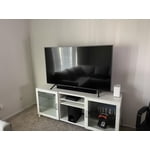
[This review was collected as part of a promotion.] I use my TV everyday to stream videos, movies, shows and the quality of the picture is amazing. This TV has not failed me once and it continues to work all the time. For the price and quality it is totally amazing!

Review from Samsung US
Helpful?3STAXRT0NDXF13883163940
Sep 27, 2022
Reviewer name: Samuel
5 out of 5 stars
5 out of 5 stars review

This tv has an amazing image true to color

[This review was collected as part of a promotion.] The image quality on Thai tv is fantastic. I prefer streaming directly through the tv itself instead of external things like fire stick, Apple TV, ow Xbox. The image is crisper. The remote comes with preset citrons for common apps and many more are available to download. It's not incredibly heavy so moving it is easy and the feet only click in. This was handy in purring it up and then later mounting it.

Review from Samsung US
Helpful?3STAXRT0NDXF13883163940
Sep 16, 2020
Reviewer name: yakman
4 out of 5 stars
4 out of 5 stars review

Overall great tv for the money

[This review was collected as part of a promotion.] This purchase was a great buy for the money. Sharp, clear picture,. great convenient, easy to use features. Easy to connect to wifi. Sufficient inputs. Light streamlined attractive appearance. The only reason that I did not give this product 5 stars is the following: sometimes when streaming movies, darker scenes seem too dark and difficult to see. I have adjusted settings a bit to try to improve this with only a small amount of improvement. Other wise no complaints. I am very happy with this purchase.

Review from Samsung US
Helpful?3STAXRT0NDXF13883163940
Oct 25, 2022
Reviewer name: EyeDocWP
5 out of 5 stars
5 out of 5 stars review

Excellent TV quality for the price!

[This review was collected as part of a promotion.] The first thing that I noticed was the ease of setting the tv up. the setup process went very smooth and I got a few of my apps installed working right away. its been very easy to add the others as I go. I love the quality of the picture and feel this is a steal of a TV at this price point! I have a TV from another brand that is the same price point and features but the Samsung has a much better user interface. It is also very easy to screen share my computer and phone to the TV which is great since we use it in our conference room at our office.

Review from Samsung US
Helpful?3STAXRT0NDXF13883163940
May 24, 2022
Reviewer name: Disappointed
2 out of 5 stars
2 out of 5 stars review

Not what I expected

[This review was collected as part of a promotion.] The picture is not very bright. The smart tuner loses app sign-in info or ability and the TV has to be unplugged and rebooted to make it right. I would not have expected this from, what is supposed to be, such a good brand. I am very disappointed and will probably go back to Insignia.

Review from Samsung US
Helpful?3STAXRT0NDXF13883163940
reply from Samsung Brand Ambassador

Disappointed: Thank you for purchasing the TU7000 TV and for your review. I am sorry to hear that you are not happy with the brightness levels of your picture. If the colors on your TV are correct but just a little too dark or bright you can try the different Picture Modes or manually adjust the Brightness settings to your liking. Dynamic Picture Mode will make pictures brighter and clearer in bright viewing environments. Go to: Settings > Picture > Picture Mode > Dynamic Or manually adjust the Brightness and other settings to your liking. Press the HOME button on your remote, then navigate to: Settings > Picture > Expert Settings You may also want to disable Power Saving Mode which automatically adjusts the brightness to reduce the TV’s power consumption. Go to Settings> General> Eco Solution> Power Saving Mode. Ambient Light Detection will also automatically adjust the brightness level of the TV, according to the ambient light level, to reduce power consumption. If Ambient Light Detection has adjusted the screen brightness to a too bright or dark level, you can select Minimum Brightness to manually adjust the minimum screen brightness. Go to Settings> General> Eco Solution> Ambient Light Detection Please also be sure you are running the latest firmware. You can check to see what software version your TV is using and if there is an available update through the settings on your TV. Go to: Settings>Support>Software Update. You may want to enable automatic updates for convenience. Select Settings > Support > Software Update, then select Auto Update. I hope this helps to improve your picture. Should you need further assistance, please contact Samsung Customer Support. Call us at 1-800-SAMSUNG (ask for TVs), available 8AM - 12AM EST, 7 days a week. For additional support resources, visit us on the Samsung website and click on the ‘Support’ link in the upper right corner of the homepage for: 1) Chat with Us/Product Help: To begin a chat or find solutions, choose ‘TVs & Home Theater’ and select your model & topic. 2) Register a Product: For access to easy warranty support, convenient opt-in to special promos and offers, faster troubleshooting and service, and quick notification of system updates. 3) Manuals & Software 4) Warranty Info 5) Contact Us ~ Samsung Advisor

Apr 27, 2022
Reviewer name: LuvsSam
5 out of 5 stars
5 out of 5 stars review

Love my 65 inch Samsung smart tv!

I bought this tv back in December 2021. Best purchase ever! Thought it was going to be too big for my space but not so. Beautiful picture, so clear. Loves it! This tv repalced a smaller Samsung and I do have a 50 inch Samsung in my basement. So that says I love this product. No problems at all.

Review from Samsung Canada
Helpful?3STAXRT0NDXF13883163940
reply from Operations

Thank you, LuvsSam! We love to hear positive feedback and we’re delighted you’re enjoying your new Samsung TV. 

Jun 16, 2022
Reviewer name: TVAloha
5 out of 5 stars
5 out of 5 stars review

Great features.

[This review was collected as part of a promotion.] We use this TV for streaming, watching sports, and movies, and following our favorite serials. The controls are easy to use on the remote, making it easy to navigate where we want to go. Adjustments to sound and picture quality are easy to use as well. Very pleased with this purchase.

Review from Samsung US
Helpful?3STAXRT0NDXF13883163940
Mar 2, 2023
Reviewer name: The Rileys
5 out of 5 stars
5 out of 5 stars review

Loving our TV and its extra features!

We purchased our 65" TV near the end of January. We have been pleased with the extra features such as Samsung TV, Prime TV and Tubi. Nice, crisp picture, too. A bit of a concern was that on Feb 28/23 , we turned the TV on and had a picture but no volume. We Googled it, and their suggestion to unplug and the restart fixed the issue. However, the Tubi wasn't accessible for awhile. Should we be concerned about the loss of volume? Is this a common thing? Overall we are loving it.

Review from Samsung Canada
Helpful?3STAXRT0NDXF13883163940






