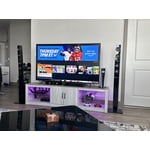
Customer reviews for SAMSUNG 75" Class TU700D-Series Crystal Ultra HD 4K Smart TV UN75TU700DFXZA forMember photos


+1519 images
Excellent Features & Screen Quality
[This review was collected as part of a promotion.] First of all my family LOVES Samsung products. We all have phones, tablets, watches, kitchen appliances etc etc as well as their amazing TV's! A company that stands behind their products is a company that I can trust. The screen picture is outstanding. Sometimes it feels like you are right there in the action when you're watching a movie or TV. Thank you Samsung for making our life so much better & brighter.
Love Samsung
[This review was collected as part of a promotion.] I have been a fan of Samsumg products from cell phone, speakers and TV's i really the quality and picture, sounds and navigation. I still have my 55 inch tv which i bought 2014 and still working pretty well! love it!
I've had this tv for 3 months now.
[This review was collected as part of a promotion.] I mostly use it for gaming and streaming video. The display looks amazing the 4k hdr really puts me a step ahead other the competition when I game, every little detail is crystal clear. When I stream movies the wifi capabilities of this TV keep it running at 4k and never drops. You can see everything that happens in the back ground. There's no need for a sound bar as the speakers are out of this world. With the quality of the display and speakers it really makes it feel like you are in the movie.
Samsung 58 4k smart tv
[This review was collected as part of a promotion.] Wow just blown away by the TV. I have owned samsung products along time and this one definitely blew me out the water. Love the picture quality easy remote functions and able to access internet and apps this is definitely a product you should get I wouldn't hesitate to suggest this tv to anyone asking for a recommendation for a smart tv. Samsung by far is a 10/10. Love how is has tv+ built in added free channels and its easy simple to navigate. This is a must have for anyone when it comes to having a tv in your home.
Black screen after two months
we purchased our samsung in august and it seemed to work great! all of a sudden not two months later, the tv screen is black with a faint image. i researched all possible solutions and nothing has solved our issue. this is apparently a common issue. we turn off the tv and its working, then the next say we turn it on and it is a black screen and doing the same thing. we have audio and we can see the tv has turned on but we cant actually watch our brand new expensive tv. my old vizio from 2014 is a better working tv than this, which we still use in a seperate room. do not buy unless you are ready to pay for a brand new tv to be repaired. extremely frustrating.
Mackenzie: Thank you for purchasing the TU7000 TV and for your review. I am very sorry to hear that you are experiencing issues with your screen randomly going blank. There are a number of reasons this may be happening. • Cable connection problem: Your Samsung Smart TV is likely to have a black screen issue due to the cable connection problem. Loose connections, damaged cables or inactive power sources are the probable cause of the problem on your TV. • Sources issue: Moreover, the issue could be caused by the problems associated with the sources such as DVD player, cable box or other external sources. To find out whether the problem is with the sources, press the Menu button on your remote. If the menu appears on the screen of your TV, then the problem is with the sources. • Inputs setting problem: The black screen issue could be due to the inputs setting problem. Your TV might be set on a wrong input. Ensure that your TV is set to the correct input to avoid this issue. • Firmware update issue: Your TV screen might be having a black display due to the obsolete firmware. The firmware, therefore, needs to be updated to solve this issue. • Sleep timer/power saver mode: In cases where your TV randomly goes black, the issue could be due to the sleep timer or energy-saving mode being on. Consider turning them off to see whether the problem is solved. • Hardware failure: Also, your TV might be displaying a black screen due to the hardware failure. This could be a faulty circuit board, faulty TV panel or faulty LED on TV. For this case, you will need to seek for professional service to have your TV fixed. Should you need further assistance, please contact Samsung Customer Support. 1-800-SAMSUNG (available 8AM -12AM EST, 7 days a week) Or visit us on the Samsung website and click on the ‘Support’ link in the upper right corner of the homepage for: 1) Contact Us Options (LiveChat, Remote Support, Facebook, Twitter) 2) Product Support 3) Manuals and Downloads 4) Warranty Info 5) Product Registration: Registering your product gives you access to easy warranty support, convenient opt-in to special promos and offers, faster troubleshooting and service, and quick notification of system updates 6) Samsung Community: A great resource for getting help from Samsung moderators and customers and more 7) …and more product, repair, order, and care options ~ Samsung Solutions
Top Quality
[This review was collected as part of a promotion.] I use my Samsung TV for entertainment for my family and friends. It has great smart features and excellent quality picture. I still have a Samsung TV the has last me 8 years. Samsung never fails me!!!!
Great television, remote needs some work.
[This review was collected as part of a promotion.] Have had the television for two months. Picture is amazing and easily connects to our streaming services. Combination of strong WIFI signal and a clear picture makes for an enjoyable watching experience. Only drawback is the remote control. Layout of the buttons is okay but not being lighted makes it necessary to turn on a light to pause or make any other adjustments. Improve the remote and this is definitely a five-star product.
Nice picture but wifi doesnt work well
[This review was collected as part of a promotion.] The picture on the TV is very nice, however I've had issues getting a strong enough signal over wifi. My computer can operate fine in all parts of the house on wifi, but the TV struggles to play netflix, hulu, and the Samsung channels with a wireless connection. The only way it works is to plug into ethernet, which is inconvenient and a tripping hazard for people and my dog.
Love2shop: Thank you for purchasing the TU7000 TV and for your review. I am very sorry that you are experiencing Wi-Fi connection issues. You may want to go through these steps to check your network connection: 1) Check the distance between the TV and your modem or access point. The distance should not exceed 50 ft. (15.2 m). 2) Minimize interference by not using or turning off wireless devices. Also, verify that there are no obstacles between the TV and the modem or access point. (WiFi strength can be decreased by appliances, cordless phones, stone walls/fireplaces, etc.) 3) Perform a network test to check if there is a network problem. Press the Home button on your remote. Navigate to Settings >Support> Device Care> Self Diagnosis> Smart Hub Connection Test 4) Please be sure you have the latest firmware update which enhances network connectivity. For further assistance or service, please contact us via any of the following options: 1-800-SAMSUNG (available 8AM -12AM EST, 7 days a week) Or visit us on the Samsung website and click on the ‘Support’ link in the upper right corner of the homepage for: 1) Contact Us Options (LiveChat, Remote Support, Facebook, Twitter) 2) Product Support 3) Manuals and Downloads 4) Warranty Info 5) Product Registration: Registering your product gives you access to easy warranty support, convenient opt-in to special promos and offers, faster troubleshooting and service, and quick notification of system updates 6) Samsung Community: A great resource for getting help from Samsung moderators and customers and more 7) …and more product, repair, order, and care options ~ Samsung Solutions
Samsung TV is superior!
[This review was collected as part of a promotion.] From picture quality, color, sound, and large variety of application extensions.. Samsung tv has exceeded my expectations in a smart TV. Getting a 55 was what I thought I needed but definitely plan on upgrading to a larger newer model and moving this one into my bedroom. My bedroom has a old Vizio tv that can't even load Hulu on it anymore lol.
Good quality for the price point.
[This review was collected as part of a promotion.] I am happy with the ease of set up and the picture quality for the most part. I would like to disable the crisp visual setting for movies and that option is not working. (My only complaint) Good quality for the price point.