Skip to Main Content
Sam's Club
Sam's Club
Customer reviews for SAMSUNG 75" Class TU700D-Series Crystal Ultra HD 4K Smart TV UN75TU700DFXZA for
SAMSUNG 75" Class TU700D-Series Crystal Ultra HD 4K Smart TV UN75TU700DFXZA

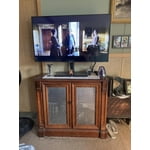
Member photos

  • +1519 images
Sort by |
Showing 2,751-2,760 of 10,060 reviews
Oct 14, 2021
Ladynblue
4 out of 5 stars review

This tv has great features.

[This review was collected as part of a promotion.] Love almost everything about this TV. It has great picture quality and very easy to set up. Would definitely buy again. I wish the app portion was a little easier to use and had a larger app store.

Review from Samsung US
Helpful?3STAXRT0NDXF13883163940
Oct 5, 2020
Mountainbearnc
5 out of 5 stars review

Great TV

[This review was collected as part of a promotion.] I love Samsung products! I've only owned Samsung TV's. I bought this one for my mountain cottage. The picture is fantastic and has great sound for the low cost of the TV. I would definitely recommend this model.

Review from Samsung US
Helpful?3STAXRT0NDXF13883163940
Oct 23, 2020
MElovesSamsung
5 out of 5 stars review

This TV was so easy to set up

[This review was collected as part of a promotion.] So far loving this TV if I had to say one thing that I am not crazy about is the remote it seems very sluggish and not very user friendly. I bought this TV since it streamed Spectrum TV something my LG does not do.

Review from Samsung US
Helpful?3STAXRT0NDXF13883163940
Aug 23, 2022
usuallySamsung
3 out of 5 stars review

Always buy Samsung but this one has some issues

[This review was collected as part of a promotion.] The graphics and visuals are as expected. The user interface functions as does on other Samsungs which I love. Two biggest issues: (1) using the interface is slow.... like really slow... it has a lag that makes you end up selecting the wrong thing (2) the internet disconnects. It is not an internet connectivity issue because all other devices and internet are performing fine, but if you don't use the TV a few days then the internet doesn't connect and you have to reset it, EVERY TIME! It gets quite annoying when you just want to watch something on a streaming platform and have to do this each time.

Review from Samsung US
Helpful?3STAXRT0NDXF13883163940
reply from Samsung Brand Ambassador

Hi usuallySamsung, Thank you for sharing your experience with the TU7000 TV and feedback on the slow UI. We know how frustrating it can be if your product is not working as expected. We have a few troubleshooting tips that should help resolve the slow UI and connectivity issues. First, let's ensure your firmware is up to date. Please go to Settings> Support > Software Update. You can easily update your firmware from here. Next, to optimize performance further, we will utilize the self-diagnostic tool, which checks memory, frees up unused cached memory, and closes background apps. Go to Settings > Support > Device Care > Start Device Care. If you’re experiencing issues with the Wi-Fi connection, we suggest you try the following: 1. Use 5Ghz Wi-Fi if possible 2. Try wired LAN if available 3. Try repositioning the router so there are no obstacles between your TV and the router I hope these tips resolve your lag and connectivity issues. If you need more help, please do not hesitate to contact us! Call us at 1-800-SAMSUNG, 8 AM - 12 AM EST, seven days a week. Or visit us on the Samsung website and click on the ‘Support’ link for: 1) LiveChat with an agent 2) Manuals, Software, & Warranty Info ~ Samsung Advisor

Aug 9, 2022
POPPOPHB
5 out of 5 stars review

Love my new tv

[This review was collected as part of a promotion.] TV has so many great features I love all the options that it comes with including the Samsung channels. I can easily get to whatever app or streaming service that I need to get to. The color and clarity of the TV is very clear and concise. It has a sleek design that looks very modern and updated. Overall it is an easy defunction beautiful system.

Review from Samsung US
Helpful?3STAXRT0NDXF13883163940
Jul 10, 2020
Mike
5 out of 5 stars review

Great television at a great price

we were looking at getting a 65" qled or the crystal uhd 4k television and because of the price point we went with the crystal uhd. to be honest, i cannot tell a difference in clarity and color between the two models as the crystal uhd set has just as amazing color and brightness as the more expensive qled. we are extremely happy with our purchase and would recommend this to anyone. the only thing i would change is to place the ethernet port on the side with the hdmi/optical and usb ports and not have the ethernet cable sticking straight out of the back of the television where it hits the wall.

Review from Samsung US
Helpful?3STAXRT0NDXF13883163940
Jun 24, 2022
Tysue
4 out of 5 stars review

Not the end of the world

so i was bouncing back and forth about this tv, i can say if you are a person who doesn't notice shifts in screen as in motion blur, then cool get it the picture is good sounds not to bad. you can't cast vr to the tv which is kinda weird when a vizio can to it no problem. all things considered i would probably go with a different brand next time only because this one seems to lack the little finessing details which makes an aweome tv.

Review from Samsung US
Helpful?3STAXRT0NDXF13883163940
Nov 6, 2022
MrNastytime
3 out of 5 stars review

Good tv but lags

[This review was collected as part of a promotion.] It's a pretty good tv with good picture but is a lot slower and lags more then my older tv did. My other tv was a different/ cheaper brand but it says not to say other brands in this so I won't but I'll probably not buy another Samsung tv in the future, I like Samsung products but this one was a bit of a letdown

Review from Samsung US
Helpful?3STAXRT0NDXF13883163940
reply from Samsung Brand Ambassador

Hi MrNastytime, I’m sorry to hear about the issues you’re experiencing with your TV running slowly. Please review the following troubleshooting tips to help improve your experience. To ensure performance is fully optimized, please ensure your TV is running the latest firmware. To do so, go to Settings> Support> Software Update. You can easily update from there if necessary. Next, I recommend utilizing the self-diagnostic tool, which checks memory, frees unused cached memory, and closes background apps. Go to Settings > Support > Device Care > Start Device Care. If you need more help, Samsung is here for you. Please call us at 1-800-SAMSUNG, 8 AM - 12 AM EST, seven days a week. Our LiveChat agents are also available by clicking on the ‘Support’ link on our website. ~ Samsung Advisor

May 26, 2022
Bucci1390
5 out of 5 stars review

Great picture quility!

[This review was collected as part of a promotion.] Always have been happy with samsung TVs for years. The picture quality is out of this world. I also think the samsung tv channels are a great free app already installed. 100% best TV I have purchased!

Review from Samsung US
Helpful?3STAXRT0NDXF13883163940
Dec 11, 2020
AMID
2 out of 5 stars review

No Motion settings,delayed response Remote control

couln't find and adjust auto motion plus mode from expert setting. there's no auto motion plus mode!! picture motion moves too fast makes me dizzy. also delayed response remote control!! did some online research, removed battery presss and hold power botton about 30 seconds still no luck! not happy about samsung tv's. my previous samsung tv screen got 2 lines and bought new samsung but seems like new samsung tv takes too much time to set up. im already gave up! should have spend bit more for sony tv.

Review from Samsung US
Helpful?3STAXRT0NDXF13883163940
reply from OBA

AMID: Thank you for sharing your experience with the TU7000 TV. I am sorry that you are experiencing some delayed response when using your remote. To optimize the smart TV performance, please try Device Care option under the Support Menu. Go to Settings > Support> Device Care > Start Device Care This service checks memory and frees up unused cached memory and closes background apps. For optimal motion image performance, you may want to adjust the picture clarity setting by going to: Settings > Picture > Expert Settings > Picture Clarity Settings - Off: Picture Clarity Settings will always be off - Auto: Picture Clarity Settings will automatically activate and deactivate based on the type of program being watched - Custom: Allows custom adjustments and settings to be used. By selecting the Custom option, you can access these advanced settings for Judder Reduction, LED Clear Motion, and Noise Reduction. Should you need further assistance with features or other product usage, please reach out to Samsung Support via any of the below options: 1-800-SAMSUNG (ask for TVs), available 8AM -12AM EST, 7 days a week Or visit us on the Samsung website and click on the ‘Support’ link in the upper right corner of the homepage for: 1) Contact Us Options (LiveChat, Remote Support, Facebook, Twitter) 2) Product Support 3) Manuals and Downloads 4) Warranty Info 5) Product Registration: Registering your product gives you access to easy warranty support, convenient opt-in to special promos and offers, faster troubleshooting and service, and quick notification of system updates 6) Samsung Community: A great resource for getting help from Samsung moderators and customers and more 7) …and more product, repair, order, and care options ~ Samsung Solutions