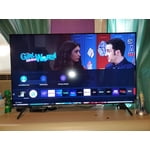
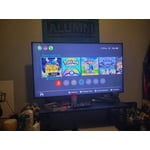
Customer reviews for SAMSUNG 75" Class TU700D-Series Crystal Ultra HD 4K Smart TV UN75TU700DFXZA forMember photos


+1519 images
Screen good, functionality embarrassing
i've had this tv for a year now. when it's working, it is a very enjoyable experience as far as the visual quality, but the functionality is just downright terrible. i bought the soundbar that goes with the monito and it has gone from working with the hdmi to only working through bluetooth to switching between the two to not connecting until i manually do it etc etc etc. often the tv will turn on very dim and only reset to brighter if you turn it off and turn on again. it will also have trouble recognizing devices that you frequently plug into it. the lag time for the menu screens is also extremely frustrating.
Cassidy: Thank you for purchasing the Samsung TU7000 TV. You may want to try the Audio Pass-Through feature to address audio delay. This feature allows the audio signal to be sent out unprocessed to an external Soundbar or receiver connected to the TV. The external Soundbar or receiver then processes the audio, thereby eliminating the added step of processing by the TV, which adds delay. To activate this feature, go to Settings > Sound > Expert Settings > Digital Output Audio Format > set to Pass-Through If you have tried this and your issue persists, please reach out to Samsung Customer Support so that we can provide further troubleshooting. Call us at 1-800-SAMSUNG (ask for TVs), available 8AM - 12AM EST, 7 days a week. For additional support resources, visit us on the Samsung website and click on the ‘Support’ link in the upper right corner of the homepage for: 1) Chat with Us/Product Help: To begin a chat or find solutions, choose ‘TVs & Home Theater’ and select your model & topic. 2) Manuals, Software, & Warranty Info We look forward to hearing from you soon. ~ Samsung Advisor
Best I ever had
[This review was collected as part of a promotion.] I own an 82in Samsung and it's picture perfect. It's so easy to use that nothing can go wrong. I even use it for gaming and the color is great and vibrant. It's really hard to find anything wrong with my TV. It's a must buy for anyone that's looking for a Samsung TV to own.
Over all great product
[This review was collected as part of a promotion.] This tv is amazing for a 1st time buyer. Size is great for a bigger living room wall. Color is good for a wide range of movies and tv shows. I am not 100% satisfied with the look of the darker colors. I can really see the pixels which black scenes. It makes me think I should have went with and QLED TV. In just did not want to sacrifice too much size when balancing the price, and quality. I believe over all I made a great purchase and it is an overall great product. 8.5/10
Didn't last much at all
[This review was collected as part of a promotion.] Bought this TV at the end of 2020 and a year and a half later without using it more than 5 to 6 hours a week the screen died going into an infinite loop, thank that I bought insurance and after testing through the insurance company cover for it.
Dansound: Thank you for your review of Samsung’s TU7000 TV and for sharing your experience with the screen flashing. If your TV is out of the 1-year Manufacturer's Warranty, you can locate a service center in your area on Samsung's website. Go to Support (upper right corner) and select Schedule a Service Appointment. This will allow you to find a location nearest you to help you with your repair. Should you have additional questions or wish to troubleshoot the issue, please call us at 1-800-SAMSUNG (ask for TVs), available 8AM - 12AM EST, 7 days a week. For additional support resources, visit us on the Samsung website and click on the ‘Support’ link in the upper right corner of the homepage for: 1) Chat with Us/Product Help: To begin a chat or find solutions, choose ‘TVs & Home Theater’ and select your model & topic. 2) Manuals, Software, & Warranty Info We hope to hear from you soon. ~ Samsung Advisor
Easy set-up and streaming from devices
This tv is awesome, I had a 55 inch curved Samsung TV for the last 5 years, and the software upgrade alone on this one is 10 times better. It's so easy just to swap from your tablet or phone to the TV back and forth for watching and streaming. The menu set up is pretty straightforward and the Wi-Fi is strong. Coupled with a Samsung sound bar it's awesome! Thank you
Thank you, Shinzon5! We love to hear positive feedback and we’re delighted you’re enjoying your new Samsung TV.
Wanted a 60”/4k tv at a good price
limited by space, i did want to upgrade to something a little bit bigger and a little bit smarter than our older 55” tv. we bought this tv and a samsung sound bar. unfortunately, the tv picture was just “meh”, -average at best. long story short, after trying every setting, we returned the tv and ended up with a 55” with a much better picture but from a different brand. the soundbar, however, is awesome.
Hi Cdmg, I’m sorry to hear the picture quality of Samsung’s TU7000 TV did not meet your expectations. Your feedback is appreciated and will be shared with our internal teams. Please know we are always here to help, and we could have assisted in providing settings adjustments to resolve any issues you were experiencing. Should you ever decide to give Samsung TVs another try and have questions or need help with settings, setup, or features, please know we’re here to help. Call us at 1-800-SAMSUNG, 8 AM – 12 AM EST, seven days a week. LiveChat with an agent, as well as manuals, software, and warranty info, can be found at the ‘Support’ link on our Samsung website. We hope to regain you as a customer in the future. ~ Samsung Advisor
Decent low-end 4K TV
[This review was collected as part of a promotion.] First off I use my TV for mostly gaming and multimedia streaming. 4K resolution at 60htz is solid for the most part but the HDR is barely noticeable if there are all. It's an LED the blacks are pretty bad at times during 4k movies and games also. The sound quality was surprisingly nice, crisp and can get pretty loud on the right setting. UI is pretty slow once you connect it to the internet so I highly advise against that and just use a gaming console or streaming device of choice. My last critique of this TV is how inconsistent it is with game mode for the PS5. Auto game mode just doesn't work. You have to switch back and fourth if you want to leave game mode while streaming anything, and you'd definitely want to do that with how bad the sound quality because when in game mode. This TV just gets the job done if you want to watch and play things at 4K with little latency. There are many annoyances that keep me from recommending this to other people.
Hi Blue90, We are sorry to hear about your internet and gaming issues with your TU7000 TV. Optimize performance and address your issue with gaming response time with the self-diagnostic tool. This service checks memory and frees up unused cached memory and closes background apps. Go to: Settings > Support > Device Care > Start Device Care If you are having issues with game mode, Game Mode is turned on automatically when the selected source is identified as a game console, like Xbox One X / S or Xbox Series X, but it must be turned on manually if the selected source is identified as PC. We recommend enabling Anynet+ as well as Input Signal Plus (HDMI UHD Color) on your TV. To enable Anynet+, go to: Settings > General > External Device Manager > Anynet+ (HDMI-CEC) = On. Next, connect your gaming console using an HDMI cable, and then turn it on - it will automatically connect to the TV. To enable Input Signal Plus, go to: Settings > General > External Device Manager > Input Signal Plus. From there, select the HDMI port that is connected to your gaming console. Also please be sure your TV is up to date with firmware version 2201.0, as this includes various performance updates. You can check this by going to: Settings > Support > Software Update. Should you ever have questions or need help, Samsung is here for you! Just give us a call at 1-800-SAMSUNG, 8 AM - 12 AM EST, 7 days a week. Our LiveChat agents are also available by clicking on the ‘Support’ link on our website. ~ Samsung Advisor
Fabulous tv for the price
[This review was collected as part of a promotion.] We are absolutely in love with this Samsung! After purchasing a smaller Samsung earlier this year for another room, we knew we loved the brand. The picture quality is excellent and the features are as well. Samsung TV Plus is one of the features we love!
Terrible display quality
i was very excited to get a new tv & usually have great luck with samsung as a brand. that was not the case this time. i tried changing every setting as far as the clarity & picture went. the quality was very subpar & was definitely noticeable to guests. when i called the appliance company i purchased from, they stated theyve had numerous returns and complaints with samsung lately. it gets a 2 star rating at least, for ease of the program & user friendly.
Hi Jtam, We appreciate you sharing your experience with the TU7000 TV. Your feedback regarding image quality is important to us and will be shared with our internal teams. I see that you’ve already tried adjusting your image, but I did want to share the following adjustments with you, just in case: Go to Home > Settings > Picture > Picture Mode and select the mode that best fits your usage: 1) Standard: Default mode suitable for general viewing environments. 2) Natural: Reduces eye strain for a comfortable viewing experience. 3) Movie: Suitable for watching TV or movies in a dark room. 4) Dynamic: Makes the picture brighter and clearer in bright viewing environments. 5) Filmmaker Mode: You can watch the source content (e.g., movie) as it is. If the image is defined as Filmmaker Mode, it will automatically switch to Filmmaker Mode while watching. You can also go to Settings > Picture > Expert Settings > to manually fine-tune your image. Finally, if you have your TV connected to an external device, theTV will upscale as best possible. The closer your content is to 4K, the better the image will look on the screen. Here are some tips to help improve picture clarity: 1) HDMI cables are recommended for optimal HD viewing. 2) If you have an analog cable box or satellite box, upgrade to a digital cable box or satellite box. 3) Change the output resolution of your devices, such as digital broadcast receivers, IPTV, and set-top boxes, to UHD or HD. If you need more help, Samsung is here for you. Please call us at 1-800-SAMSUNG, 8 AM - 12 AM EST, seven days a week. Our LiveChat agents are also available by clicking on the ‘Support’ link on our website. ~ Samsung Advisor
Glitchy
this tv hasn't worked well at all and i've only had it for 2 weeks. expected a brand new tv to work amazing for at least that amount of time. periodically won't load my apps, like hulu for example, and makes me reset my tv in order to get any of them to work, which in turn makes me have to re-enter all my info. shuts off randomly and wont turn back on for 10 min. screen flickers on certain apps/channels and wont ever go away. the color of everything on the screen turned green for a whole day, nothing fixed it until it just stopped the next day. the list goes on and on, definitely disappointed.
Sydney, I am sorry that you experienced multiple issues with your TU7000 4K Smart TV. If your TV has recently auto-updated its firmware, several of these issues should have been fixed (i.e., the color glitch your experienced). After the update is installed the TV will shut down and restart. Once the TV restarts, press and hold the Power button until the TV turns off and back on. If your TV is still flickering or dimming sporadically, you may need to disable some of the energy efficiency features. Disable Ambient Light Detection, Power Saving Mode, Motion Lighting, or Contrast Enhancer. Settings > General> Eco Solution> Ambient Light Detection Settings > General> Eco Solution> Power Saving Mode Settings > General> Eco Solution> Motion Lighting Settings > Picture > Expert Settings > Contrast Enhancer Run Picture Test. When the tested image quality is normal, check the signal of the connected device. Settings > Support > Device Care > Self Diagnosis > Picture Test I hope this helps to solve your concerns. Should you need further assistance, please contact Samsung Customer Support: 1-800-SAMSUNG (8AM -12AM EST, 7 days a week) Or visit us on the Samsung website and click on the SUPPORT link in the upper right corner for: 1) Contact Us Options (LiveChat, Remote Support, Facebook, Twitter) 2) Product Support 3) Manuals and Downloads 4) Warranty Info 5) Product Registration: Registering your product gives you access to easy warranty support, convenient opt-in to special promos and offers, faster troubleshooting and service, and quick notification of system updates 6) Samsung Community: A great resource for getting help from Samsung moderators and customers and more 7) …and more product, repair, order, and care options Again, thank you for taking the time to share your thoughts on this product. Your feedback helps us continuously deliver best-in-class products and service. ~ Samsung Solutions