Skip to Main Content
Sams Club
Sams Club
Customer reviews for DYMO LabelWriter - 450 Twin Turbo High Speed Postage & Label Printer for
DYMO LabelWriter - 450 Twin Turbo High Speed Postage & Label Printer
2.8 out of 5 stars
stars165 ratings165 reviews
  1. 5 stars34% (56)
  2. 4 stars7% (11)
  3. 3 stars8% (14)
  4. 2 stars10% (16)
  5. 1 star41% (68)
Sort by |
Showing 21-30 of 165 reviews
Jan 3, 2013
Anonymous
5 out of 5 stars review

Fantastic label printer!!!

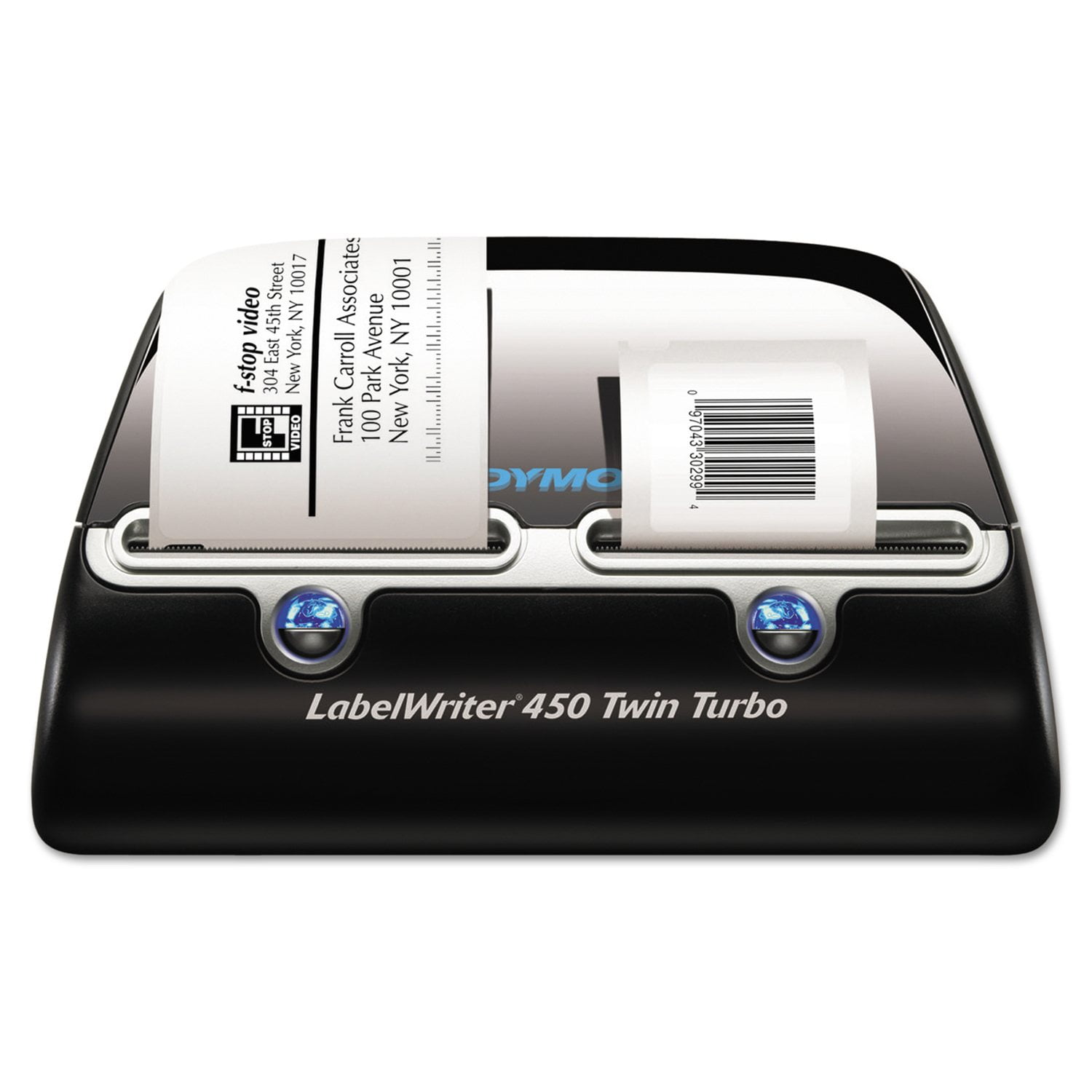
I bought this printer because I hate manually writing addresses on envelopes. I also grew tired of having to remove paper from my ink jet in order to insert envelopes for printing. The Dymo LabelWriter 450 Twin Turbo allows me to print address labels on one side and postage stamps on the other. I use a LabelWriter 400 Turbo for 3-part internet postage shipping labels. I could not be happier with these products!!! I highly recommend them!!!

Review from Dymo.com
Helpful?57FII27QW6D313879664629
Nov 3, 2021
DymoHaterDan
1 out of 5 stars review

Frustrating with broken software

Since this only comes with USB, I have it set up on a generic print server. I can add the printer just fine in Windows, I can print from Microsoft Word but none of the Dymo Connect software works. It sees the printer (twice!), it claims to print but nothing works. Additionally, in every version of Dymo connect, the "change label size" button does nothing, so you are stuck with the generic tiny address label.

Review from Dymo.com
Helpful?57FII27QW6D313879664629
Mar 15, 2024
tmorris9
1 out of 5 stars review

Software was great now it's garbage. I use Mac and use to print 1" stickers for a product I sell and could print almost 40 a minute, now, it always prints the last previous sticker 1 time, has a blank line across the stickers and prints 1 sticker every 20 seconds (if I hit print for 40 stickers it's 20 seconds between each, use to spit them out like a machine gun) Dymo needs to scrap the new software and make the old one work again.

Review from Dymo.com
Helpful?57FII27QW6D313879664629
Feb 8, 2012
Nick4782
3 out of 5 stars review

Great Printer. Postage scale not

The printer is really great and I would recommend it. The older 5lb. Capacity, pelouze scale is another matter. I've had nothing but trouble with it. Even though the unit supposedly has an automatic shut-off to save battery life, I've found my battery scale dead more often than I care to admit. I don't use the postage scale that often so the battery should have lasted a long time. Now, it's not working at all. There is just some bizzare error code in the screen for a couple of minutes after I unplug and replug the USB cord, then it dies. I would hope this was just a defective unit, or they improved the new models.

Review from Dymo.com
Helpful?57FII27QW6D313879664629
Sep 12, 2024
Long Time User
1 out of 5 stars review

Horrible

I have used the Label Writer 450 Twin Turbo for over decade now. It was a great product until the past few years and even worse now since they went with the Dymo Connect instead of the desktop version software. I am very saddened to see this product go down hill so badly. I have 4 printers and have issues with all of them now. I used to recommend this printer but will not do it any longer

Review from Dymo.com
Helpful?57FII27QW6D313879664629
Apr 6, 2023
TamTBC
1 out of 5 stars review

RFID Chip in label rolls

I have purchased and used over 100 Dymo LabelWriters in my multistate retail stores and warehouses, and loved them. Now with the RFID chip on the Dymo rolls, making it impossible to purchase less expensive labels, I am phasing out the Dymo LabelWriter in all locations. It makes me sad, Dymo has been my go to printer for over 10 years

Review from Dymo.com
Helpful?57FII27QW6D313879664629
Jan 6, 2022
CharB
1 out of 5 stars review

So Disappointing

I am on my third DYMO labelWriter 450. For some reason, the left printer wraps the label around the roller and when you remove it, it damages the roller and the DYMO will not work. I have paid for three label makers over the last three years and am not ready to invest in a 4th! Of course I have had to toss the first two and now this one is headed for recycling bin. So very disappointed as it is wonderful when it works for only a year.

Review from Dymo.com
Helpful?57FII27QW6D313879664629
Dec 21, 2021
StanleyC
1 out of 5 stars review

Good convenient printer with worst software

A simple question to whomever in charge of designing the new software: how do you configure different paper sizes on the twin outputs? do you really think it is easy for end users? Then, what is the value to have twin outputs? A great printer ruined by the user software.

Review from Dymo.com
Helpful?57FII27QW6D313879664629
Aug 8, 2010
Steve4777
4 out of 5 stars review

I use the printer to label everything i

I am a totally blind user who uses ID Mate Omni to read barcodes to help identify the day to day items I use and the printer prints great Barcodes on any size label allowing me an endless number of barcodes to work with. I only regret that every time I start the program it crashes while booting and always works fine if I restart it right away.

Review from Dymo.com
Helpful?57FII27QW6D313879664629
Mar 15, 2011
Giggles
5 out of 5 stars review

Love this machine!!

I can't say enough great things about this product. I use to have to get up and down and down the hall back and forth several time to print labels and stamps. Now I have one handy little compact machine on my desk that handles both at the same time without me having to waste so much time. Labels are easy to order also. I send out a lot of different sized and weighted envelopes. It is so easy to print the labels and stamps that it has literally cut my time in half so I am much more effecient. I have no complaints at all about this machine or its labels.

Review from Dymo.com
Helpful?57FII27QW6D313879664629