Skip to Main Content
Sams Club
Sams Club
Customer reviews for SAMSUNG 65" Class TU700D-Series Crystal Ultra HD 4K Smart TV UN65TU700DFXZA for
SAMSUNG 65" Class TU700D-Series Crystal Ultra HD 4K Smart TV UN65TU700DFXZA

Member photos

  • +1554 images
Sort by |
Showing 811-820 of 10,369 reviews
Dec 26, 2024
LAST BUY
3 out of 5 stars review

GREAT MISTAKE

Ahhhh honestly I have purchased cheaper TV's that had better quality picture and sound. Not impressed at all or really even cared. It's a BLAH TV

Review from Samsung US
Helpful?3V8BU16WBLTL13878902648
Mar 16, 2020
rubytuesday
1 out of 5 stars review

very poor tv

bought a 2020 65inch tv ,i have nothing good to say about this product, samsung released without being ready. do not buy this product !!!!

Review from Samsung US
Helpful?3V8BU16WBLTL13878902648
reply from OBA

Hi rubytuesday, Thank you for purchasing the Samsung TU7000 Crystal UHD TV and sharing your experience. I am sorry to see that you are unhappy with this product. So that we can better understand your specific concerns and assist with troubleshooting towards a solution, please contact Samsung Customer Support at 1-800-SAMSUNG. Please also check that you have the latest firmware update on your TV. The latest firmware can be found at: www.samsung.com/us/support/owners/product/crystal-uhd-tvs-tu7000-2020 For instructions on how to update your firmware, visit: www.samsung.com/us/support/answer/ANS00062224/ . If you have not already done so, we invite you to register your new Samsung product at: https://www.samsung.com/us/account/signin/?redirect=https%3A%2F%2Fwww.samsung.com%2Fus%2Fsupport%2Fregister%2F Registering your product gives you access to easy warranty support, convenient opt-in to special promos and offers, faster troubleshooting and service, and quick notification of system updates. We look forward to hearing from you. -Samsung Ambassador

Feb 1, 2022
LornaK
5 out of 5 stars review

Love the TV!

After some initial problems with the TV spontaneously that were resolved by changing a couple of modules, we are really enjoying the TV.

Review from Samsung Canada
Helpful?3V8BU16WBLTL13878902648
reply from Operations

Thank you, LornaK! We love to hear positive feedback and we’re delighted you’re enjoying your new Samsung TV. 

Sep 17, 2024
Meli
1 out of 5 stars review

Dark shading on screen
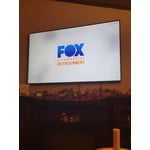
Bought this tv a year ago and to date thete is 4 dark shaded areas on the screen. I'm hoping Samsung will help.

Review from Samsung US
Helpful?3V8BU16WBLTL13878902648
Nov 3, 2021
Mjay
3 out of 5 stars review

Disappointed

i have two other samsung tvs. theyre great. this one no. picture is zoomed off screen size and fit to scteen function is greyed out.

Review from Samsung US
Helpful?3V8BU16WBLTL13878902648
Mar 13, 2020
GivingReviewsKid
2 out of 5 stars review

Good price

Happy with it so far airplay doesn't work as well as Netflix. Green amber colors on screen after the second day of buying it

Review from Samsung US
Helpful?3V8BU16WBLTL13878902648
reply from OBA

GivingReviewsKid: Thank you for your review of the TU7000. We apologize for the picture quality and app issues you experienced. Please make sure that your TV has the latest firmware update. You can find the update at: www.samsung.com/us/support/owners/product/crystal-uhd-tvs-tu7000-2020 For instructions on how to update your firmware, please go to: www.samsung.com/us/support/answer/ANS00062224/ In addition, Netflix and AirPlay should now be working properly. Please try running them again. If you need further help with this or any issue, please contact Samsung Support and a representative will gladly assist you: Phone: 1-800-SAMSUNG Available 8AM - 12AM EST (Mon-Fri) / 9AM - 11PM EST (Sat-Sun) If you have not already done so, we invite you to register your new Samsung product at: www.samsung.com/us/account/signin/?redirect=https%3A%2F%2Fwww.samsung.com%2Fus%2Fsupport%2Fregister%2F Registering your product gives you access to easy warranty support, convenient opt-in to special promos and offers, faster troubleshooting and service, and quick notification of system updates. Thank you for choosing Samsung.

Jul 9, 2023
Tampa5678
1 out of 5 stars review

Typical

3 years of ownership and the screen crapped out. Tried soft/hard reset. Unplugging for a few days, nothing.

Review from Samsung US
Helpful?3V8BU16WBLTL13878902648
Mar 11, 2021
Kenzie
2 out of 5 stars review

Faulty product- buyer beware

i bought this tv, and within a month it shut off on its own and wouldnt turn back on. i dont reccomend this product.

Review from Samsung US
Helpful?3V8BU16WBLTL13878902648
reply from Samsung Brand Ambassador

Kenzie: Thank you for choosing the Samsung TU7000 and taking the time to share your experience. To test why your TV is not turning on, you may want to try the following troubleshooting steps: 1) Make sure that the AC power cord is securely plugged in to the TV and the wall outlet. 2) Make sure that the wall outlet is working and the power indicator at the bottom of the TV is lit and glowing a solid red. If it is off, the TV either does not have power, or it is on and the screen is black. If it is blinking, your TV may need service. 3) Try pressing the TV Power button at the bottom of the TV behind the Samsung logo to make sure that the problem is not with the remote control. If the TV turns on, your issue may be with the remote control. If your issue persists, please contact Samsung Customer Support. 1-800-SAMSUNG (ask for TVs), available 8AM -12AM EST, 7 days a week Or visit us on the Samsung website and click on the ‘Support’ link in the upper right corner of the homepage for: 1) Contact Us Options (LiveChat, Remote Support, Facebook, Twitter) 2) Product Support 3) Manuals and Downloads 4) Warranty Info 5) Product Registration: Registering your product gives you access to easy warranty support, convenient opt-in to special promos and offers, faster troubleshooting and service, and quick notification of system updates 6) Samsung Community: A great resource for getting help from Samsung moderators and customers and more 7) …and more product, repair, order, and care options ~ Samsung Solutions

Apr 28, 2021
Grant
1 out of 5 stars review

Constantly Disconnects from Wifi

great tv with 1 huge problem. the tv constanly disconnects from the wifi and i have to use a lan connection.

Review from Samsung US
Helpful?3V8BU16WBLTL13878902648
reply from Samsung Brand Ambassador

Hello Grant, Thank you for purchasing the Samsung TU7000 and for your review. We appreciate your feedback regarding the Wi-Fi connectivity issues you are experiencing with your TV. You may want to go through these steps to check your network connection: 1) Check the distance between the TV and your modem or access point. The distance should not exceed 50 ft. (15.2 m). 2) Minimize interference by not using or turning off wireless devices. Also, verify that there are no obstacles between the TV and the modem or access point. (Wi-Fi strength can be decreased by appliances, cordless phones, stone walls/fireplaces, etc.) 3) Perform a network test to check if there is a network problem. Press the Home button on your remote. Navigate to Settings > Support > Device Care > Self Diagnosis> Smart Hub Connection Test 4) Try a cold reboot of your TV by pressing and holding the power button for 5+ seconds until the TV turns off and on again. 5) Please also be sure you have the latest firmware update. You may want to enable automatic updates for convenience. Select Settings > Support > Software Update, then select Auto Update. For further assistance or service, please contact us via any of the following options: 1-800-SAMSUNG (ask for TVs), available 8AM -12AM EST, 7 days a week. Or text HELP to 62913. For additional support resources, visit us on the Samsung website and click on the ‘Support’ link in the upper right corner of the homepage for: 1) More ‘Contact Us’ options – LiveChat, Facebook, Twitter, Samsung Community, Samsung Members app 2) Manuals & Software 3) Warranty Info 4) Product Registration: For access to easy warranty support, convenient opt-in to special promos and offers, faster troubleshooting and service, and quick notification of system updates. We look forward to hearing from you. ~ Samsung Specialist

Oct 27, 2024
Alex
1 out of 5 stars review

Awful, just awful

Constant lag. The interface is horrendous. Poor wifi connection despite a strong router signal. Just within the last 2 hours, the TV froze and crashed twice. Genuinely the worst purchase I have made in a long time.

Review from Samsung US
Helpful?3V8BU16WBLTL13878902648