
Skip to Main Content
Sam's Club
Sam's Club
All Departments
All Services
Customer reviews for SAMSUNG 65" Class TU700D-Series Crystal Ultra HD 4K Smart TV UN65TU700DFXZA for
SAMSUNG 65" Class TU700D-Series Crystal Ultra HD 4K Smart TV UN65TU700DFXZA
4.5 out of 5 stars
stars
11.3K ratings10.3K reviews
  1. 5 stars70% (7,942)
  2. 4 stars18% (1,994)
  3. 3 stars5% (589)
  4. 2 stars3% (284)
  5. 1 star5% (523)

Member photos

  • +1564 images
Sort by |
Showing 4,661-4,670 of 10,373 reviews
Sep 27, 2022
Reviewer name: BobGray
4 out of 5 stars
4 out of 5 stars review

Very nice television

[This review was collected as part of a promotion.] I love the picture for the price of this TV. It switches between apps fairly quickly and responds easily to commands from the remote. The sound leaves a lot to be desired if you're trying to watch a movie.

Review from Samsung US
Helpful?3V8BU16WBLTL13878902648
May 24, 2022
Reviewer name: Katie2
4 out of 5 stars
4 out of 5 stars review

This products is nice but needs a few tweeks

[This review was collected as part of a promotion.] The tv has a great picture but the buttons can be frustrating. The arrows to go left or right to chose an app are very sensitive. It was also be nice to have a voice control on the remote because typing is also very difficult and time consuming. I think it is designed to be easier having the options to backspace or space every time you hit a letter but it always ends up messing me up instead. Definitely recommend a voice control they are very handy. Also don't like that it goes to the Samsung tv channels so much. I will be watching a show on Hulu or Netflix and for some reason the tv will just stop the app and go to the Samsung tv channels. It's very frustrating. Other than those few things the tv is a very good quality. Just a few minor tweaks would really help.

Review from Samsung US
Helpful?3V8BU16WBLTL13878902648
Jan 7, 2021
Reviewer name: Rich C
4 out of 5 stars
4 out of 5 stars review

Great picture but not so great smart features.

i love the picture but hage been having problems with the remote and tye apps. tge tvhooked up to my altice cable box out of the box and it was displayed in the apps and the remote worked with the box as well but after one day it stopped. now the box dies not show in the apps abd the samsung remote will jot operated the altice box. i've tried everything but nothing works. rebooted tv. rebooted box. called altice. changed hdmi cable. nothing works to solve the problem. maybe i got a lemon.

Review from Samsung US
Helpful?3V8BU16WBLTL13878902648
Oct 26, 2022
Reviewer name: TAS7619
4 out of 5 stars
4 out of 5 stars review

Great Picture! But Tizen OS is Not for Me

[This review was collected as part of a promotion.] I use this primarily for streaming. The picture is great, I love it! But, I can't stand the Tizen UI. I get what they are trying to accomplish - to give a cable box kind of feel to the experience. I used one of the first Apple TVs, then moved to Roku. I only want a list of apps when I turn on the tv -- I don't want other stuff to be on the screen - i.e, No tv shows in the background from Samsung's free streaming service when I turn on the TV. And many of the preinstalled apps on Tizen you can't delete. So, you end up having apps you don't use, and you can't hide them - you can only lock them. At least the above is as far as I have been able to get with the UI until I gave up. In summary, I love the picture, it's sometimes a little too life-like! But for a streaming platform, the OS leaves much to be desired if you have preferences like me. I still rely on my Roku.

Review from Samsung US
Helpful?3V8BU16WBLTL13878902648
Aug 23, 2022
Reviewer name: Disappointed
2 out of 5 stars
2 out of 5 stars review

So Disappointed TV

[This review was collected as part of a promotion.] Picture is very good except if there is a nocturnal scene or if the scene is in a dark place. Then you cannot see the actors clearly. We have lighten and brighten the screen as much as possible but it is still too dark. I do NOT recommend this tv.

Review from Samsung US
Helpful?3V8BU16WBLTL13878902648
reply from Samsung Brand Ambassador

Hi there, We are sorry to hear that you are not satisfied with your TU700D TVs image quality. Please know we are here to help you and have a few tips that can solve your image quality issues. If the colors on your TV are correct but just a little too dark or bright, you can try adjusting Picture Modes, Contrast, Brightness, or Sharpness settings. Dynamic Picture Mode will make pictures brighter and clearer in bright viewing environments. To adjust it go to Settings > Picture > Picture Mode > Dynamic Or manually adjust the Brightness, Contrast, and more. Press the HOME button on your remote, then navigate to Settings > Picture > Expert Settings You may also want to disable Power Saving Mode, which automatically adjusts the brightness to reduce the TV’s power consumption. Go to Settings > General > Eco Solution> Power Saving Mode. Ambient Light Detection will also automatically adjust the brightness level of the TV according to the ambient light level to reduce power consumption. If Ambient Light Detection has adjusted the screen brightness to a too bright or dark level, you can select Minimum Brightness to manually adjust the minimum screen brightness. Go to: Settings > General > Eco Solution > Ambient Light Detection. Please also be sure you are running the latest firmware. You can check to see what software version your TV is using and if there is an available update through the settings on your TV: Settings > Support > Software Update. I hope this helps to improve your picture. Should you need further assistance, please get in touch with us at 1-800-SAMSUNG, 8 AM - 12 AM EST, seven days a week. Or visit us on the Samsung website and click on the ‘Support’ link for: 1) LiveChat with an agent 2) Manuals, Software, & Warranty Info ~ Samsung Advisor

Mar 27, 2021
Reviewer name: Not satisfied
2 out of 5 stars
2 out of 5 stars review

Great picture, while it lasted.

bought one tv and within 2 days a fine pixelated line appeared down the screen. took it back, bought a new one. within a single day the top left corner started to darken and spread throughout the tv. i love samsung phones and kitchen appliances, but i don't recommend their tvs. very disappointed, but as the 5itle says, the picture was nice while it lasted

Review from Samsung US
Helpful?3V8BU16WBLTL13878902648
reply from Samsung Brand Ambassador

Hi Not satisfied, Thank you for purchasing the Samsung TU7000 and for your review. Your experience is very important to us and will be shared with our product team. Please do reach out to us so that we can better assist towards a solution. Our customer support team might ask for photos to better understand the issue: 1-800-SAMSUNG (ask for TVs), available 8AM -12AM EST, 7 days a week 1) Contact Us Options (LiveChat, Remote Support, Facebook, Twitter) 2) Product Support 3) Text HELP to 62913 4) Samsung Members App 5) Manuals and Downloads 6) Warranty Info 7) Product Registration: Registering your product gives you access to easy warranty support, convenient opt-in to special promos and offers, faster troubleshooting and service, and quick notification of system updates 8) Samsung Community: A great resource for getting help from Samsung moderators and customers and more 9) …and more product, repair, order, and care options We look forward to hearing from you and making this right. ~ Samsung Specialist

Oct 13, 2020
Reviewer name: MrTmT1
5 out of 5 stars
5 out of 5 stars review

Great Picture and Sound
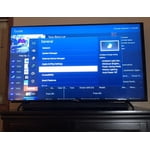
[This review was collected as part of a promotion.] I am pretty impressed with the 58” Samsung TU7000. It was very easy to set up right out of the box. Being able to hide the cords by running them down the stand really kept the area looking clean and neat. The colors are vibrant and the TV has a very life-like picture quality. The remote is awesome. The layout is easy to use. Having dedicated buttons for Apps like Netflix and Prime make it easy to watch shows. The TV reacts without lag to opening the apps which is very appealing. The TV also has a small bezel allowing more screen for viewing. Enjoying the Samsung TV

Review from The Insiders
Helpful?3V8BU16WBLTL13878902648
Oct 11, 2021
Reviewer name: Jade
5 out of 5 stars
5 out of 5 stars review

Crystal clear picture!

[This review was collected as part of a promotion.] We stream all content on my TV from Netflix to xbox gaming system to Broadcast Tv. Picture is crystal clear especially for newer content. Technology features are cool, just wish they would being back TV to phone feature.

Review from Samsung US
Helpful?3V8BU16WBLTL13878902648
Mar 15, 2023
Reviewer name: Mrs D
4 out of 5 stars
4 out of 5 stars review

You will not be disappointed

I LOVE this television. I feel like the tv characters are right in my living room. The picture is so clear & crisp. We had a few Samsungs back in the day, and I have to admit, I miss the chime when you power on & off. The ONLY reason I didn't give 5 stars is because I had to play with the volume a bit. I'm kind of hard of hearing & was afraid I'd have to buy a sound bar, but after rebooting my cable box, the volume improved quite drastically. I do not know how the volume is for a cable-less tv, but the volume could be improved a bit.

Review from Samsung US
Helpful?3V8BU16WBLTL13878902648
Nov 17, 2020
Reviewer name: Cjd609
5 out of 5 stars
5 out of 5 stars review

Beautiful Picture

[This review was collected as part of a promotion.] I got this TV as a replacement for the one in my living room, and I must say that the screen quality is pretty good. This is my second 4k and it does not disappoint. The sound quality isn't exactly amazing, but overall it's okay, especially when hooked up to my speaker system.

Review from Samsung US
Helpful?3V8BU16WBLTL13878902648




