
Skip to Main Content
Sam's Club
Sam's Club
All Departments
All Services
Customer reviews for SAMSUNG 65" Class TU700D-Series Crystal Ultra HD 4K Smart TV UN65TU700DFXZA for
SAMSUNG 65" Class TU700D-Series Crystal Ultra HD 4K Smart TV UN65TU700DFXZA
4.5 out of 5 stars
stars
11.3K ratings10.3K reviews
  1. 5 stars70% (7,942)
  2. 4 stars18% (1,994)
  3. 3 stars5% (589)
  4. 2 stars3% (284)
  5. 1 star5% (523)

Member photos

  • +1564 images
Sort by |
Showing 4,261-4,270 of 10,373 reviews
Oct 6, 2020
Reviewer name: My1sttv
5 out of 5 stars
5 out of 5 stars review

My new smart 65

[This review was collected as part of a promotion.] This TV is my first smart Tv and I love it. The setup was very straight forward and easy to do. The pictures quality is just right and it gets a lot of afternoon sun, closing the curtains help. The only issue is the remote is too small and I always have it upside down. Overall very happy and would recommend this TV to anyone.

Review from Samsung US
Helpful?3V8BU16WBLTL13878902648
Aug 23, 2022
Reviewer name: Vandis
2 out of 5 stars
2 out of 5 stars review

ADs, Slow UI

[This review was collected as part of a promotion.] Picture is good, but the UI is unbelievably slow and clunky. Combine that with ads on the home screen and its a major turn off. Samsung, no one in their right mind wants ads injected after spending hundreds or thousands on a TV.

Review from Samsung US
Helpful?3V8BU16WBLTL13878902648
reply from Samsung Brand Ambassador

Hi Vandis, We appreciate you taking the time to provide feedback on your Samsung TU7000 TV. Please know we are here to help you and have a few tips that will help with the UI experience. First, Samsung TV Plus can be disabled, which removes the channels from your default guide. Should you want to disable TV Plus, follow the steps below: 1) Navigate to the Samsung TV Plus app and press and hold the enter or select button on the remote. This will bring up two options. ‘Move’ and ‘Remove.’ 2) Navigate to ‘Remove’ and select. This option brings up the ability to remove the app icon or disable the service. 3) Navigate to ‘Disable’ and select. This will remove the service from the launcher bar and the channels from the TV Guide. Next, to improve your UI speed, please ensure you are running the latest firmware. You may also want to further optimize performance with the self-diagnostic tool, which checks memory, frees up unused cached memory, and closes background apps. Go to: Settings > Support > Device Care > Start Device Care. If we can help with anything else, please call us at 1-800-SAMSUNG, 8 AM - 12 AM EST, 7 days a week. LiveChat with an agent, as well as manuals, software, and warranty info, can be found at the ‘Support’ link on our Samsung website. ~ Samsung Advisor

Oct 21, 2020
Reviewer name: djnicktune
5 out of 5 stars
5 out of 5 stars review

Absolutely Fantastic!

[This review was collected as part of a promotion.] I was in the market for a new TV for months. I knew I was going to get a Samsung, it was just a matter of price and size. When I saw the 65” model I was sold immediately! Perfect picture, great sound, and looks great in my living room. Great TV that I would 10 out of 10 recommend to anyone!

Review from Samsung US
Helpful?3V8BU16WBLTL13878902648
Sep 14, 2021
Reviewer name: LMG54
5 out of 5 stars
5 out of 5 stars review

Quality TV

[This review was collected as part of a promotion.] Excellent picture quality, very satisfied. Used mostly for movies. Only one complaint , it doesn't have any composite video inputs. I have an older Samsung DVD player that is not being used, otherwise it is a product I will recommend.

Review from Samsung US
Helpful?3V8BU16WBLTL13878902648
Oct 6, 2020
Reviewer name: PatD
4 out of 5 stars
4 out of 5 stars review

Firmware and memory upgrade

[This review was collected as part of a promotion.] Firmware is slow and not always functioning and internal memory is too limited):1) It looks like the internal memory to be used for apps is very limited. Without having installed many additional apps the memory was almost full already;2) The remote control and cursor movement (between apps) on the screen seem to have a certain delay which you have to get used to;3) The Apple screen mirroring function is not always available or not working properly. Sometimes need to unplug the TV and restart to get the functionality back; and4) Having difficulties connecting to Alexa voice assistant.These should all be items that could be fixed.

Review from Samsung US
Helpful?3V8BU16WBLTL13878902648
Aug 22, 2022
Reviewer name: GoDiegoGo
5 out of 5 stars
5 out of 5 stars review

Excellence at its finest

[This review was collected as part of a promotion.] Before I bought this sammsung television, I had a !@#$, I've sensored the name here as it was a real piece of work. With this samsung 70in I have been able to score a lot more, and we aren't only talking about while watching football games.. I mean in life! Duh! With this television I have been able to change the channel without leaving the comfort of my couch or having to make others move as well. It's been quite an experience to be able to have all of my favorite apps without having to buy any additional sticks or twigs, if you know what I mean. The clarity and definition I get when watching pay per view channels.. feels like I'm right there. 10 out of 10 stars. Highly recommend this TV. My cat approves as well.

Review from Samsung US
Helpful?3V8BU16WBLTL13878902648
Sep 20, 2021
Reviewer name: Rose17
4 out of 5 stars
4 out of 5 stars review

This tv has a great screen, amazing

[This review was collected as part of a promotion.] This TV has an amazing screen, multiple features and settings to adjust at your liking. Has a very great audio again that you can adjust at your liking, crisp screen great for watching series and movies. Great for gaming, easy to connect and to carry, I love my Samsung Tv

Review from Samsung US
Helpful?3V8BU16WBLTL13878902648
Sep 19, 2020
Reviewer name: Anonymous
5 out of 5 stars
5 out of 5 stars review

So life like

[This review was collected as part of a promotion.] I love this TV! The picture is so clear it looks so life like! The color is so crisp and clear and vibrant! Being a smart TV I don't have to switch over components to play . For example I just open my DVD player and hit play and the TV automatically switches to DVD player. Easy set up of components!

Review from Samsung US
Helpful?3V8BU16WBLTL13878902648
Oct 5, 2022
Reviewer name: BHaze3
5 out of 5 stars
5 out of 5 stars review

Love the Samsung brand
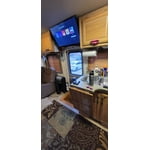
[This review was collected as part of a promotion.] I will only buy Samsung from here on. Seems to be the fastest processing smart controls for any brand TV that I have ever owned. And Samsung is the only brand that supports 5ghz in some tvs. Loyal customer for life

Review from Samsung US
Helpful?3V8BU16WBLTL13878902648
Sep 6, 2021
Reviewer name: PerfectlyContent
3 out of 5 stars
3 out of 5 stars review

Clear picture

[This review was collected as part of a promotion.] Tv has decent sound and clear picture. The motion seemed odd but so does all of the newer model televisions. I'm use to it now. The reason for three star rating is internet connection. It shows its connection with full signal but some apps will crash or freeze, then I have to restart my TV. Its a bit frustrating but overall it'll do.

Review from Samsung US
Helpful?3V8BU16WBLTL13878902648




