
Skip to Main Content
Sam's Club
Sam's Club
All Departments
All Services
Customer reviews for SAMSUNG 65" Class TU700D-Series Crystal Ultra HD 4K Smart TV UN65TU700DFXZA for
SAMSUNG 65" Class TU700D-Series Crystal Ultra HD 4K Smart TV UN65TU700DFXZA
4.5 out of 5 stars
stars
11.3K ratings10.3K reviews
  1. 5 stars70% (7,942)
  2. 4 stars18% (1,994)
  3. 3 stars5% (589)
  4. 2 stars3% (284)
  5. 1 star5% (523)

Member photos

  • +1564 images
Sort by |
Showing 4,031-4,040 of 10,373 reviews
Sep 17, 2020
Reviewer name: XulGojira
5 out of 5 stars
5 out of 5 stars review

First experience with a 4K/smart TV

[This review was collected as part of a promotion.] First new TV in nearly ten years, replacing a 39 inch Toshiba LED and it's my first time really experiencing a 4K in person. SInce I'm disabled now and am pretty much homebound, I don't get to check out new tech like I used too. Saw this one on sale, check out it's specs and jumped at the the chance for a larger screen. Most of my electronics over the past five years have been from Samsung and have become a trusted brand in my house, so that pretty much locked down my decision on the purchase. Over the past couple of months of use I've got no regrets on my purchase. The picture is clear and clean, even making non UHD video look a lot better than I'd ever seen and seeing UHD movies that I have on Vudu remind me of when video games first started running at 60 fps back in the 90s. Still not a 100% used to this level of picture clarity. After setting up the streaming services that I use, I now have put off picking up a Roku since this has met my needs and it's nice not having to have a game console on all the time to stream. My only complaint is the speaker seemed to be in the back of the the unit and often requires me to turn the volume up to higher levels. Just a nitpick since one day I'll probably get a sound bar if I can find one to match my budget. I'm very satisfied with this TV, it's been great for gaming and streaming and I've already recommended this TV to my family.

Review from Samsung US
Helpful?3V8BU16WBLTL13878902648
Oct 12, 2021
Reviewer name: Dp1234
5 out of 5 stars
5 out of 5 stars review

The picture is amazing

[This review was collected as part of a promotion.] The picture quality is amazing there is no lag during live sports. 4K is so detailed, I've owned many brands of TVs and the Samsung crystal UHD 4K is the best TV I've owned between playing games and the smart K feature where You can access your apps and streaming platform is simple and accessible I would recommend this TV to anyone

Review from Samsung US
Helpful?3V8BU16WBLTL13878902648
Dec 5, 2020
Reviewer name: Heather
5 out of 5 stars
5 out of 5 stars review

Great sound and picture!!!

this truly feels like something ive been missing for yours! we had a regukar 32 inch before we got this one. i wanted aomethign with better sound and picture. i dont even need a soundbar, sound is just that good!! we are coming into the holiday season and i find myself singing along to the tunes, it truly feels like i'm in a theater. our one remote controls everything from roku to the home apps. i would reccomend this tv to anyone!! bravo samsung!! you have outdone yourself!!

Review from Samsung US
Helpful?3V8BU16WBLTL13878902648
Aug 1, 2022
Reviewer name: AnimalLover23
5 out of 5 stars
5 out of 5 stars review

Love our Samsung TV!

[This review was collected as part of a promotion.] We watch a variety of different programs and use it for gaming as well. We LOVE the high quality definition of the video games and TV, everything from live shows to cartoons looks amazing. The options to switch between programs like Netflix, Hulu, and YouTube are so convenient and we don't have to use the Xbox for anything other than gaming.

Review from Samsung US
Helpful?3V8BU16WBLTL13878902648
Apr 16, 2021
Reviewer name: JVRcarrasco
5 out of 5 stars
5 out of 5 stars review

Best 4k under 400

[This review was collected as part of a promotion.] Y bought this in an emergency as my old tv died after 7 yeara of use. I just wanted the best looking for the price. I looked all of the tv side by side and this one stood out in all categories that matter to me. IT was the best looking image and the smoothest. And it was under 400 bucks.I bought 2. One for my living Room and one for my Xbox setup! I might buy two more to replace the tvs in my other rooms!

Review from Samsung US
Helpful?3V8BU16WBLTL13878902648
Aug 25, 2020
Reviewer name: Anonymous
5 out of 5 stars
5 out of 5 stars review

LOVE IT

aboustly stunning picture and perfect all around i love i can use my phone as a remote as well and when i turn on my ps4 it automatically automatically switches to game mode. as well the free 1k+ tv channels tv channels are amazing in the case i have guest over so i dont have to waste money on a cable box. i am so happy i got it as a birthday gift i love my new tv and if your reading this to see if you should , this is your sign to go ahead an grab it lol.

Review from Samsung US
Helpful?3V8BU16WBLTL13878902648
Oct 12, 2021
Reviewer name: Luckyj427
4 out of 5 stars
4 out of 5 stars review

Amazing picture quality

[This review was collected as part of a promotion.] I enjoy my 60 inch Samsung Crystal UHD 4K smart tv for such an amazing experience while gaming on my ps4. It is unreal the quality of graphics shown. I also enjoy being able to watch videos directly from my Galaxy S21+ phone.

Review from Samsung US
Helpful?3V8BU16WBLTL13878902648
Aug 1, 2022
Reviewer name: LoveMyTV
5 out of 5 stars
5 out of 5 stars review

Love my Samsung
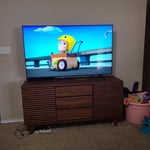
[This review was collected as part of a promotion.] I love Samsung products. This TV is wonderful. It has a great picture and great sound even without extended sound devices. It replaced my older Samsung TV that was over 12 years old that my daughter threw a ball at and broke it. The only issue is the remote. The buttons are kind of small and really close together and it's easy to press the wrong one. But other than that everything is great. I wouldn't change my purchase at all.

Review from Samsung US
Helpful?3V8BU16WBLTL13878902648
Aug 16, 2021
Reviewer name: Josh M
3 out of 5 stars
3 out of 5 stars review

Works good, most of the time.

[This review was collected as part of a promotion.] after just a fews months of light use the screen went black from plugging in a thumb drive and required a reset. the manual contained no information on this, but i eventually figured it out. the "home" screen orders the apps its own way, and there are certain apps you can't delete. there's no ability to plug in any other speakers than a system that excepts fibre optics or is bluetooth. also the tv is very slow to react when pressing remote buttons.

Review from Samsung US
Helpful?3V8BU16WBLTL13878902648
Oct 6, 2020
Reviewer name: jaygo
3 out of 5 stars
3 out of 5 stars review

Works basically OK but is too dark

[This review was collected as part of a promotion.] Pros: Worked right out of the box, ARC works well.Cons: Really, really too dark and there is periodic blankingI was happy when I plugged it in for the first time and put it up. I did set it up at night, unfortunately, so I didn't notice that it's basically unusable for detailed dark images when there's a window open, even if the light is indirect. I wish there was more of a brightness range. The machine control between my receiver, AppleTV, and Playstation 4 pro works really well. There is periodic blanking, but I can't quite tell if it's because of the TV or another part of my setup.

Review from Samsung US
Helpful?3V8BU16WBLTL13878902648
reply from OBA

jaygo: Thank you for purchasing the Samsung TU7000 and for your review. I am very sorry you are viewing scenes that appear too dark. A new firmware update has been released to address this issue. You may also need to manually reboot your TV after the update by either unplugging the AC cord or by pressing and holding the power button on the remote until the TV powers off and back on. Using your TV's remote, navigate to Settings, and select Support. Select Software Update, and then select Update Now. New updates will be downloaded and installed on your TV. Updates usually take a few minutes; please do not turn off the TV until the update is complete. When the update is finished, the TV will restart automatically. You may want to enable automatic updates for convenience. Select Settings > Support > Software Update, then select Auto Update. If you need further assistance or have any questions, please contact Samsung Customer Support. 1-800-SAMSUNG (available 8AM -12AM EST, 7 days a week) Or visit us on the Samsung website and click on the ‘Support’ link in the upper right corner of the homepage for: 1) Contact Us Options (LiveChat, Remote Support, Facebook, Twitter) 2) Product Support 3) Manuals and Downloads 4) Warranty Info 5) Product Registration: Registering your product gives you access to easy warranty support, convenient opt-in to special promos and offers, faster troubleshooting and service, and quick notification of system updates 6) Samsung Community: A great resource for getting help from Samsung moderators and customers and more 7) …and more product, repair, order, and care options ~ Samsung Solutions




