
Skip to Main Content
Sam's Club
Sam's Club
All Departments
All Services
Customer reviews for SAMSUNG 65" Class TU700D-Series Crystal Ultra HD 4K Smart TV UN65TU700DFXZA for
SAMSUNG 65" Class TU700D-Series Crystal Ultra HD 4K Smart TV UN65TU700DFXZA
4.5 out of 5 stars
stars
11.3K ratings10.3K reviews
  1. 5 stars70% (7,942)
  2. 4 stars18% (1,994)
  3. 3 stars5% (589)
  4. 2 stars3% (284)
  5. 1 star5% (523)

Member photos

  • +1564 images
Sort by |
Showing 3,931-3,940 of 10,373 reviews
Oct 21, 2020
Reviewer name: Pops946
5 out of 5 stars
5 out of 5 stars review

Samsung Number 4

[This review was collected as part of a promotion.] This is our 4th Samsung TV. Got this one for a bedroom used by the g-kids. Others are a 65”, a 55” and a 45”. This one, like the others, was easy to set up and connect. Using this one for streaming only - no wired connections. Picture is great, sound is fine, easy to use and connect with all the streaming sources we use. We think it was a great value, and have been very happy with Samsung quality. Otherwise, we wouldn't have 4 Samsung TVs.

Review from Samsung US
Helpful?3V8BU16WBLTL13878902648
Sep 15, 2020
Reviewer name: Star
4 out of 5 stars
4 out of 5 stars review

Great pic quality.Apps sometimes do not function

[This review was collected as part of a promotion.] Great picture quality for its current price, and the built-in apps such as Netflix, Amazon Prime, Disney Plus and even Samsung's own line-up of channels help in setting up your viewing entertainment without the need of an external device. The only negative side to that is that the apps sometimes do not open up . You either disconnect the tv for a few minutes and turn it back on and try to open the app or you have to call a samsung representative to fix the problem for you, which is kind of kool because i would of been really upset to return this tv the same say i purchased it.

Review from Samsung US
Helpful?3V8BU16WBLTL13878902648
Oct 25, 2022
Reviewer name: NewTVOwner
5 out of 5 stars
5 out of 5 stars review

Great bang for your buck

[This review was collected as part of a promotion.] This is a great bang for your buck TV. TV is huge and good quality despite being one of the lower end models. I always go Samsung when I go TVs as I haven't had one go out on me yet and this is the 5th in my household.

Review from Samsung US
Helpful?3V8BU16WBLTL13878902648
Jun 4, 2022
Reviewer name: Camila
4 out of 5 stars
4 out of 5 stars review

Very good product.
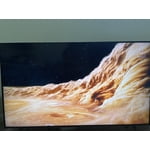
[This review was collected as part of a promotion.] I use the TV for various things and I think it performs well in all aspects, especially I really like the image. I would recommend this product because it fulfills everything it promises and has good characteristics.

Review from Samsung US
Helpful?3V8BU16WBLTL13878902648
Mar 24, 2022
Reviewer name: RobG
5 out of 5 stars
5 out of 5 stars review

Quality for a lesser price

personally this was my first television i've bought as an adult & wasn't looking into breaking the bank yet wanted a comfortable priced 4k tv. looked into various for a week & of course they have some for a bit more, but for my usage it's perfect! will defintely be buying more samsung electronics aside from already having the s22 ultra, oh it will also connect to your samsung device to use as a remote etc.

Review from Samsung US
Helpful?3V8BU16WBLTL13878902648
Feb 17, 2023
Reviewer name: Jacob
2 out of 5 stars
2 out of 5 stars review

Technical problems

Hdmi ports keep losing connection. The screen will appear to shut off in the middle of gaming. I've upgraded the hdmi cables thinking that was the issue, I've switched the hdmi ports, I've tried gaming mode on, off, and auto and it doesn't make a difference. I check to make sure the software is up to date and it is. We are loyal Samsung users from our tvs to our oven to our phones. But this TV is making me consider changing courses.

Review from Samsung US
Helpful?3V8BU16WBLTL13878902648
reply from Samsung Brand Ambassador

Hi Jacob, We appreciate you sharing your details regarding the HDMI ports on the TV. Your feedback is important to us and will be shared with our product teams. Samsung is committed to providing the best possible product experience, quality, and value. We back this Samsung TV with a 1-year limited manufacturer's warranty, including authorized repair for manufacturer defect, if purchased brand-new directly from an authorized seller. Please give us a chance to make this right by calling us at 1-800-SAMSUNG, 8 AM - 12 AM EST, 7 days a week. Our LiveChat agents are also available by clicking on the ‘Support’ link on our website. ~ Samsung Advisor

Oct 25, 2022
Reviewer name: Joshp8a
4 out of 5 stars
4 out of 5 stars review

Cool TV. Wish smart tv interface was better.

[This review was collected as part of a promotion.] Tv is cool. Nice image overall. Great for movies and gaming. The blacks when living room is lighted you can barely see. Pretty sure changing menu would fix it but then having to switch it back again when lighting is off would be a hassle. I just wish the smart tv interface was better. There is at times delay when moving thru menus and stuff. This is where they are missing out.

Review from Samsung US
Helpful?3V8BU16WBLTL13878902648
Oct 20, 2020
Reviewer name: MommaBear
2 out of 5 stars
2 out of 5 stars review

Can't add new apps

i bought this tv a month ago, and so far the experience has only been worse day by day. initially for 2 weeks the screen was flickering so much, it would irritate your eyes. then we have been trying to install few basic apps like youtube kids, disney+ and none have been installed. we click install, and the white button "install" goes gray for few seconds and turns white again. no message why this is happening. we haven't installed any new apps, just the ones that come pre-install. some pre-installed apps are really stupid ones -- who watches hgtv from an app and does web browsing on tv? webpages are the worst and you can't even remove these not-for-goof apps. though samsung is a popular product, but these people have never used web-browsing on tv! have to return it back

Review from Samsung US
Helpful?3V8BU16WBLTL13878902648
Oct 6, 2020
Reviewer name: Mann
5 out of 5 stars
5 out of 5 stars review

Great product

[This review was collected as part of a promotion.] This is a great product the tv is clear and has a SensorSo your tv can adjust to the lighting and better vision, and also has great sound as well it has Bluetooth features wifi network and more. Its very easy to get to know the product with out calling customer care representative. It's vary Tutorial , also have b voice guidance. I like this a product and also compatible with my phone

Review from Samsung US
Helpful?3V8BU16WBLTL13878902648
Jan 27, 2021
Reviewer name: Susan
1 out of 5 stars
1 out of 5 stars review

Less than a month and drops WiFi EVERY DAY!!

we have owned this tv for less than a month and it drops wifi evert day. we have tried all of samsung's troubleshooting diretions and the only one that works is unplugging the tv and plugging it back in. seems like a ridiculous thing to have to do every day for a brand new tv that is supposed to be a smart tv. if youre buying this tv for it's "brain" don't bother!! it's really just a regular tv not a smart one!

Review from Samsung US
Helpful?3V8BU16WBLTL13878902648
reply from Samsung Brand Ambassador

Susan: Thank you for purchasing the Samsung TU7000 TV and for your review. I am very sorry you are experiencing Wi-Fi connection issues. A firmware update is available which may help improve your connection. Using your TV's remote, navigate to Settings, and select Support. Select Software Update, and then select Update Now. New updates will be downloaded and installed on your TV. Updates usually take a few minutes; please do not turn off the TV until the update is complete. When the update is finished, the TV will restart automatically. You may also want to enable automatic updates for future convenience. Select Settings > Support > Software Update, then select Auto Update. Should your problem persist, please contact Samsung Customer Support: 1-800-SAMSUNG (ask for TVs), available 8AM -12AM EST, 7 days a week Or visit us on the Samsung website and click on the ‘Support’ link in the upper right corner of the homepage for: 1) Contact Us Options (LiveChat, Remote Support, Facebook, Twitter) 2) Product Support 3) Manuals and Downloads 4) Warranty Info 5) Product Registration: Registering your product gives you access to easy warranty support, convenient opt-in to special promos and offers, faster troubleshooting and service, and quick notification of system updates 6) Samsung Community: A great resource for getting help from Samsung moderators and customers and more 7) …and more product, repair, order, and care options ~ Samsung Solutions




