Skip to Main Content
Sam's Club
Sam's Club
Customer reviews for SAMSUNG 65" Class TU700D-Series Crystal Ultra HD 4K Smart TV UN65TU700DFXZA for
SAMSUNG 65" Class TU700D-Series Crystal Ultra HD 4K Smart TV UN65TU700DFXZA

Member photos

  • +1560 images
Sort by |
Showing 3,171-3,180 of 10,370 reviews
Oct 25, 2022
Positive
5 out of 5 stars review

Samsung TV Perfect picture !!

[This review was collected as part of a promotion.] We live our new Samsung TV-we stream, watch sports , concerts and movies. No issues at all-Clear clean picture every time. The set-up was a no brainer easy for anyone to set up. Out of box and operational in no time at all! Very please with all aspects of this TV

Review from Samsung US
Helpful?3V8BU16WBLTL13878902648
Oct 6, 2020
Dee7
4 out of 5 stars review

Great picture and awesome features

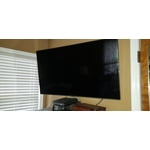
[This review was collected as part of a promotion.] This tv has great picture and lots of apps and comes with its on Samsung tv channels which is a huge plus since I don't have cable. Only thing I don't like is it tilts forward so it would be best to mount it on the wall.

Review from Samsung US
Helpful?3V8BU16WBLTL13878902648
Oct 26, 2022
Allgaboardi
4 out of 5 stars review

Great Quality, Smart Abilities Lacking

[This review was collected as part of a promotion.] The TV quality is great, but the smart abilities are lacking slightly. Luckily we have a Roku so we just use that, but it would be nice to actually use the TV's apps instead. All in all, though, we're happy with it.

Review from Samsung US
Helpful?3V8BU16WBLTL13878902648
Sep 15, 2020
therealjt
5 out of 5 stars review

The product works great

[This review was collected as part of a promotion.] I like this product and it works great for my needs. I like how it connects to my computer via airPlay seamlessly, and how I can turn it on/off with my phone. It means that I can settle in on the couch and turn on the screen to watch something, even if I left the remote on the other side of the room.

Review from Samsung US
Helpful?3V8BU16WBLTL13878902648
Oct 12, 2021
Waztheman
5 out of 5 stars review

Great 4 k television

[This review was collected as part of a promotion.] We use this TV set to watch movies and 4 k dvds.it has all the features that the average consumer would want .I have it set up with a sound bar and sub for spectacular picture and sound.me and my wife are very happy with the set in general and glad we made the purchase

Review from Samsung US
Helpful?3V8BU16WBLTL13878902648
Sep 25, 2021
Not A Happy Camper
2 out of 5 stars review

Hoping for the best, got let down :(

through no fault of the product itself the interface is horrible. we have an lg tv that for a similar price that we paid has a remote that you can talk to is adaptive and learning and programming your favorite apps and requires no account. to download a simple app for a television subscription service we had to login and set up an account with samsung. and then setting up live tv for our area was ridiculously difficult. we are young and very technology savvy. our other tvs are superior to this one in both quality, remote and display.

Review from Samsung US
Helpful?3V8BU16WBLTL13878902648
Jul 29, 2022
Dharun
3 out of 5 stars review

Tv is good but HDR...

[This review was collected as part of a promotion.] TV is really good. Colors, brightness, resolutions works really good. 4K upscaling is works like a charm. Sounds are pretty good too. e-Arc supports so if you connect an external speakers for Dolby Atmos, you are good with this tv. The only issue is when it's playing HDR contents. Brighter images are brighter and punchy but darker image are too dark and brightness in HDR reduces overall.

Review from Samsung US
Helpful?3V8BU16WBLTL13878902648
reply from Samsung Brand Ambassador

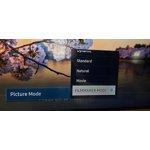
Hi Dharun, Thank you for your review of the Samsung TU7000 TV and feedback on the HDR mode being too dark. Please know are here to help you! If the colors on your TV are correct but just a little too dark or bright, you can try adjusting Picture Modes, Contrast, Brightness, or Sharpness settings. Dynamic Picture Mode will make pictures brighter and clearer in bright viewing environments. Go to: Settings > Picture > Picture Mode > Dynamic. Or manually adjust the Brightness, Contrast, and more. Press the HOME button on your remote, then navigate to Settings > Picture > Expert Settings. You may also want to disable Power Saving Mode, which automatically adjusts the brightness to reduce the TV’s power consumption. Go to: Settings > General > Eco Solution> Power Saving Mode. Ambient Light Detection will also automatically adjust the brightness level of the TV according to the ambient light level to reduce power consumption. If Ambient Light Detection has adjusted the screen brightness to a too bright or dark level, you can manually select Minimum Brightness to adjust the minimum screen brightness. Go to: Settings > General > Eco Solution > Ambient Light Detection. Please also be sure you are running the latest firmware. You can check to see what software version your TV is using and if there is an available update through the settings on your TV: Settings > Support > Software Update. I hope this helps to improve your picture. Should you need further assistance, please contact us at 1-800-SAMSUNG, 8 AM - 12 AM EST, seven days a week. Or visit us on the Samsung website and click on the ‘Support’ link for: 1) LiveChat with an agent 2) Manuals, Software, & Warranty Info ~ Samsung Advisor

May 23, 2022
Konpakid
5 out of 5 stars review

Excellent Quality

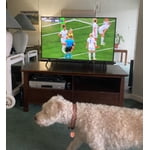
[This review was collected as part of a promotion.] I updated my TV not knowing what a drastic improvement of tv reception I was in for! It is a shame all programming is not at least 4K! What a difference! My wife, the kids and I watch alot of animal and nature programming and this Tv is perfect for such programming! The photos I posted are taken with my cell phone right off my Samsung Crystal UHD tv

Review from Samsung US
Helpful?3V8BU16WBLTL13878902648
Sep 15, 2020
BoomKitty1
5 out of 5 stars review

Great TV

[This review was collected as part of a promotion.] I am really happy with this TV. Easy to set up, slim, great picture... I'm really happy I went with Samsung... Sometimes the apps are slow to switch between but much faster than my old tv. The SmartThings app seems not needed. Overall highly recommend this!

Review from Samsung US
Helpful?3V8BU16WBLTL13878902648
Sep 16, 2020
Scotcha
5 out of 5 stars review

Super sharp, great value

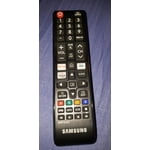
[This review was collected as part of a promotion.] Beauty TV - upgrade from a >10 year old Samsung (that still works but wanted something bigger) Only complaint is make the more frequently used buttons on the remote larger vs. the number buttons. Nobody uses number buttons anymore.

Review from Samsung US
Helpful?3V8BU16WBLTL13878902648