Skip to Main Content
Sam's Club
Sam's Club
All Departments
All Services
Customer reviews for SAMSUNG 65" Class TU700D-Series Crystal Ultra HD 4K Smart TV UN65TU700DFXZA for
SAMSUNG 65" Class TU700D-Series Crystal Ultra HD 4K Smart TV UN65TU700DFXZA
4.5 out of 5 stars
stars
11.3K ratings10.3K reviews
  1. 5 stars70% (7,942)
  2. 4 stars18% (1,994)
  3. 3 stars5% (589)
  4. 2 stars3% (284)
  5. 1 star5% (523)

Member photos

  • +1563 images
Sort by |
Showing 2,821-2,830 of 10,373 reviews
Sep 15, 2020
Reviewer name: FamFirst
5 out of 5 stars
5 out of 5 stars review

Excellent Picture Quality and Sound

[This review was collected as part of a promotion.] My family loves this television! With everything shut down because of the pandemic, we are still able to have movie nights in the comfort of our home. The picture quality makes us feel as if we are in the movie too!

Review from Samsung US
Helpful?3V8BU16WBLTL13878902648
Oct 6, 2020
Reviewer name: Ninjaexile
4 out of 5 stars
4 out of 5 stars review

Great Tv, but has several issues

[This review was collected as part of a promotion.] The biggest issue I have with the TV is the occasional flickering, I usually just cycle through Game Mode to make it go away. I am using a HDMI 2.1 cable so that shouldn't be causing any issue.Other than that the Film Maker mode is a Godsend.

Review from Samsung US
Helpful?3V8BU16WBLTL13878902648
Apr 16, 2021
Reviewer name: Jeremiah86
5 out of 5 stars
5 out of 5 stars review

This tv has impressed me with everything it can do

[This review was collected as part of a promotion.] Me an my son who is 4 use our TV constantly, It never gets a break lol. We stream everything. Honestly I don't know what we would do without it. It is very simple to use. Linked my samsung phone to it can look at all of my photo's anytime I want. Love playing my gaming system on it because of the quality of the TV. I would absolutely love to buy another.

Review from Samsung US
Helpful?3V8BU16WBLTL13878902648
Jul 2, 2023
Reviewer name: Logan
3 out of 5 stars
3 out of 5 stars review

Defaults to 30 fps and annoying pop ups on plug in

I have had this over a year. I had issues randomly turning black until Samsung repaired it, and my greatest issues with the TV are that it defaults to 30fps unless you go out of your way to enable game mode, and it asks you to identify whatever is plugged in, every single time, and sets the defaults to 30 fps, which is pointless and frustrating.

Review from Samsung US
Helpful?3V8BU16WBLTL13878902648
Dec 25, 2020
Reviewer name: Vince
2 out of 5 stars
2 out of 5 stars review

Internet Issues

will not stay connected to the internet. when i turn off the tv and turn it on it disconnects from the internet and the only way to correct it is to reset the network on the tv. i exchanged it for another tv and the second on did the exact same thing. i read online this is a common issue. had no idea and regret buying this tv. should have stuck with vizio products.

Review from Samsung US
Helpful?3V8BU16WBLTL13878902648
reply from OBA

Vince: Thank you for purchasing the Samsung TU7000 TV and for your review. I am very sorry that you are experiencing internet connection issues. You may want to go through these steps to check your network connection: 1) Check the distance between the TV and your modem or access point. The distance should not exceed 50 ft. (15.2 m). 2) Minimize interference by not using or turning off wireless devices. Also, verify that there are no obstacles between the TV and the modem or access point. (WiFi strength can be decreased by appliances, cordless phones, stone walls/fireplaces, etc.) 3) Perform a network test to check if there is a network problem. Press the Home button on your remote. Navigate to Settings > Support > Device Care > Self Diagnosis> Smart Hub Connection Test 4) Try a cold reboot of your TV by pressing and holding the power button for 5+ seconds until the TV turns off and on again. 5) Please also be sure you have the latest firmware update. You may want to enable automatic updates for convenience. Select Settings > Support > Software Update, then select Auto Update. For further assistance or service, please contact us via any of the following options: 1-800-SAMSUNG (ask for TVs), available 8AM -12AM EST, 7 days a week Or visit us on the Samsung website and click on the ‘Support’ link in the upper right corner of the homepage for: 1) Contact Us Options (LiveChat, Remote Support, Facebook, Twitter) 2) Product Support 3) Manuals and Downloads 4) Warranty Info 5) Product Registration: Registering your product gives you access to easy warranty support, convenient opt-in to special promos and offers, faster troubleshooting and service, and quick notification of system updates 6) Samsung Community: A great resource for getting help from Samsung moderators and customers and more 7) …and more product, repair, order, and care options ~ Samsung Solutions

Aug 4, 2022
Reviewer name: Anonymous
1 out of 5 stars
1 out of 5 stars review

Shame on you Samsung
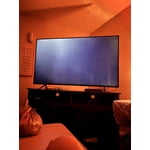
i purchased a 65" ru71000 4k uhd tv and washer around 3 years ago together. shortly after 1 year, both quit working. my tv went to a black screen with occasional flash of light. highly disappointed in you samsung. who has the money for your products that just lead to more money within such a short span of time?

Review from Samsung US
Helpful?3V8BU16WBLTL13878902648
reply from Samsung Brand Ambassador

Hi jenndcook06, We are very sorry to hear about your experience with the TU7000 TV. Please know we are here to help you. If your TV has a black screen even when it's on, it's quite possible it could actually be your external device and not your TV. Please try these troubleshooting steps for your blank screen issue: 1. Press the Home button on the remote. If the menu appears, the TV is powered on but is either not on the correct source or not receiving a signal. If the menu does not appear, the TV may be having power issues. Check the red standby light, a little red light at the edge of the TV that you aim the remote at. In normal use, the red standby light is on when the TV is off (indicating the TV is on standby), and the red standby light is off when the TV is in use (or doesn't have power). 2. Confirm the TV is set to the same source as the external device. For instance, if your cable box is connected to HDMI 1, set the TV source to HDMI 1. If the TV is set to the correct source, but there is still no image, unplug and reconnect the AV connections one cable at a time from both ends of each cable. If there's any damage to the cable, it will need to be replaced. After you've reconnected the external device, turn it off and then back on. 3. Test the HDMI cable. Some TVs have an HDMI cable test. Some models only have this test after a software update, and older models do not have it. If your model does not have this test, or is not connected by HDMI, skip to the next step. The test is designed for HDMI cords less than 6 feet long and may not give accurate results on long cords. To perform the test, make sure the TV's source is still on the HDMI setting for the cable you want to test, and then navigate to Settings > Support > Self Diagnosis > Signal Information > HDMI Cable Test > Start Test. If the test says, the cable is bad, replace the cable. Service is not required. 4. Test different external devices. The final thing to rule out is the external device you're using. Try connecting to a different device or using a different source port. If you were unable to test the cable in the previous step, then try swapping the cable, too. If the TV can display a picture in any other setup, then you've ruled the TV out as the cause of the issue. Keep trying various setups until you identify the device or cable that is not working and troubleshoot or replace it. If your issue persists, please give us a call so we can troubleshoot with you. Please call us at 1-800-SAMSUNG, 8 AM - 12 AM EST, seven days a week. Our LiveChat agents are also available by clicking on the ‘Support’ link on our website. ~ Samsung Advisor

Sep 15, 2020
Reviewer name: Girlfriend
5 out of 5 stars
5 out of 5 stars review

more extensive owner's manual!

[This review was collected as part of a promotion.] I'm still kind of perplexed that the product didn't have more input jacks to make use of multiple devices. If it is possible I would like to know how to connect multiple devices or can I download a real owner's manual!

Review from Samsung US
Helpful?3V8BU16WBLTL13878902648
Jun 26, 2020
Reviewer name: neba
1 out of 5 stars
1 out of 5 stars review

nothing

this was a replacement for an older 55ju6400fxza that was still fully operable but unable to access the youtube tv app. i was surprised to find that unlike the earlier model i could not access two sound outlets simultainiously . as a hearing impaired senior citizen watching at the same time as my acute hearing wife results in an unacceptable compromise. a major waste of money, and the last samsung product for us.

Review from Samsung US
Helpful?3V8BU16WBLTL13878902648
reply from OBA

neba: I'm very sorry that you are unable to use your TU7000 like your previous model. However, you can still output audio from both your TV speakers and Bluetooth devices simultaneously. Go to Settings > General > Accessibility > Multi-output Audio. I hope this helps you and your wife enjoy watching TV together. For further assistance, please contact Samsung Customer Support. 1) Phone: 1-800-SAMSUNG, Available 8AM -12AM EST (7 Days a Week) 2) LiveChat: https://www.samsung.com/us/support/#contact_us_for_support 3) Facebook Messenger: https://www.facebook.com/samsungsupport 4) Twitter: https://twitter.com/SamsungSupport 5) The Samsung Members Community is also a great resource for getting help from Samsung moderators and customers: https://us.community.samsung.com If you have not already done so, we invite you to register your new Samsung product at: https://www.samsung.com/us/account/signin/?redirect=https%3A%2F%2Fwww.samsung.com%2Fus%2Fsupport%2Fregister%2F Registering your product gives you access to easy warranty support, convenient opt-in to special promos and offers, faster troubleshooting and service, and quick notification of system updates. ~ Samsung Solutions

May 23, 2022
Reviewer name: LNCGamingyt
5 out of 5 stars
5 out of 5 stars review

This tv review

[This review was collected as part of a promotion.] This tv is nice wish it had more then 2 hdmi and hdmi 2.1. But others then that it's nice good price for a 65 inch 4K and the Feature with the airtime and Google is nice. And wish it was 120hz and not 60 hz.

Review from Samsung US
Helpful?3V8BU16WBLTL13878902648
May 6, 2023
Reviewer name: The official
3 out of 5 stars
3 out of 5 stars review

Ok to not good.

The TV is good. Wish it was better at streaming. I would recommend something better to anyone looking for a good quality reliable TV. I have a technician coming to look to see why I can't stream. it is definitely the TV that's the problem, not the internet or streaming service. May upgrade to something better if I can't solve the issue.

Review from Samsung US
Helpful?3V8BU16WBLTL13878902648